With Proxy Bidding
This page describes how the bidding will go with Proxy Bidding turned on.
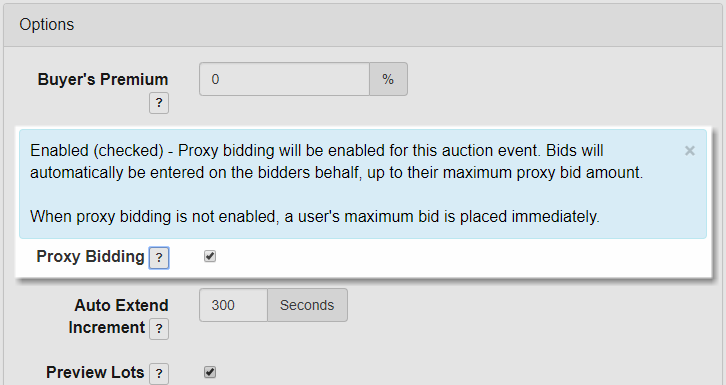
Enable Proxy Bidding can be turned on from the Create Event page or the Edit Event page.
Note: This is the default configuration for this setting.
Proxy Bidding Scenario
The following example scenario illustrates how bidding works on a Lot when the Proxy Bidding setting is turned On.
With Proxy Bidding enabled the user enters their maximum bid which the system then only bids up to as other bidders place their own maximum bids.
- The Admin creates a Lot with a Starting Price of $100.00.
- AuctionBob enters a Bid of $299.00.
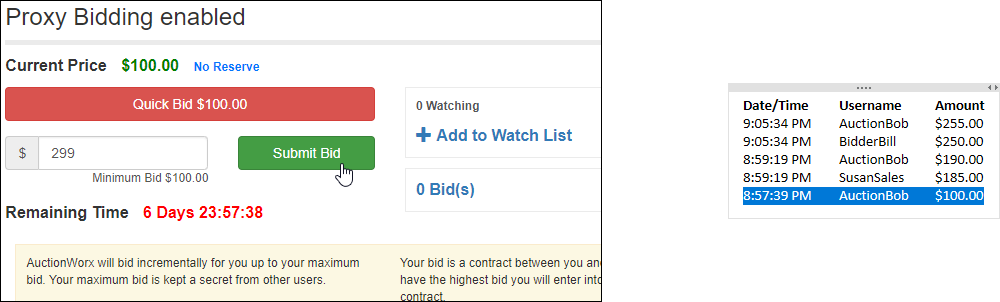
- SusanSales enters a bid of $185.00.
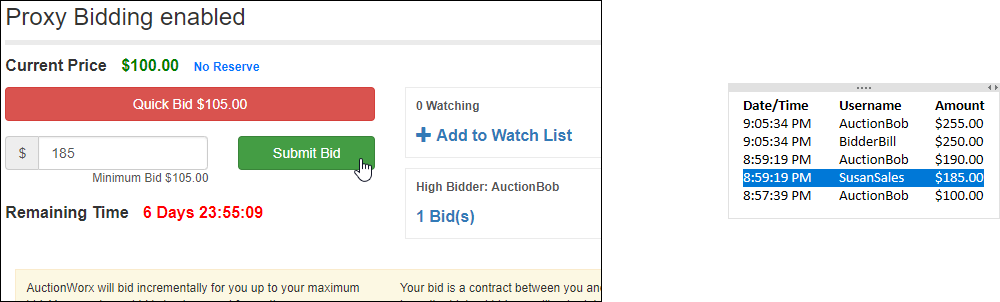
- AuctionBob's Proxy Bid is automatically entered as $190.00.
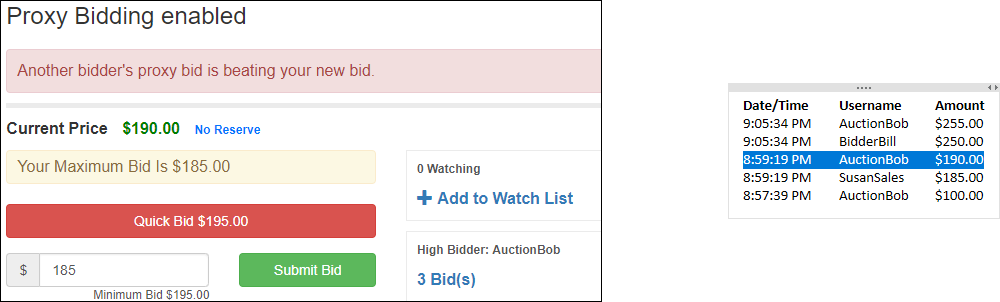
- A third user, BidderBill, sees the Lot's Current Price as $190.00 and enters a bid of $250.00.
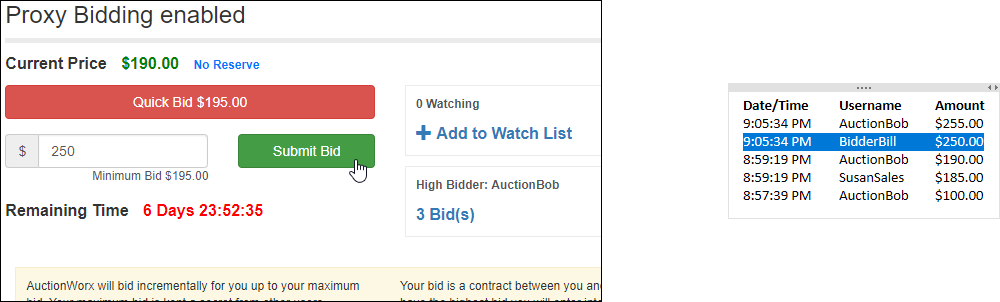
- AuctionBob's Proxy Bid of $255.00 is automatically entered and he remains the High Bidder.
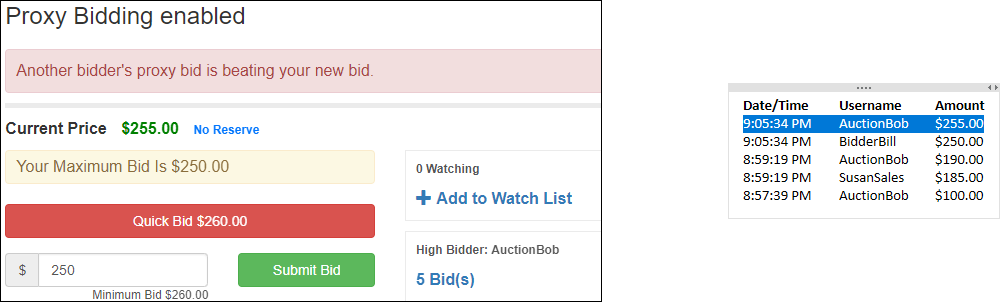
Bid History
| Date/Time | Username | Amount |
| 9:05:34 PM | AuctionBob | $255.00 |
| 9:05:34 PM | BidderBill | $250.00 |
| 8:59:19 PM | AuctionBob | $190.00 |
| 8:59:19 PM | SusanSales | $185.00 |
| 8:57:39 PM | AuctionBob | $100.00 |
