Event Activity
The Event Activity report displays the details of an individual Event. Most of the fields are sortable and searchable.
Show Filters - Clicking this button toggles the search fields on and off for each of the searchable columns.
Apply Filters - After entering the search criteria into the filter fields, clicking this button will apply the filters to the report.
Reset Filters - Clicking this button will reset the filters so that the whole list is displayed.
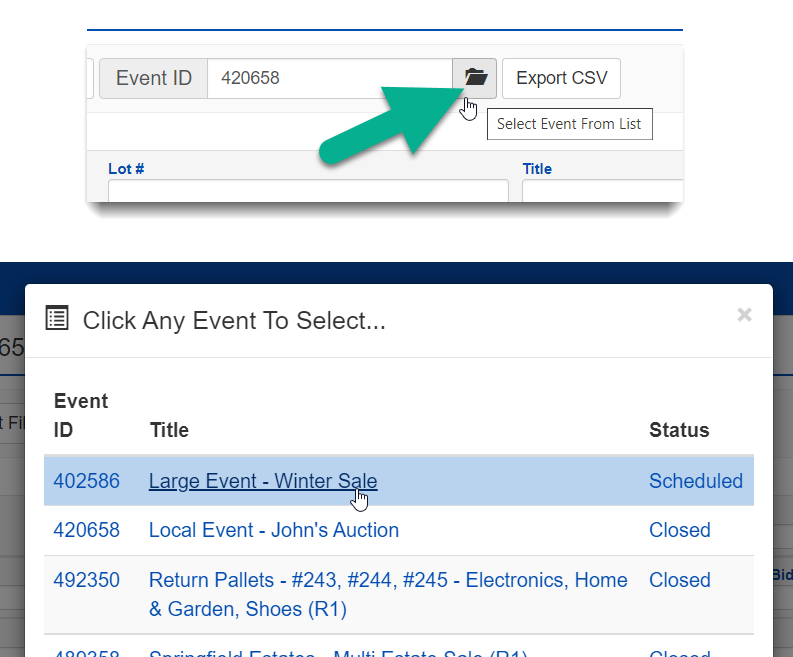
Event ID Selector - The Event can be selected by typing in the Event ID or by clicking the Event ID Folder button to select an Event from the list of all Events.
Export CSV - Download the CSV (comma separated value) file containing the current data. Filters are applied to the CSV file.
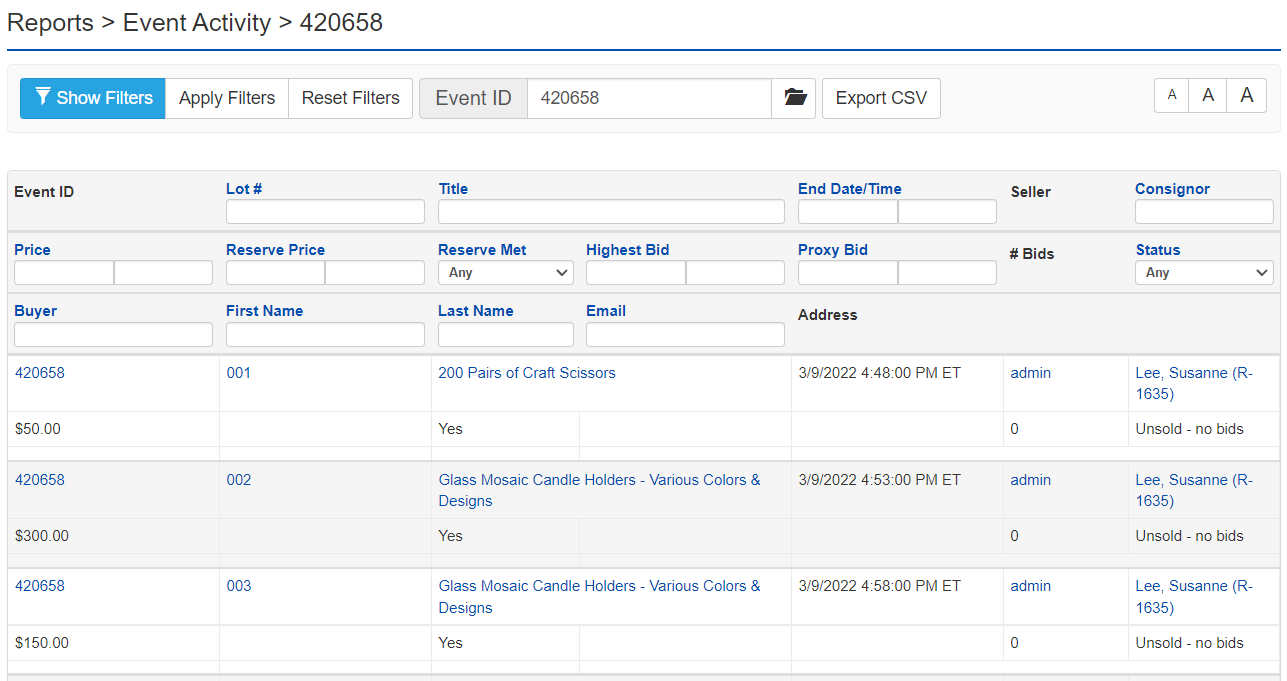
The Status dropdown is a filter option. This dropdown is part of the fields listed in the table.
- Any: Both Successful and Unsuccessful Lots (past and present)
- Sold: Lots that have been sold
- Unsold - reserve not met: Lots that did not sell nor was the reserve price met
- Unsold - no bids: Lots that did not sell nor were there any bids placed
- Active: Active Lots
- Active - reserve not met: Active Lots that the reserve price has not yet been met
| Name of Field | Type of Information | Description |
|---|---|---|
| Event ID | Integer Value | The ID that refers to what Event the Lot was associated with |
| Lot # | Text | The Lot number (can contain letters) |
| Title | Text | The Lot Title |
| End Date/Time | Date (Range) | The Date and Time the Lot has or is set to end |
| Seller | Text | The Payee's (Seller's) User Name |
| Consignor | Text | Consignor Number (links to Consignor Edit page) |
| Price | Integer Value | The Price as it was set or at the end of the Lot |
| Reserve Price | Integer Value | The Reserve Price set for the Lot |
| Reserve Price Met | Option Dropdown | Was the Reserve Price met Yes or No or both |
| Highest Bid | Integer Value | The highest Bid received on the Lot |
| Proxy Bid | Integer Value | The highest Proxy Bid received on the Lot |
| # Bids | Integer Value | The number of bids on the Lot |
| Status | Option Dropdown | Sold, Unsold, Active (with reserve met modifiers) |
| Listing ID | Integer Value | The Listing ID number is unique to the listing, not the sale |
| Buyer | Text | The Buyer's Username |
| First Name | Text | The Buyer's First Name |
| Last Name | Text | The Buyer's Last Name |
| Text | The Buyer's email address | |
| Address | Text | The Buyer's address |