Adding RainWorx to your Google Analytics
Once the code is setup please grant view or read permission to our Google account which is "[email protected]":
-
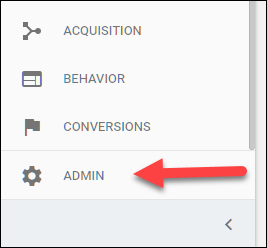
When viewing your Google Analytics, on the left hand side at the bottom should be an Admin option:
-
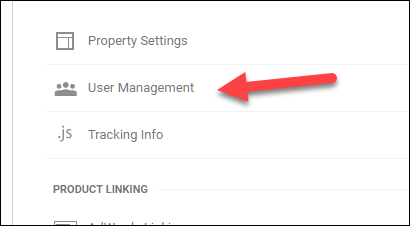
Under the Account or Property columns select User Management:
-
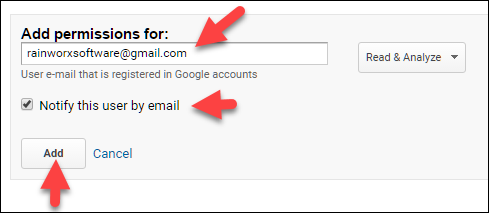
Enter "[email protected]", check off the Notify option and click Add: