Pause Event Instructions
Note
This feature is available in AuctionWorx Events Edition version 3.5.8190 or later.
Note
You have to be signed in as a user with the Admin role to access this option.
Pause/Resume Closing Events - All auction events that are in a state of Closing (Accepting Final Bids) have a new option available from the Manage Auction > Event Options dropdown called Pause Event.
The Pause Event function is used to temporarily stop all lot countdowns and prevent new bids from being submitted. This allows for any adjustments needed to lot order, closing groups, etc. or in case any issues occur after the event has started closing.
Instructions
Go to the Manage Auction page and choose the Pause Event option from the Event Options dropdown.
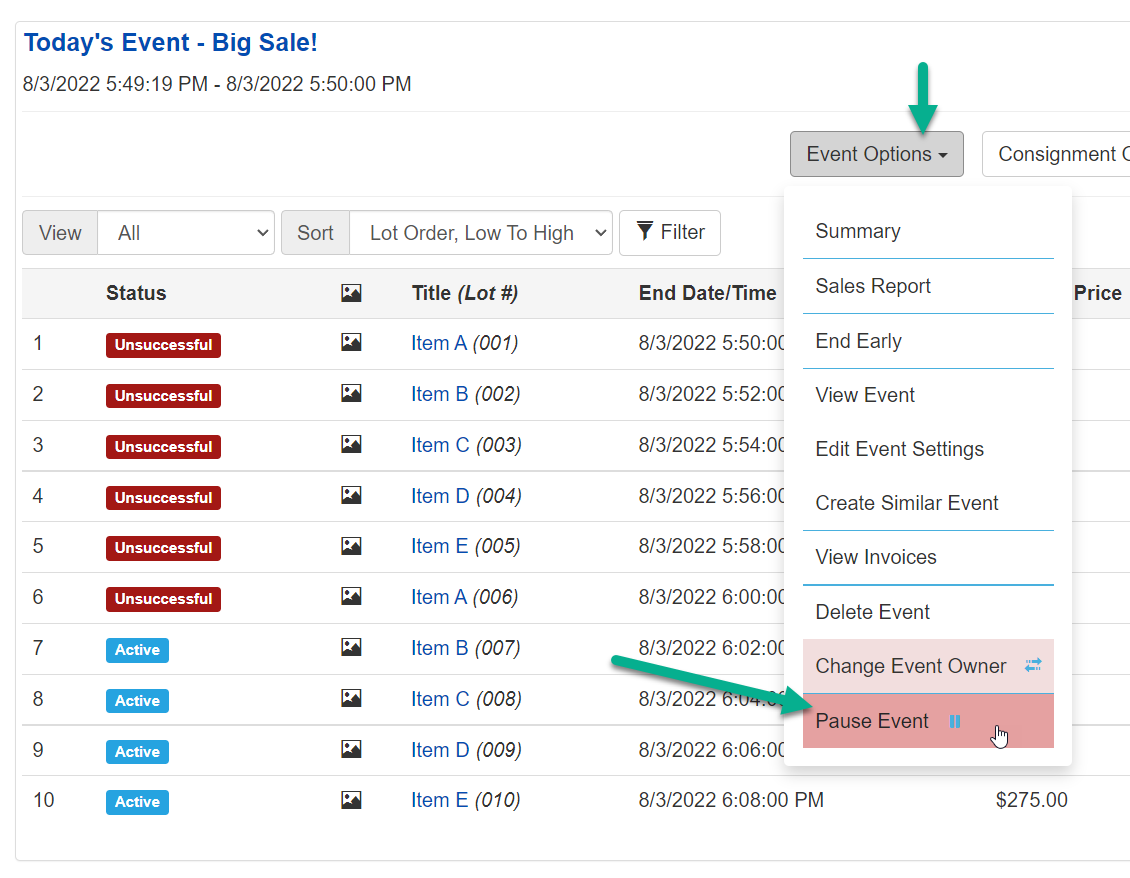
Once the Event is paused, the remaining active listings will also be paused. If some lots closed unexpectedly and you'd like to allow additional bidding, you can choose to Re-activate the lot from the 3 dot menu to the right of the lot on the Manage Auction page.
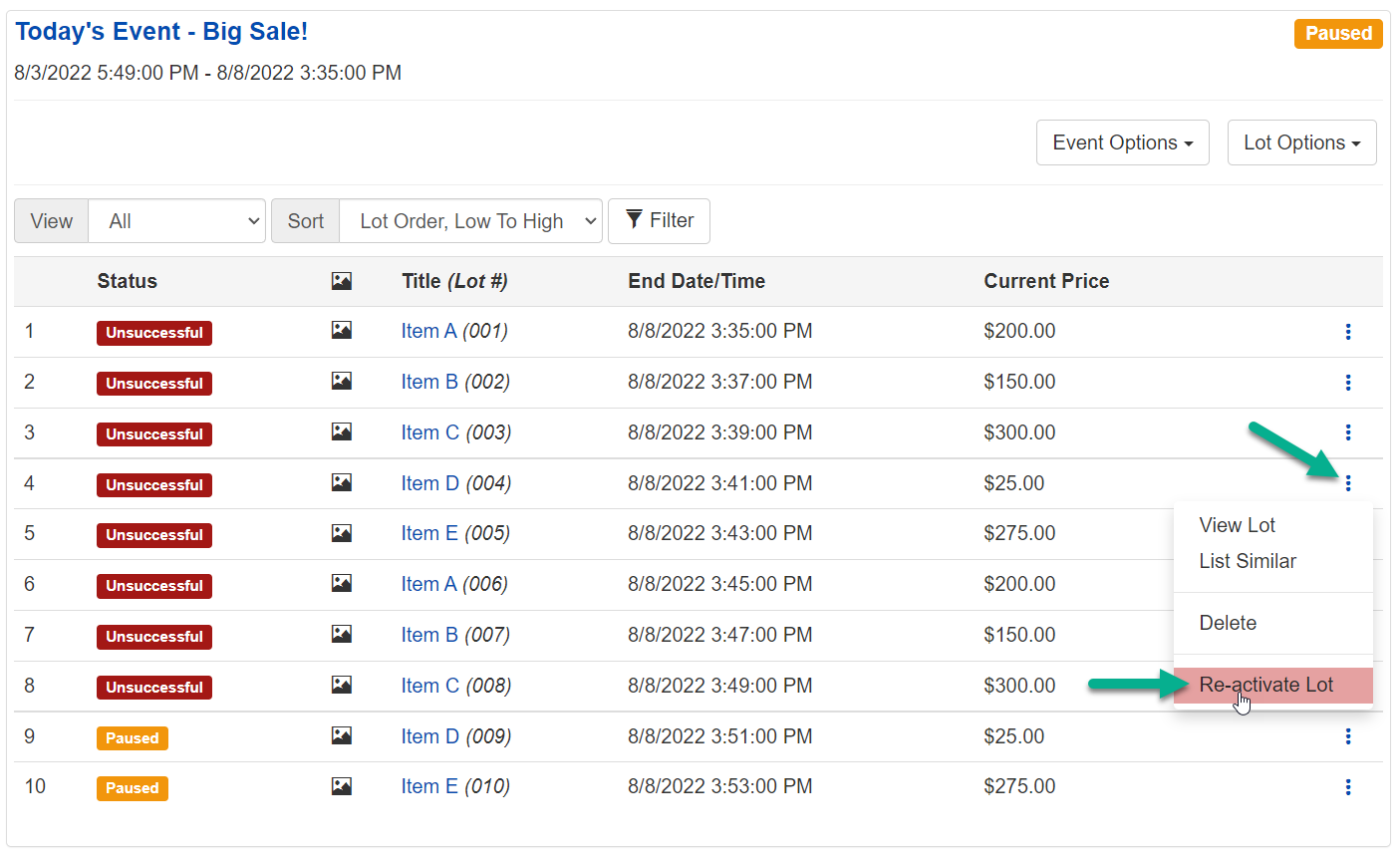
Re-activated lots will be set to paused along with other lots that have not closed yet.
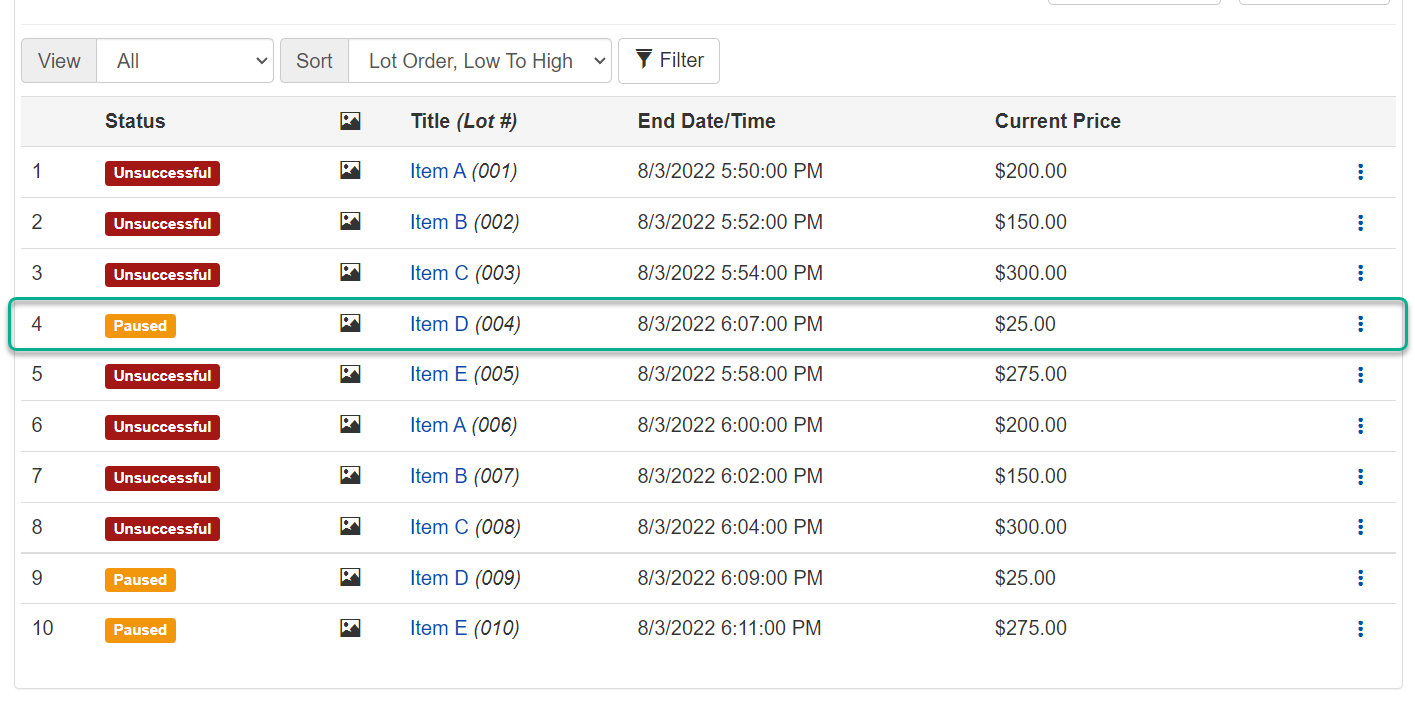
Warning
If you Re-Activate a Lot that had a winning high bid, the high bidder may have already received a Purchase Confirmation email telling them they have won.
At this point, you may want to communicate with bidders about any changes to the event or how the event will proceed. This could be done by putting an announcement on the Event Detail page by editing the Event Settings or by putting an announcement on the website using an appropriate Admin Control Panel > CMS > Content area.
Also, if it is appropriate, you can Edit the Event Settings to change the end date and time. This can be useful in cases when you want to resume the event at a later date rather than resuming the event right away.
When you are ready to resume the event, choose the Resume Event option from the Event Options dropdown on the Manage Auction page.
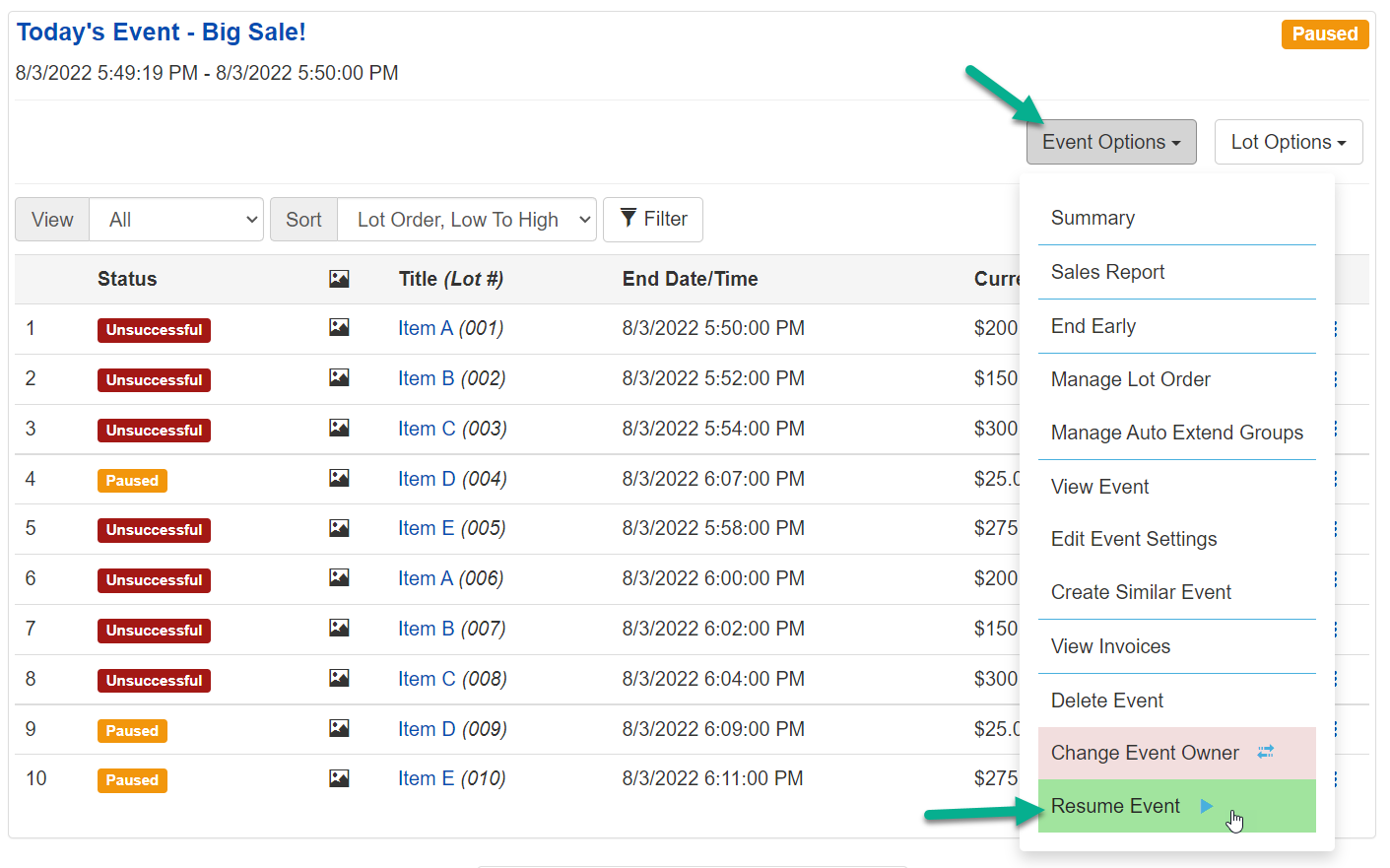
The dialog that opens will give you two options:
- Current Next Lot End Time... according to the Event Settings. (This is used when you've edited the Event Settings before resuming)
- Reset Next Lot End Time to Now + "X" minutes... from when you choose to resume. (This is used when the event was paused for only a brief period and you just want to add a few minutes)
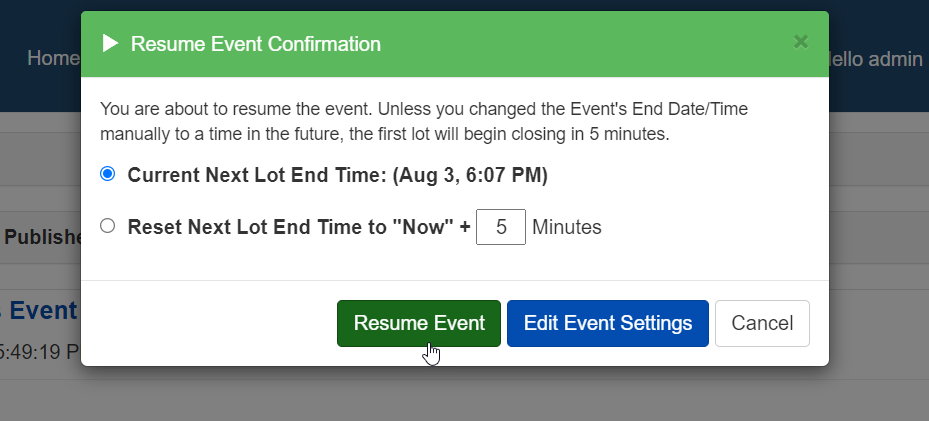
The Paused Event will resume now and allow bidders to participate again.