Setup SMTP Service with SendGrid.com
This article describes setting up SendGrid.com as the SMTP (Simple Mail Transfer Protocol) service in AuctionWorx.
- Go to SendGrid.com.
- Click the Start For Free button.
- Create a new account.
-
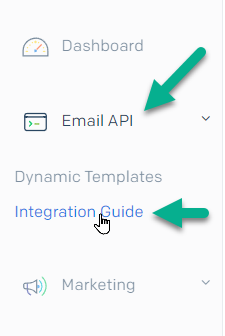
Click the Email API option from the navigation on the right and click Integration Guide.
-
Choose the SMTP Relay option.
- Follow the steps to Create an API key.
You'll then be provided with the information needed to fill in the SMTP settings in the web.config file of AuctionWorx.
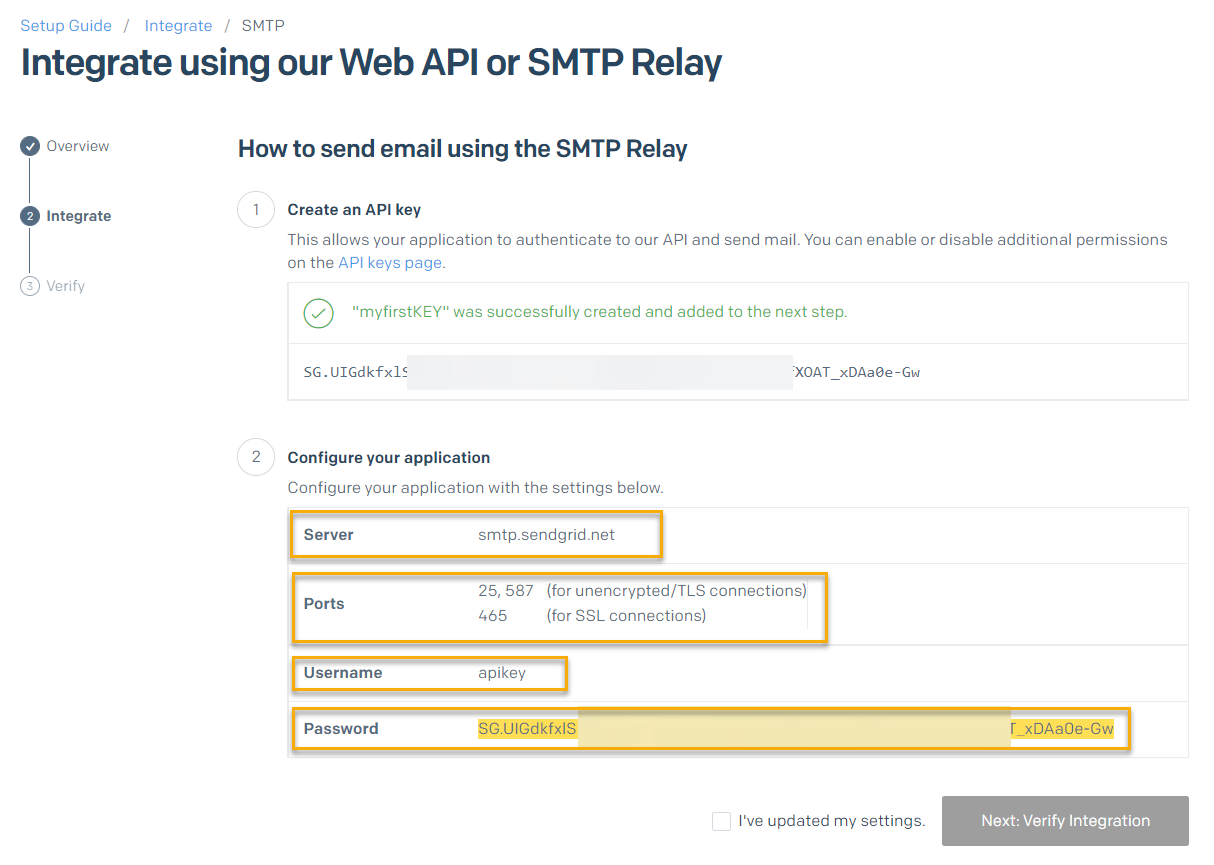
The API Key is used as the Password for the SMTP settings. Host, Username and Port should be the same for anyone using SendGrid.com with AuctionWorx. Here is an example of the information you'll need:
- Host —
smtp.sendgrid.net - Username —
apikey - Password —
SG.Yk6bdk85RMq********asw3W-3g... - Port —
587
The resulting settings in the web.config file should look like this:
<system.net>
  <mailSettings>
    <smtp>
      <network host="smtp.sendgrid.net" userName="apikey" password="SG.Yk6bd***8g..." port="587"/>
    </smtp>
  </mailSettings>
</system.net>