Purchasing an SSL Certificate from NameCheap.com for AuctionWorx Hosted with RainWorx
NameCheap.com is one of many SSL Vendors that you can purchase an SSL Certificate from. Below are instructions on the whole process from asking RainWorx for a CSR to sending RainWorx the SSL Certificate file for installation.
CSR — CSR stands for Certificate Signing Request. It is a block of text that lets the Certificate Authority verify the server that the domain will be hosted from. The CSR needs to be generated by the hosting company and needs to be given to the SSL Vendor to produce the SSL Certificate Files.
Note
As a courtesy, we provide information about how to use certain third-party products, but we do not endorse or directly support third-party products and we are not responsible for the functions or reliability of such products.
Contact RainWorx Support about getting an SSL. RainWorx Support will provide you with a CSR that you can use to purchase an SSL Certificate with. Once purchased, you can send the SSL Certificate Files to RainWorx Support to install the Certificate for you.
-
Ask RainWorx Support about setting up an SSL certificate and be sure to include the domain name that you want SSL turned on for. The best way to contact RainWorx support is to open a Support Ticket.
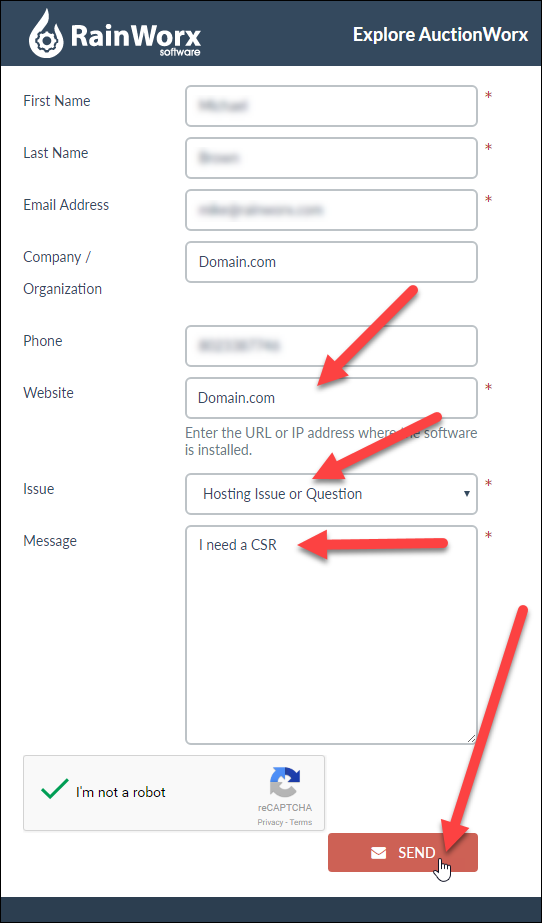
-
RainWorx Support will respond with an email that contains a block of text that you will need later in this process.
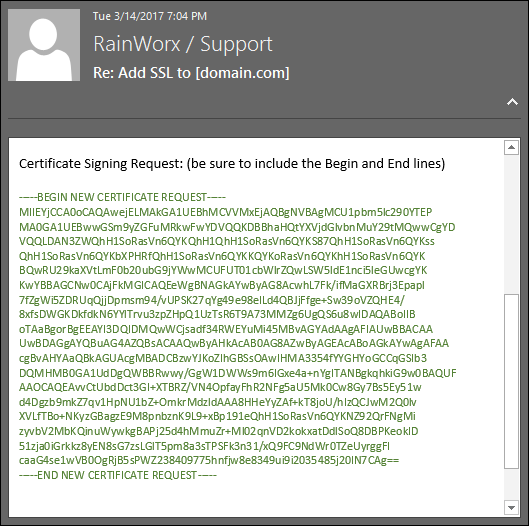
-
Go to NameCheap.com to purchase a PositiveSSL: https://www.namecheap.com/security/ssl-certificates
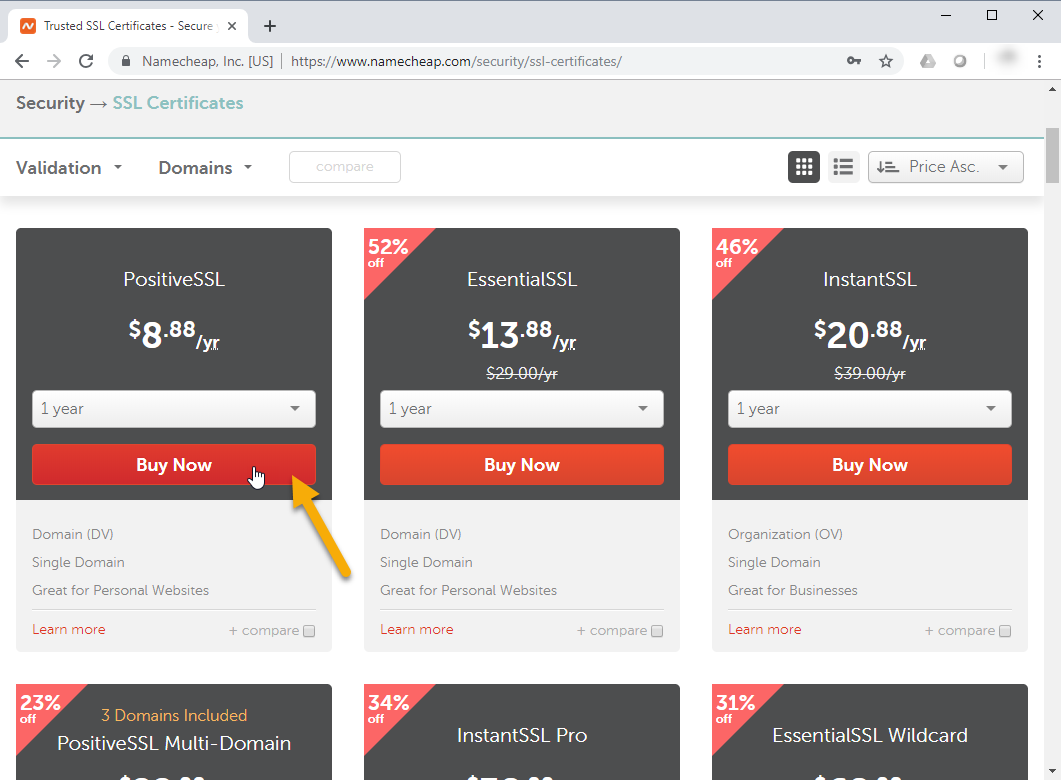
-
Click Confirm Order.
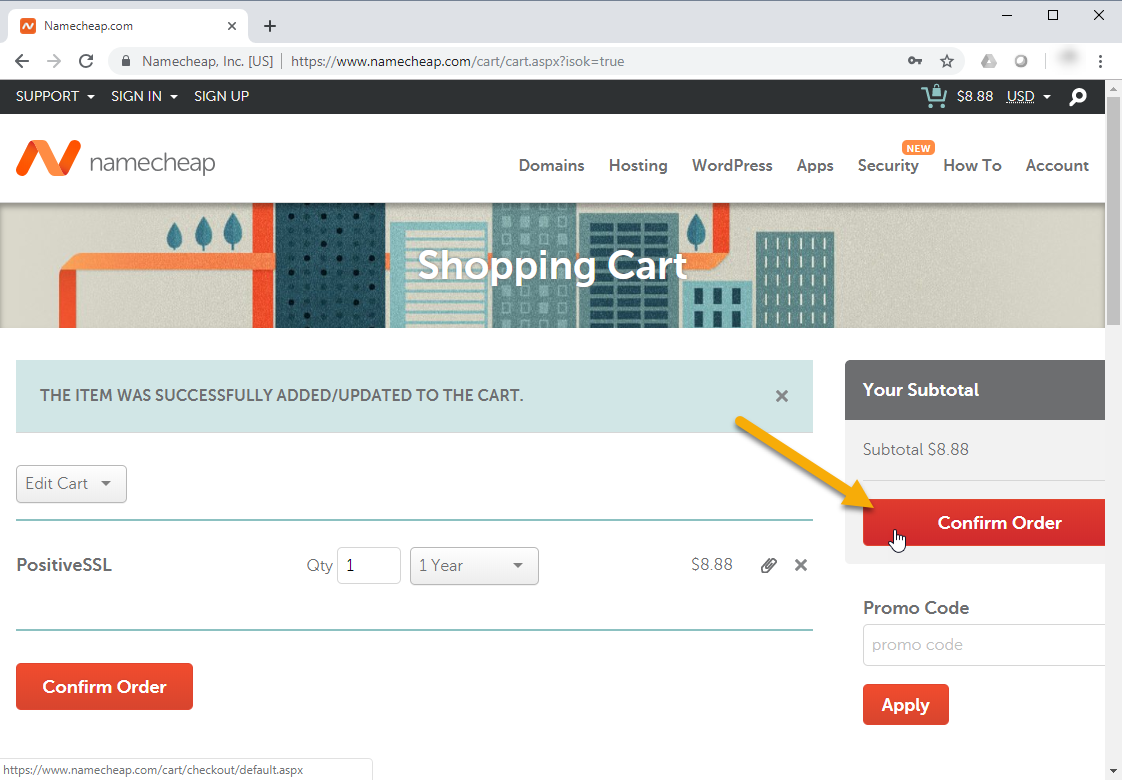
-
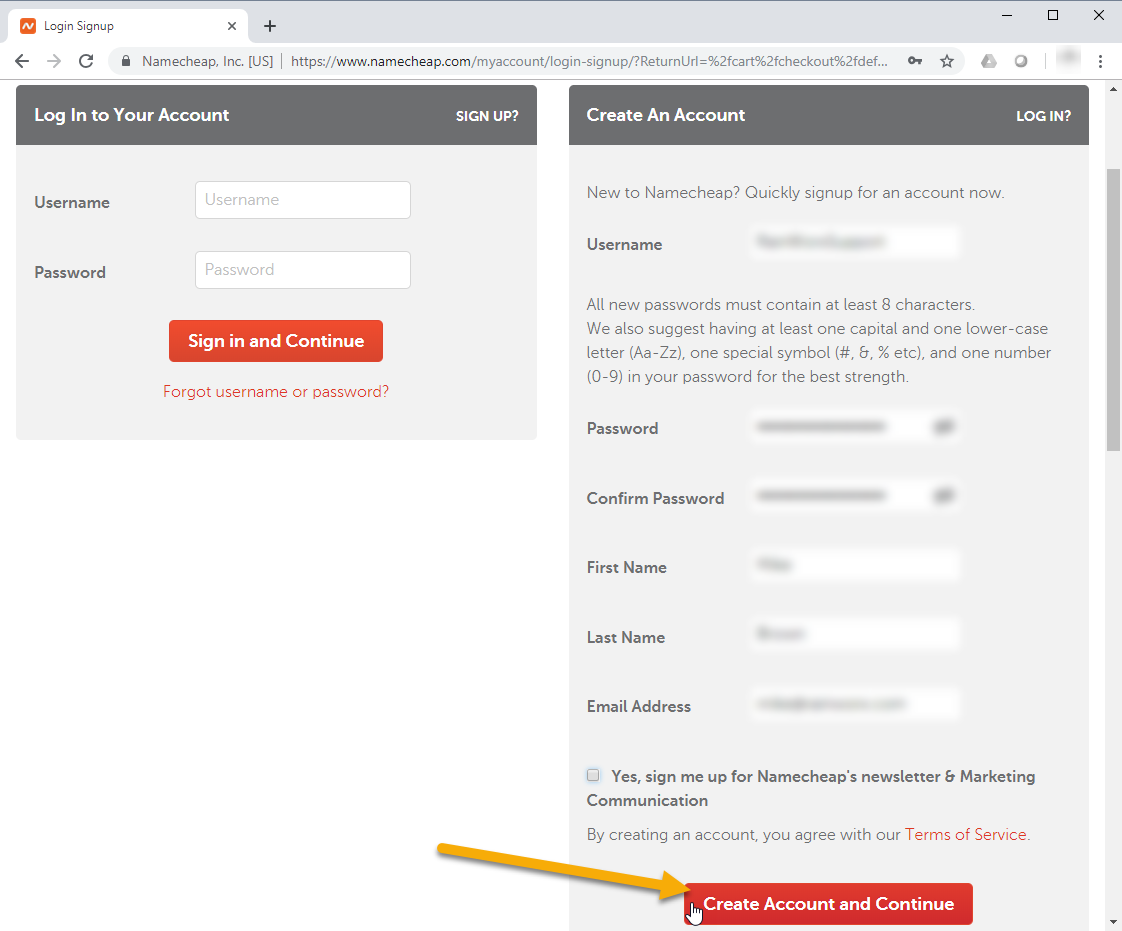
Click Create Account and Continue.
-
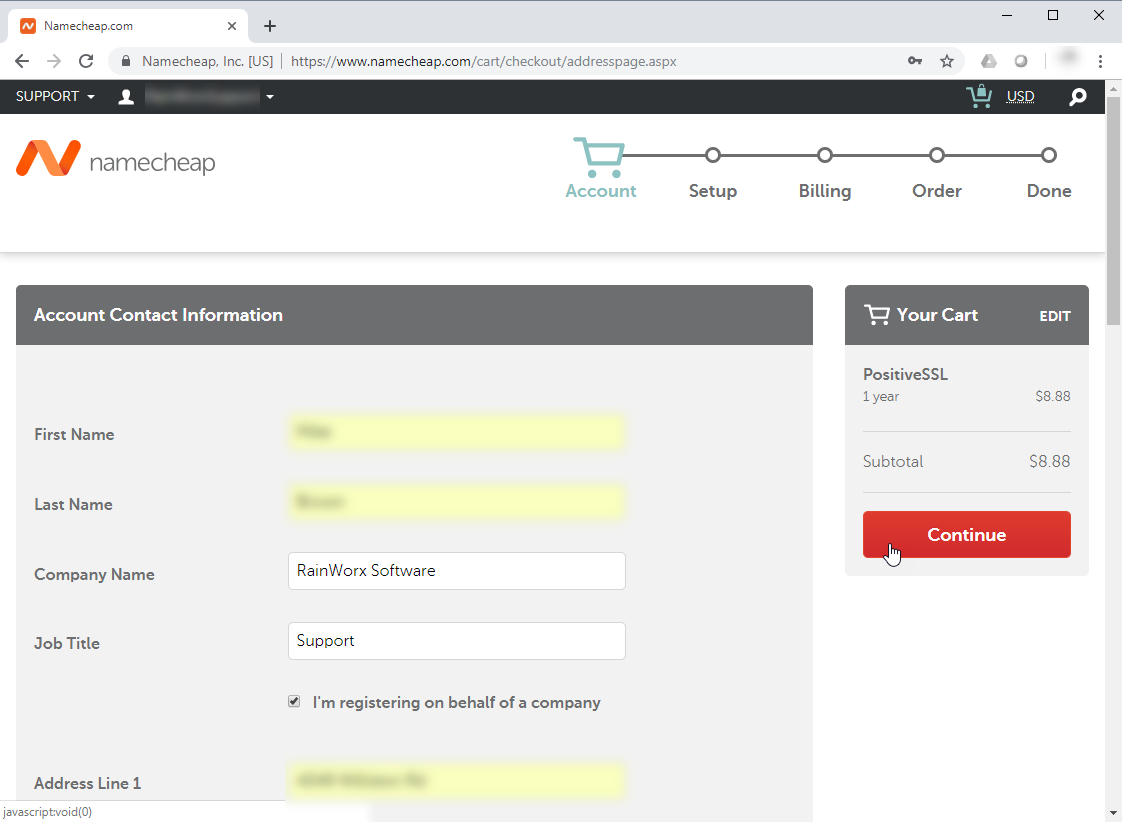
Fill out the required fields and click Continue.
-
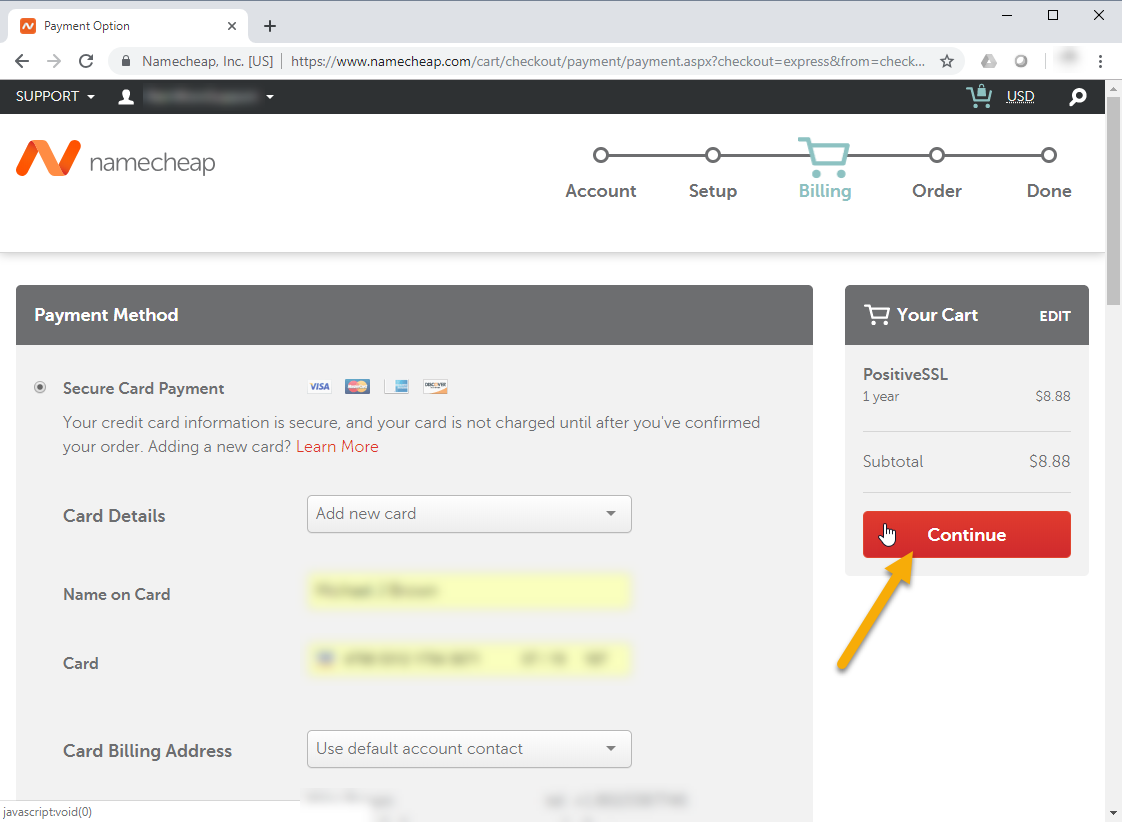
Fill in your billing information and click Continue.
-
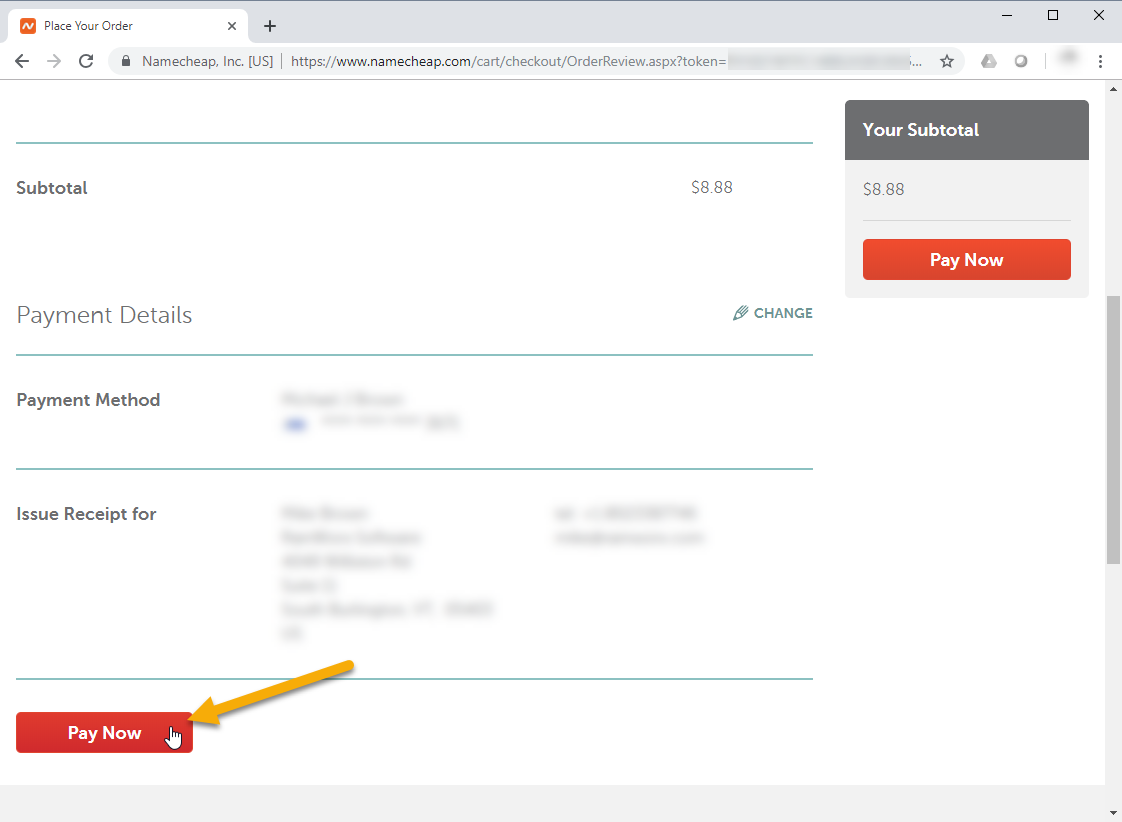
Confirm your order details and click Pay Now.
-
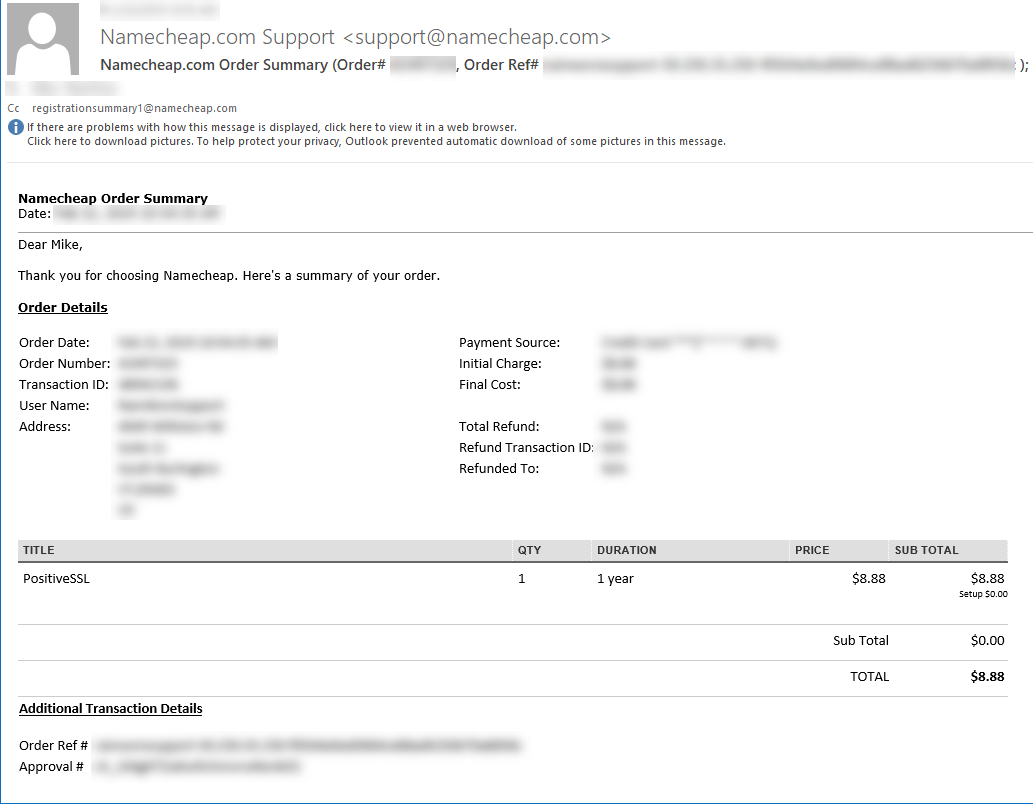
You can confirm that the order went through by checking the email address you provided when purchasing the SSL Certificate.
-
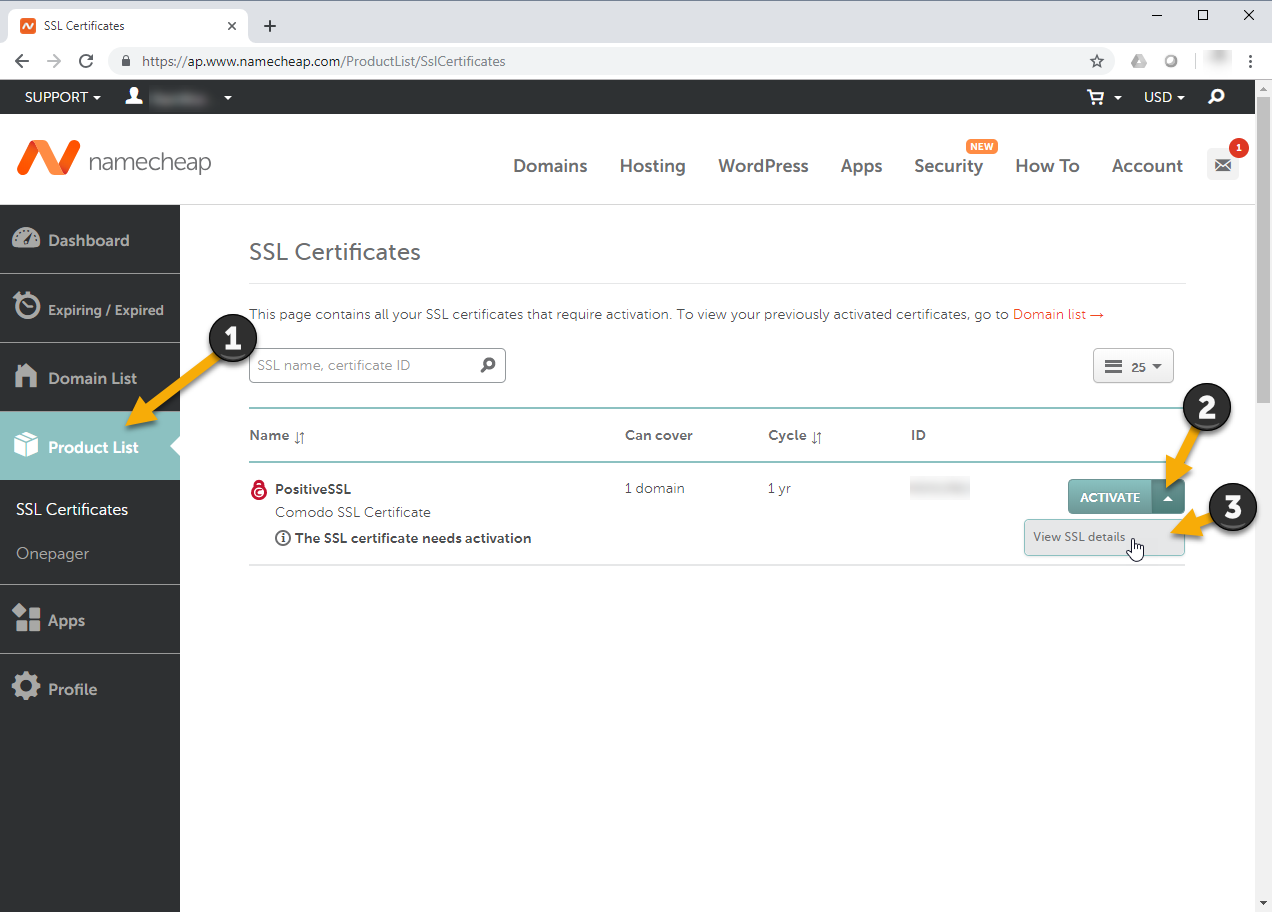
You can now sign in to NameCheap.com to access your account. Once signed in to your account, select Product List from the left navigation, open the Activate dropdown and click the View SSL details button.
-
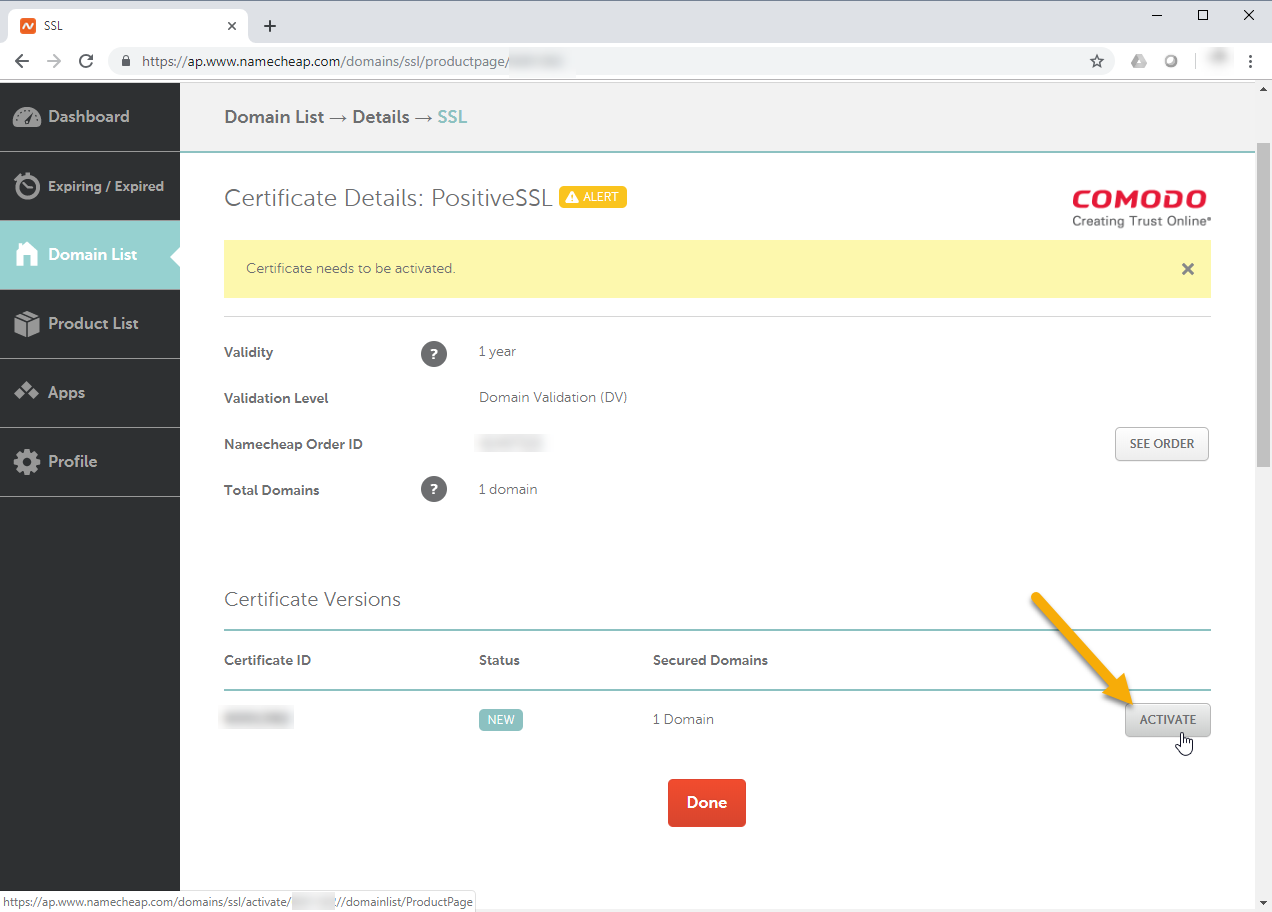
Click Activate on the SSL Certificate order.
-
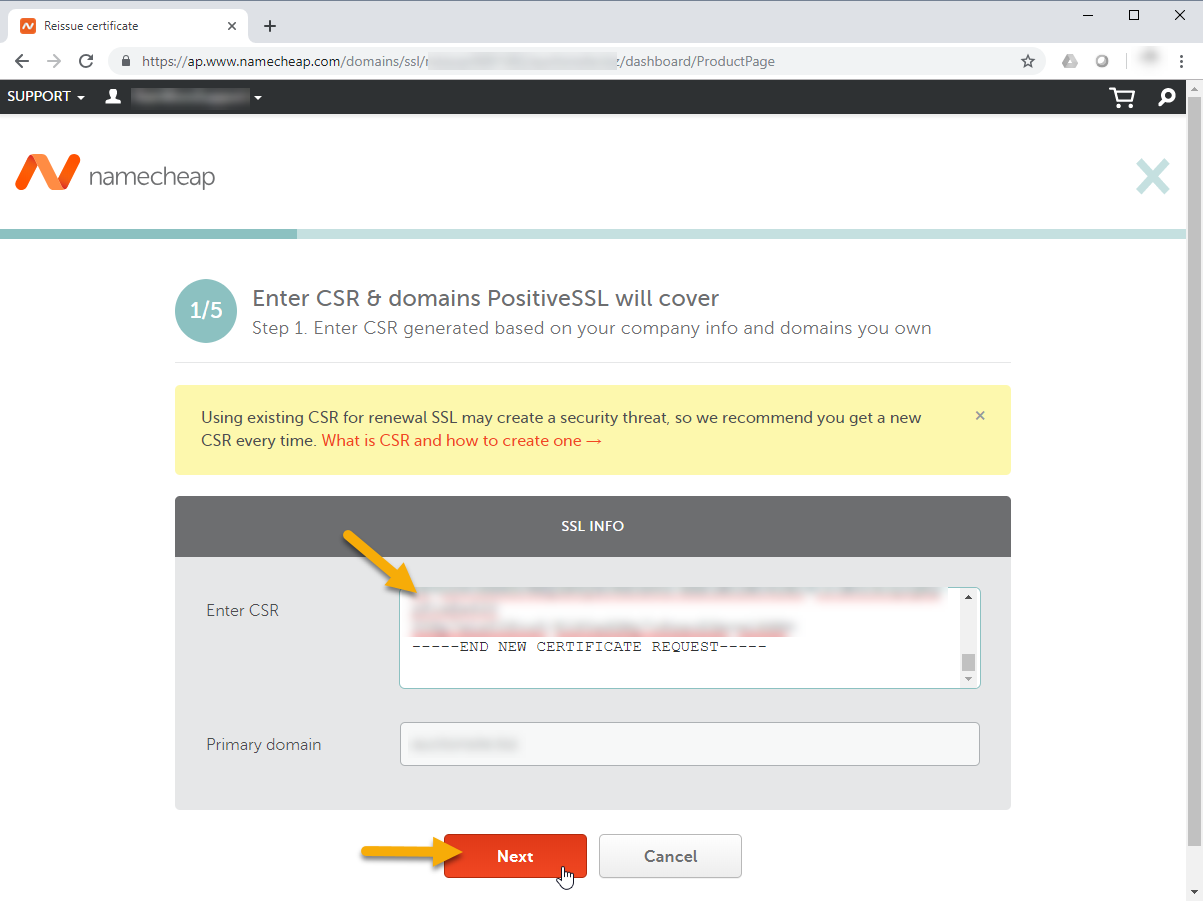
You'll be asked to provide a CSR (Certificate Signing Request). Provide them with the block of text provided in the email referenced in step 2. If you do not have a CSR generated by RainWorx, you need to request one.
-
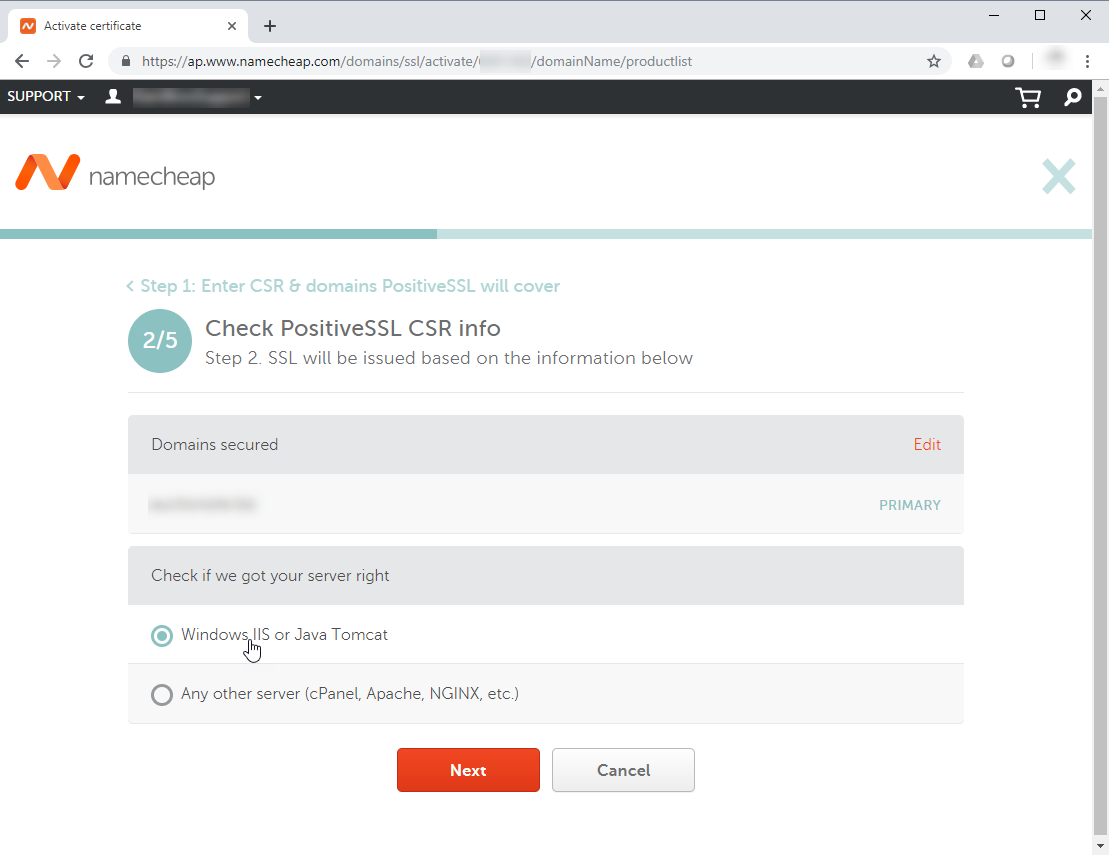
Next, you'll need to choose the Server Type. Choose Windows IIS.
-
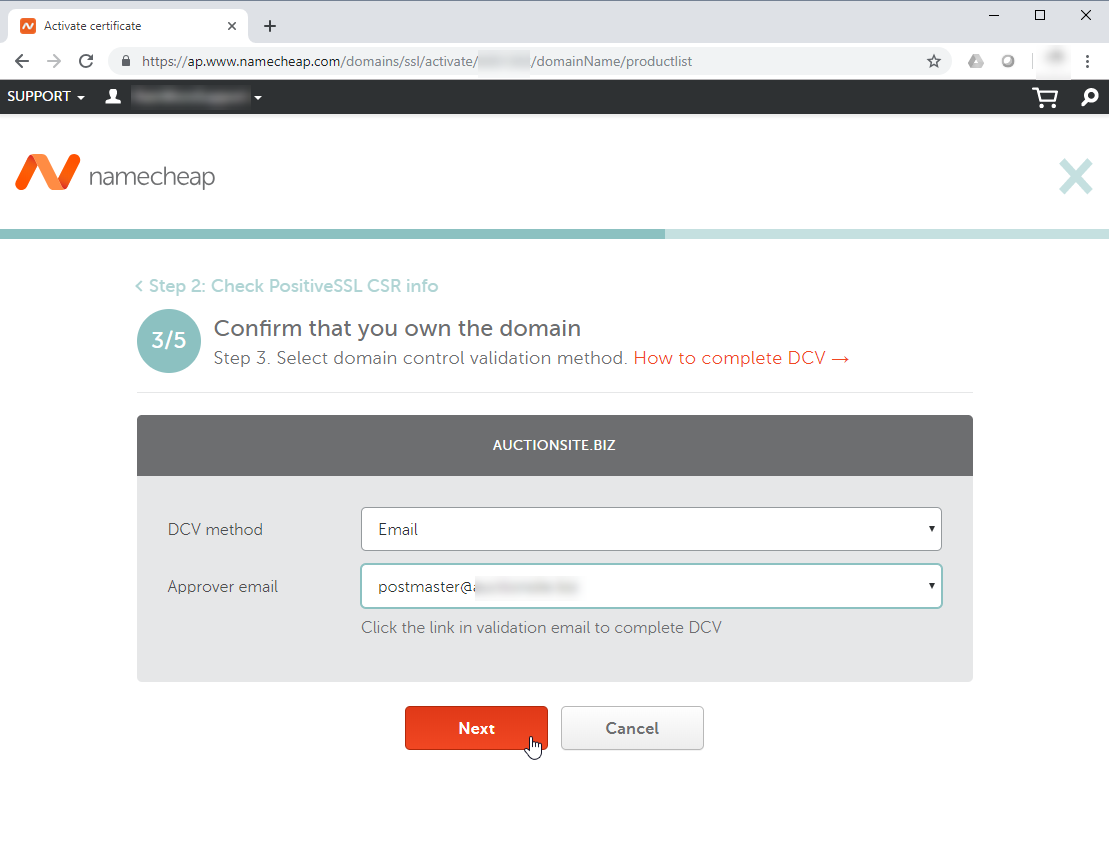
Select the Email type DCV method. Then select the [email protected] as the Approver email.
-
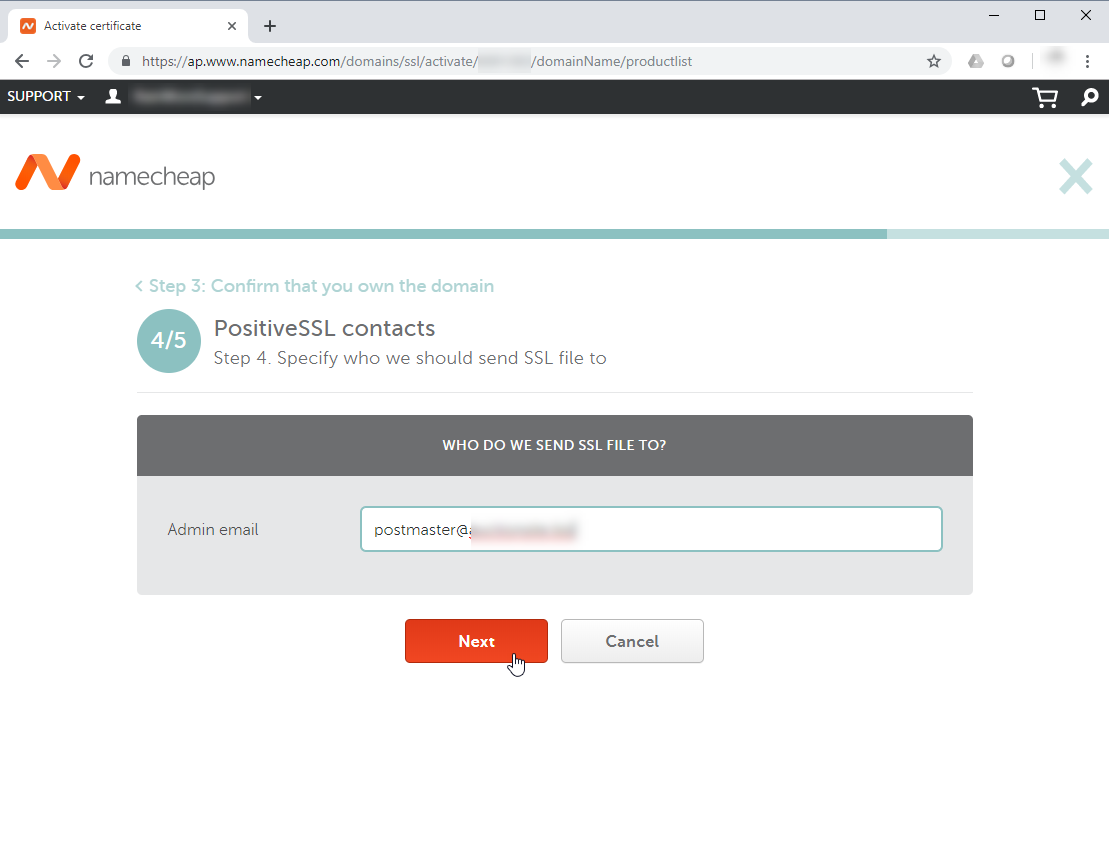
Enter the same [email protected] as the Admin Email where you will receive the SSL File. You could choose a different email address but, to keep things simple...
-
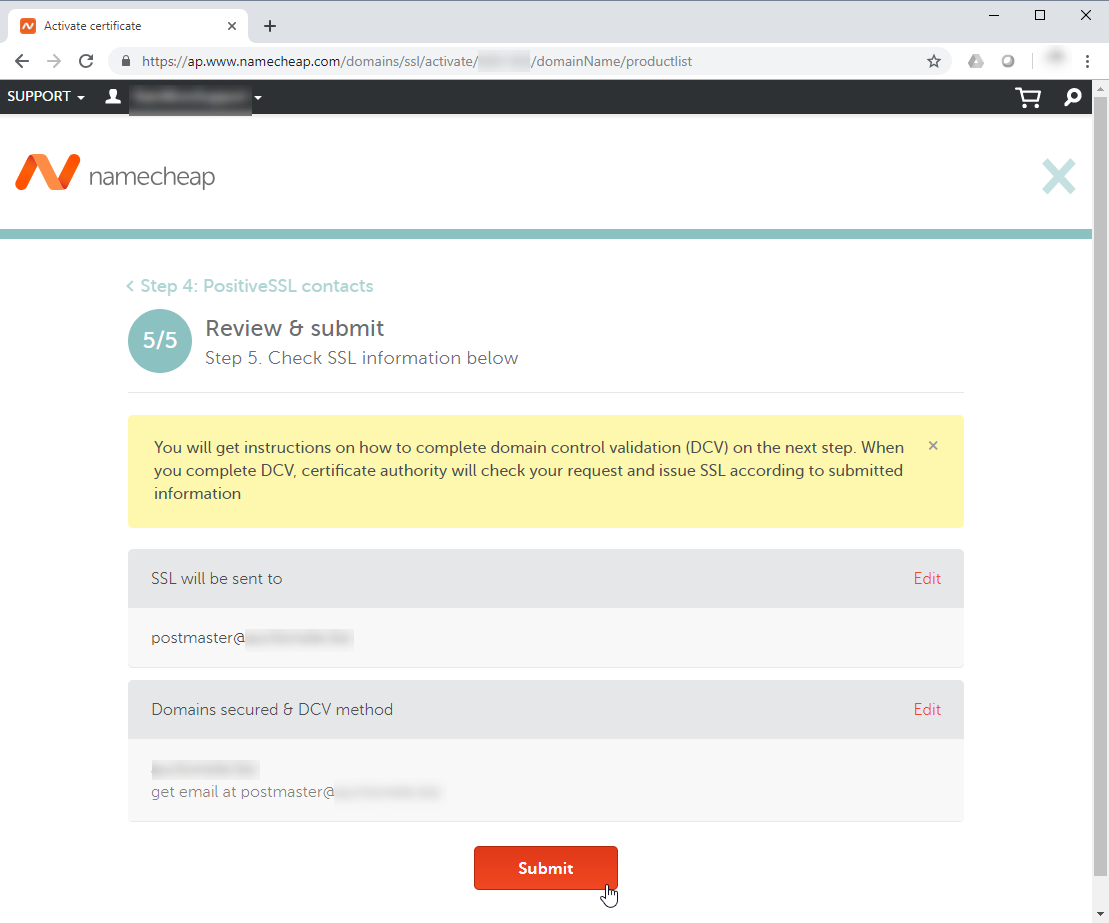
Click Submit.
-
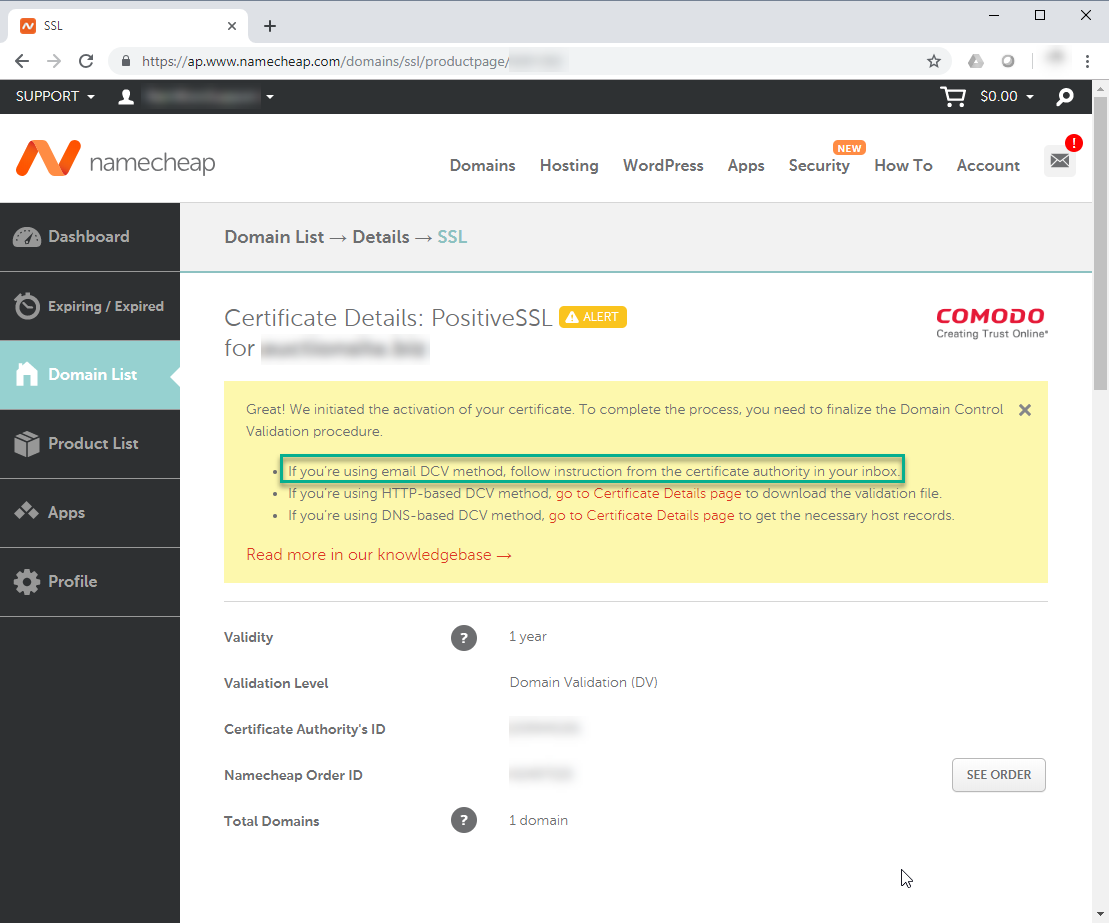
The next instruction from NameCheap.com will come by email.
-
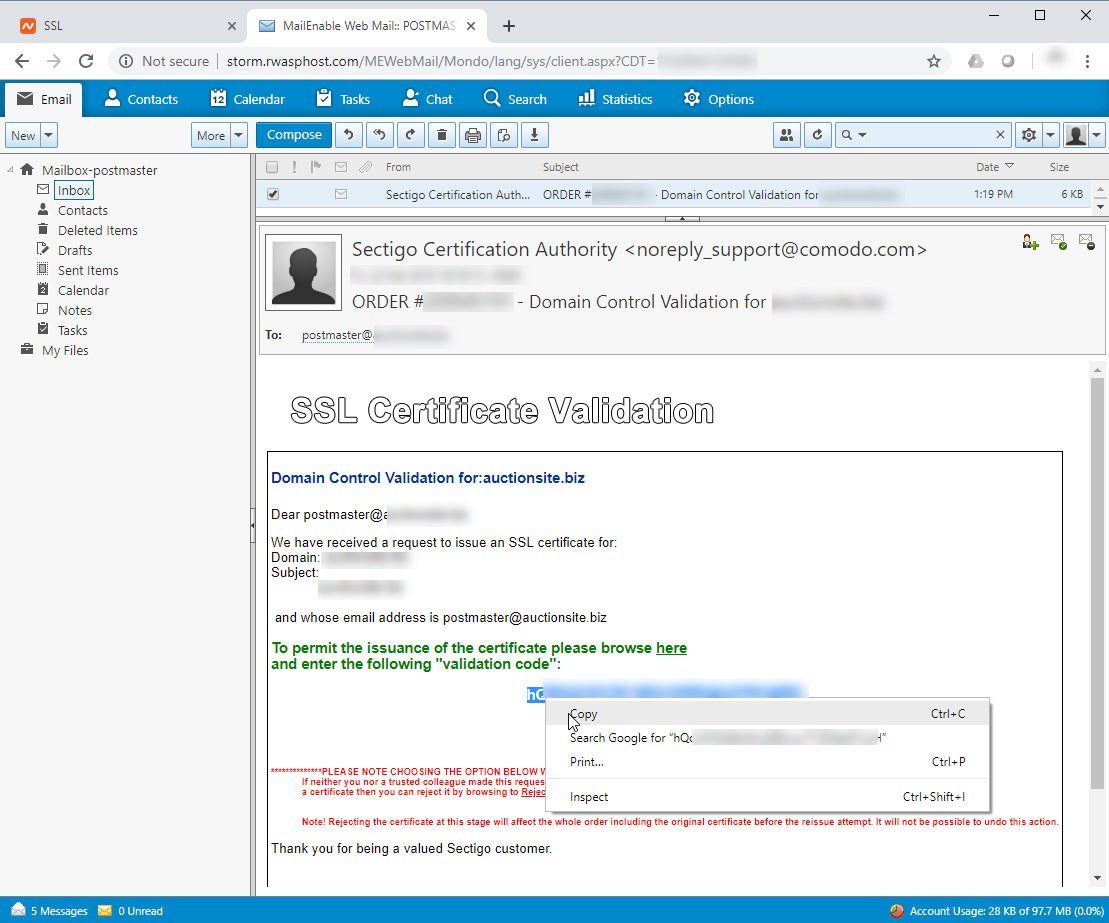
Login to your [email protected] to see the email that NameCheap.com sent you. You should see an email with the words "Domain Control Validation" in the subject. Copy the "Validation Code".
-
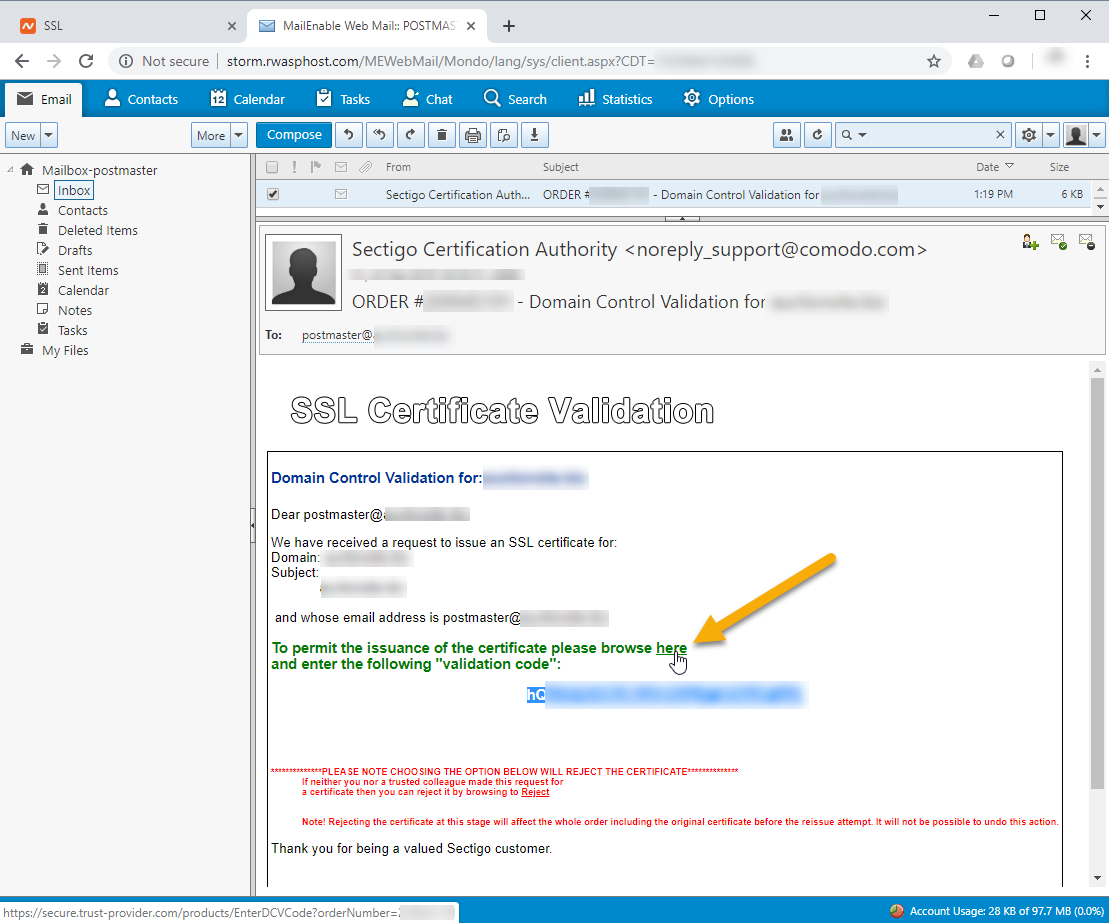
Click the "here" link just above the Validation Code.
-
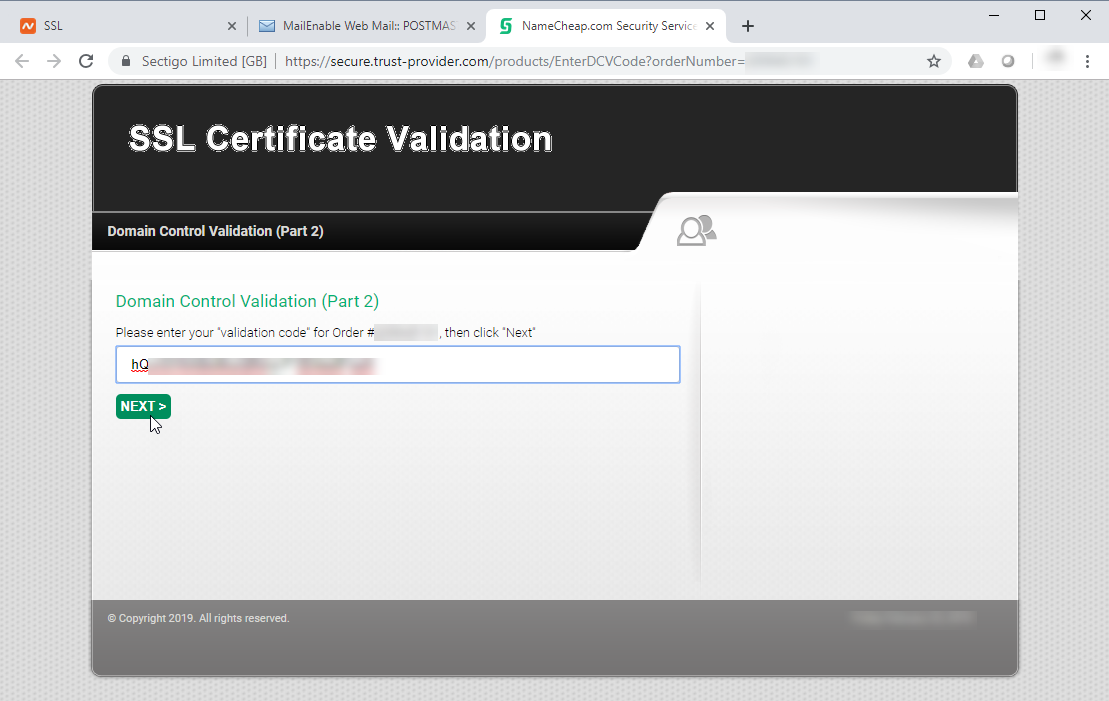
You should be directed to a Domain Control Validation page (Part 2). Enter the Validation Code and click Next.
-
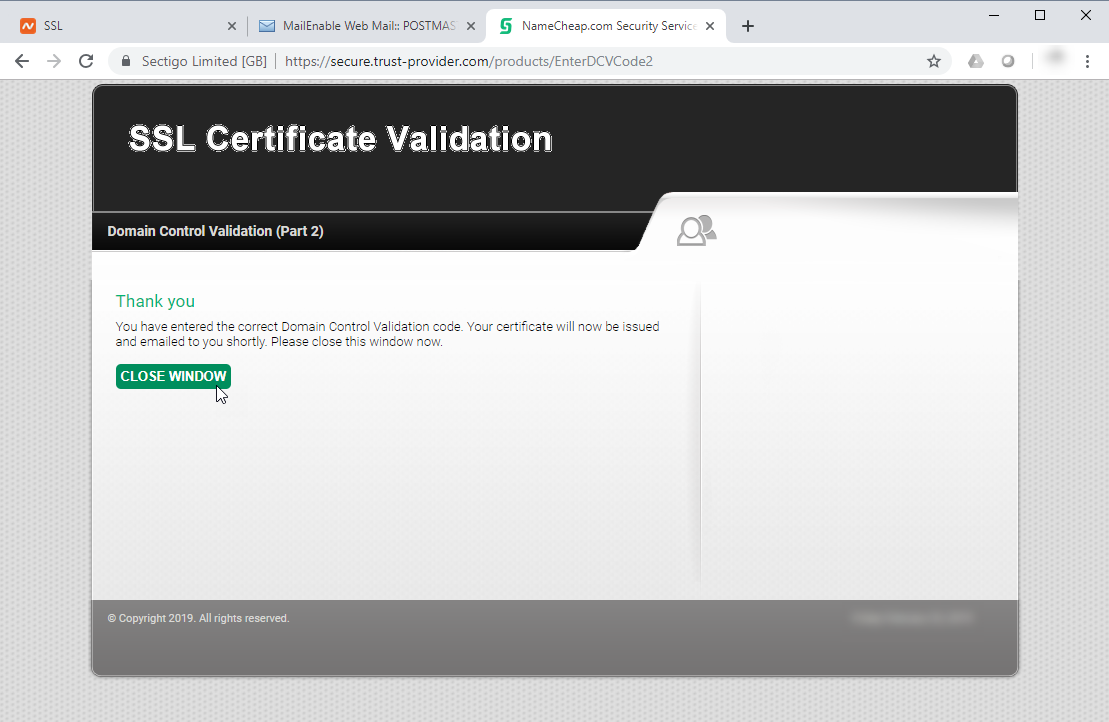
If you entered the correct Validation Code, the page should say "Thank you". Click the Close Window button.
-
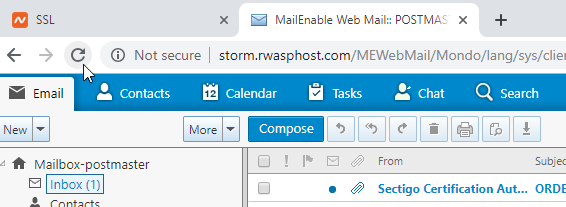
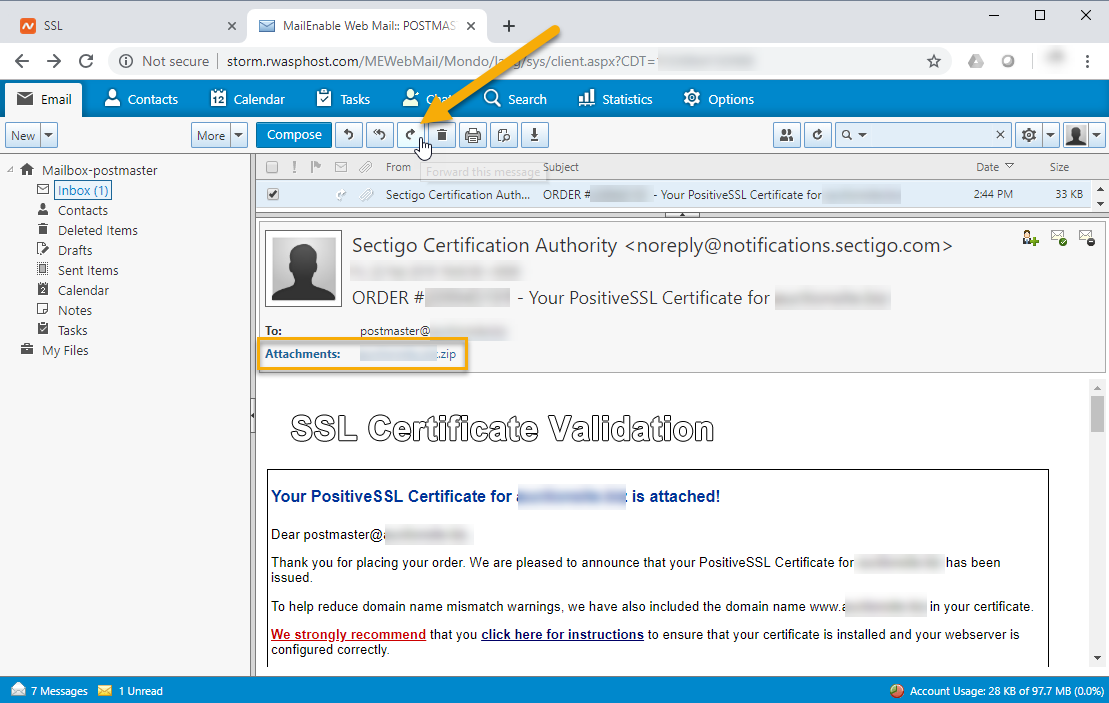
Refresh your Inbox. There should be an email from "Sectigo Certification Authority". It will contain the SSL Certificate Files.
-
Click the Forward button.
-
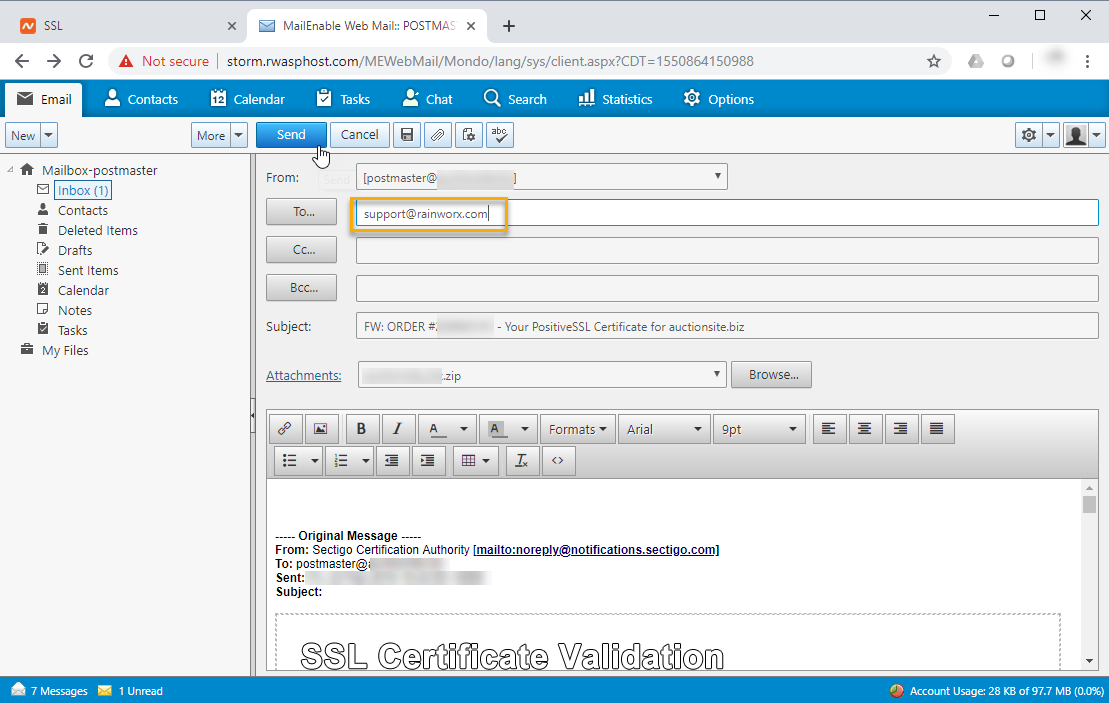
Forward this email with its attachment to [email protected] or to the specific support representative that sent you the CSR.
That should be everything that needs to happen. RainWorx Support can take it from here.