Update Stripe
Warning
This information applies to AuctionWorx v3.5 build 8333 or later.
When upgrading to AuctionWorx 3.5, you'll need to load the Admin Control Panel > Billing & Fees > Stripe page to initiate the setup of the new Webhook Endpoints on your Stripe account.
Note
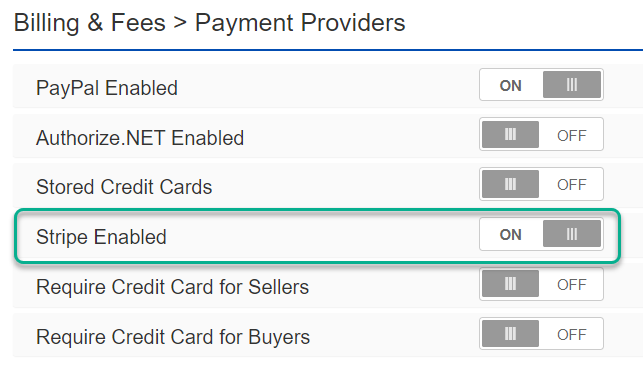
To view the Stripe page, Stripe needs to be enabled from the Admin Control Panel > Billing & Fees > Payment Providers page.
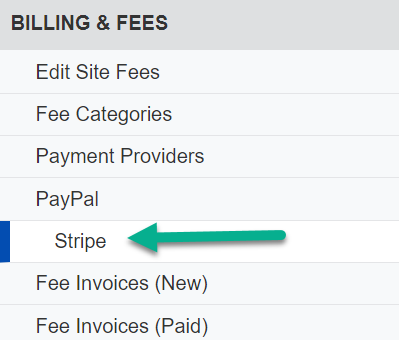
In order to trigger this process to update the Stripe Webhook Endpoints, visit the Admin Control Panel > Billing and Fees > Stripe page.
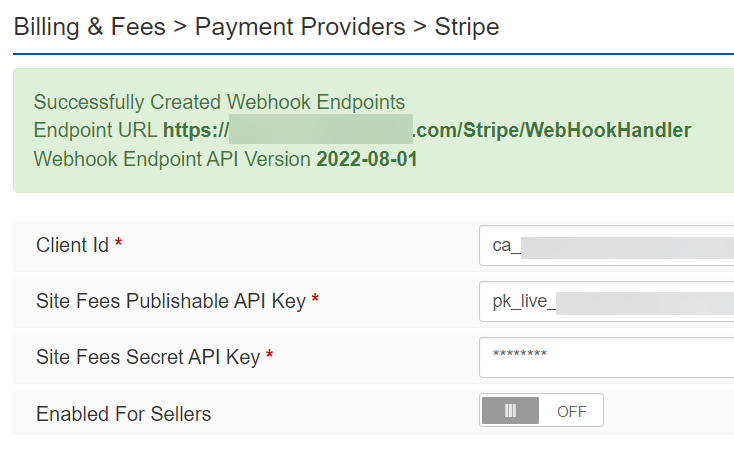
You should see a green success message.
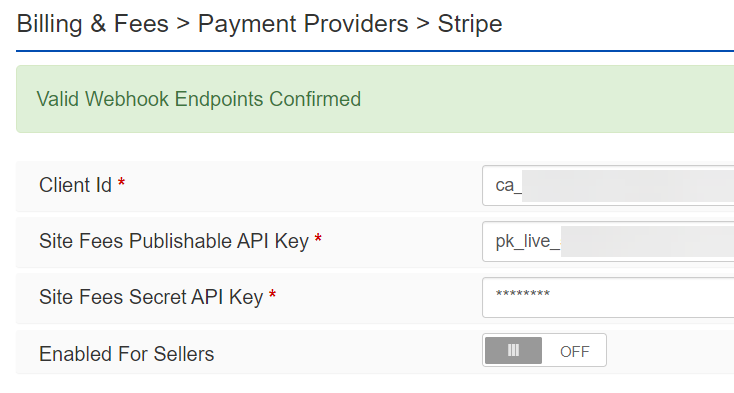
Going forward, each time this page is viewed, AuctionWorx will confirm that the Webhook Endpoints are setup correctly.
Additional Information
AuctionWorx automatically sets the Webhooks on your Stripe account to work with the Stripe Payment Intents integration. AuctionWorx will add new webhooks as needed and will disable webhooks that should not be used that are using the same Webhook URL as AuctionWorx.
Webhooks for other applications, including other instances of AuctionWorx, will be left as they are. AuctionWorx changes the Webhooks based on the Webhook URL matching the Base URL set in the AuctionWorx web.config setting.