Replace winning bidder with 2nd highest bidder (Events Edition)
Below is the process for making the second highest bidder the winning bidder. It is recommended to do this with a single Lot first and once you are comfortable with the process, it can be done with more than one at a time.
Note
This feature is available in AuctionWorx Events Edition version 3.5.8190 or later.
Note
You have to be signed in as a user with the Admin role to access this option.
Note
The Invoice for this Lot must not be marked as paid. If it is, use the Mark Unpaid option on the Invoice before proceeding so that the existing Sales Line Item can be voided.
Instructions
- Sign in as or impersonate the Seller user for the Event that will be altered.
-
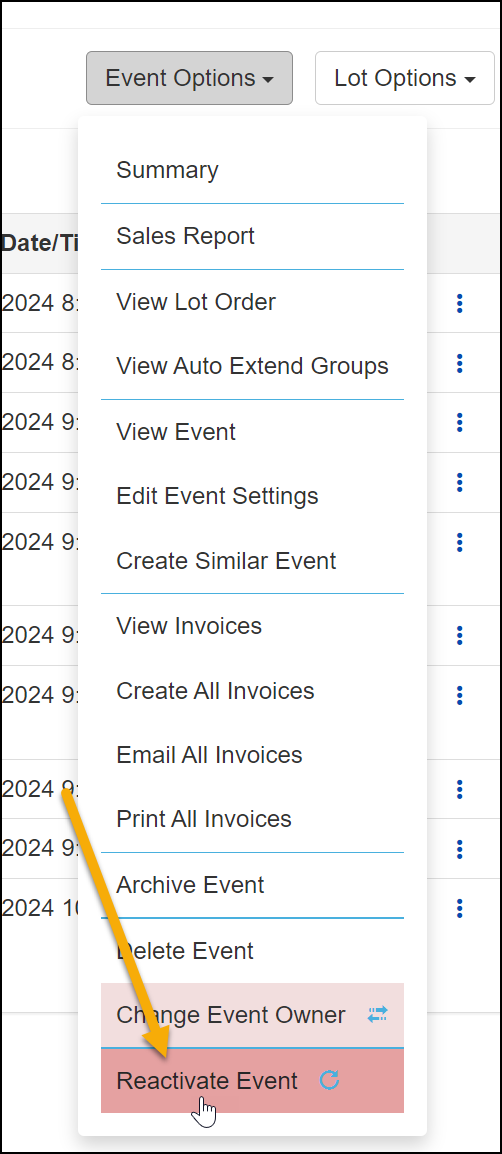
Navigate to the Manage Auction page, click the Event Options dropdown and select the Reactivate Event option.
-
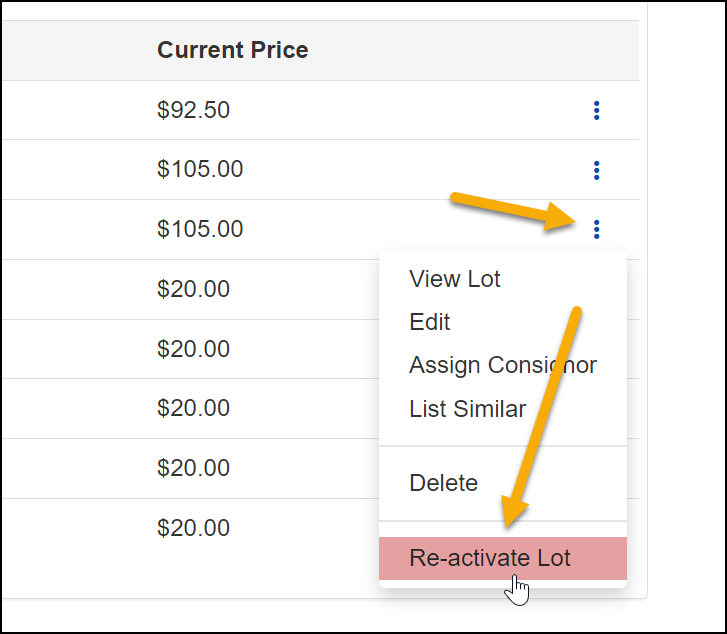
Now that the Event is in a "Paused" state, you can reactivate the Lot that you want to make changes to. Click the 3 dot menu next to the Lot and click Re-activate Lot.
-
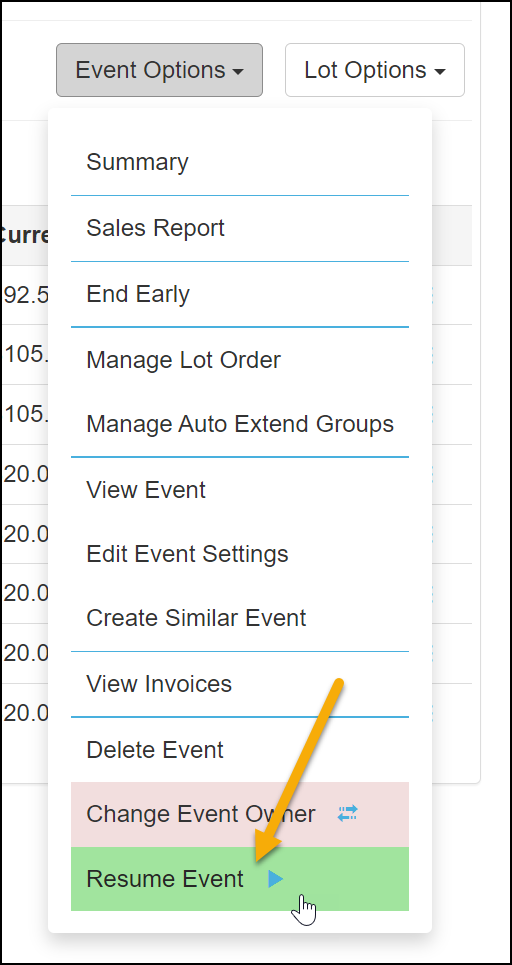
If you want to make changes to multiple Lots, you can reactivate as many as necessary. Next click the Event Options dropdown and select Resume Event.
-
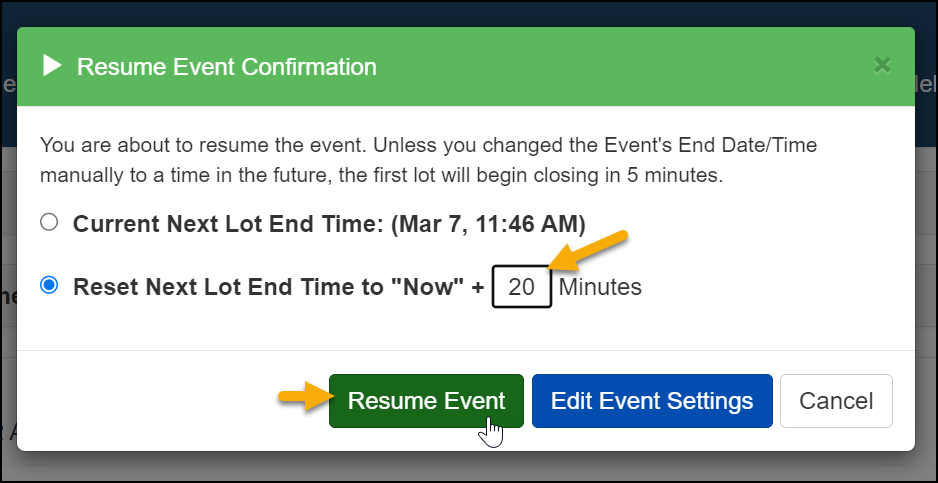
Give yourself plenty of time to modify the Bid History. Change the number of minutes to 20 minutes and then click Resume Event.
-
Navigate to the now Active Lot.
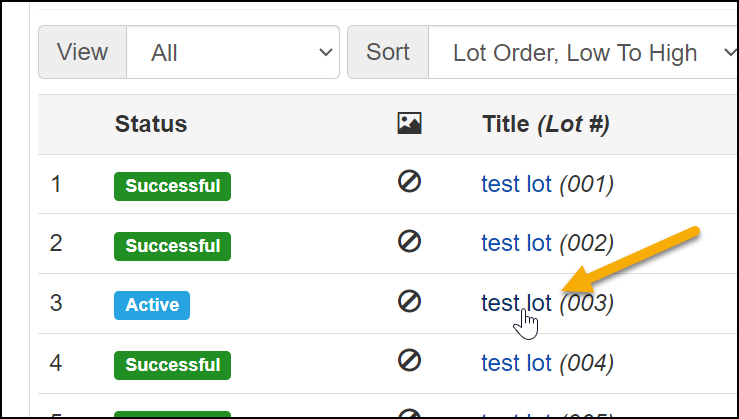
-
Click the Bid History link.
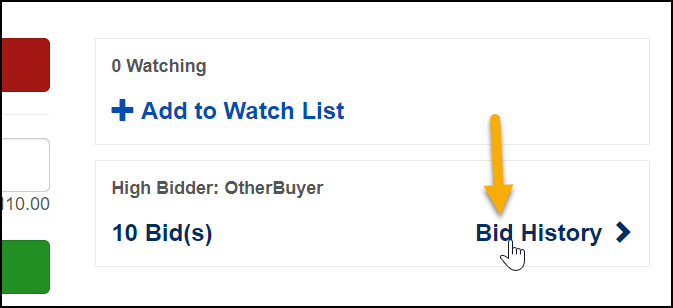
-
Click the Audit button at the top right of the page.
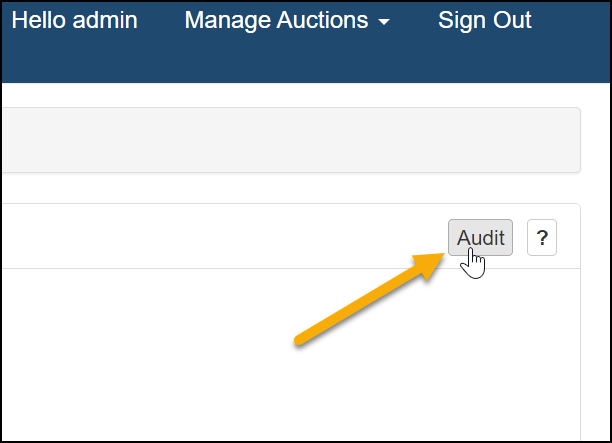
-
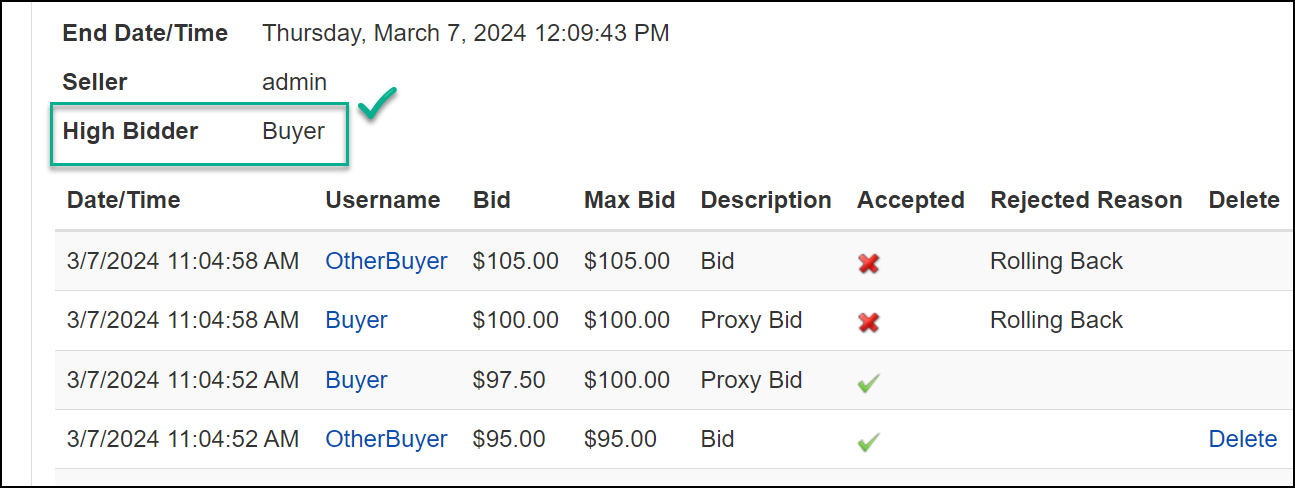
Click Delete next to the bid that made the current High Bidder the winning bidder.
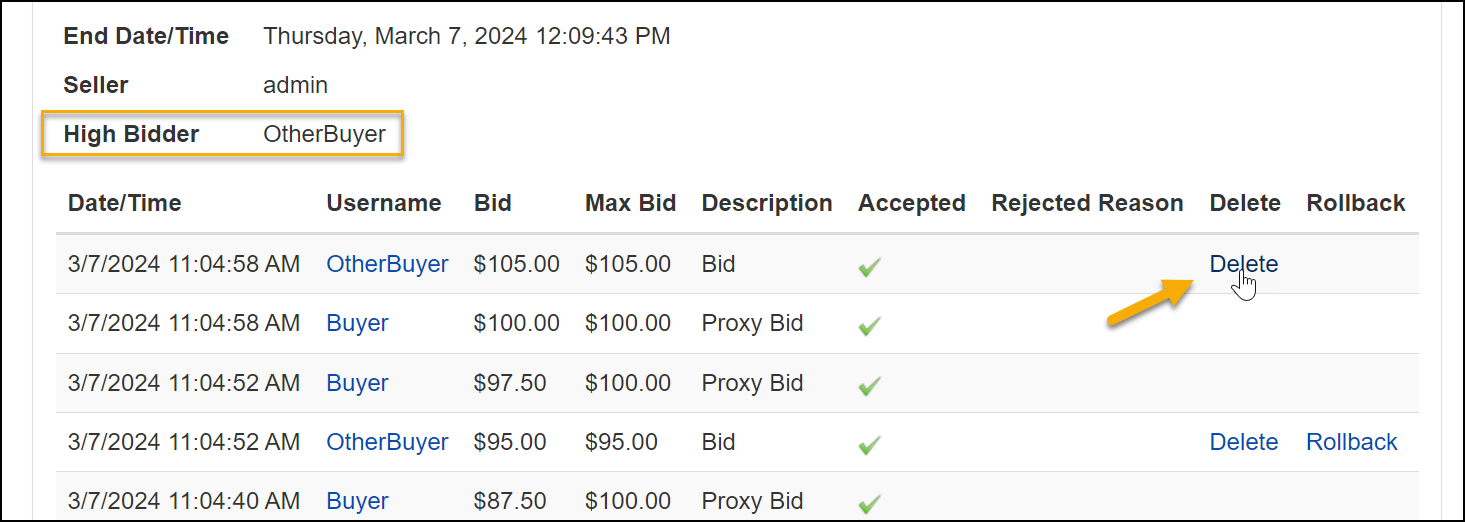
-
Confirm that the new High Bidder is now the correct user.
-
Now return to the Event's Manage Auction page and click the Event Options dropdown and select End Early.
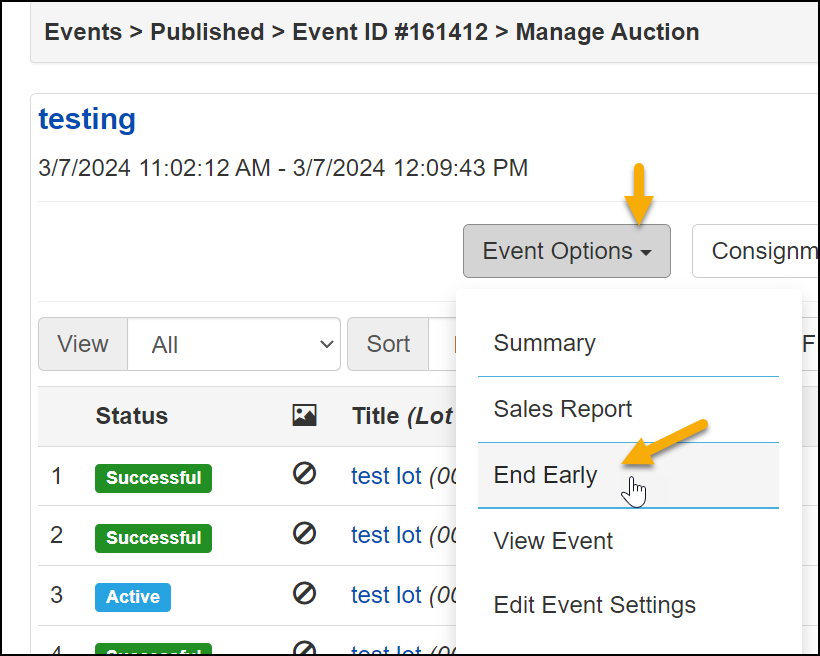
The result will be that the old Sales Line Item for this Lot will be voided and a new Sales Line Item will be generated for this Lot with the second place bidder as the winner.