Setting Up SendGrid for Marketing Emails
AuctionWorx supports using SendGrid for sending marketing emails to users.
Note
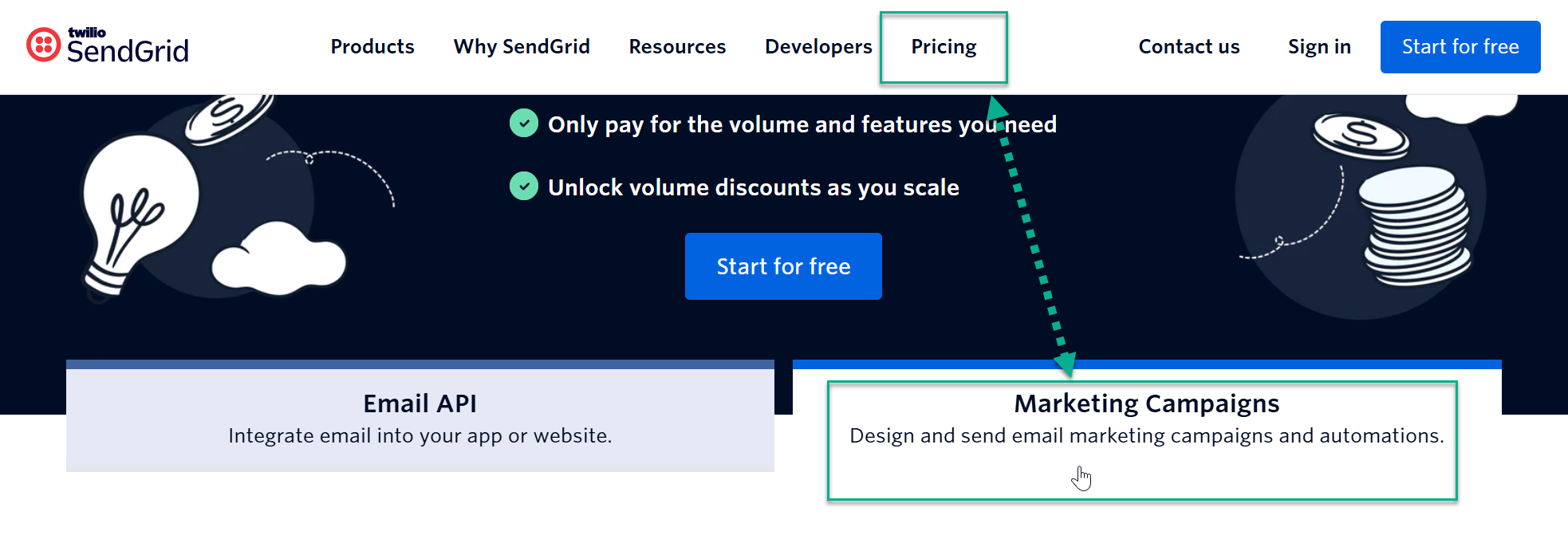
When choosing a billing plan be sure to select Marketing Campaigns.
Summary of Steps
- Sign up for SendGrid
- Verify your Domain
- Verify your Sending Email
- Create an API Key and add it to AuctionWorx
Sign up for SendGrid
- You'll need an account to use their API. A free account will work for setup purposes. Sign up for SendGrid: https://sendgrid.com/
Verify your Domain
-
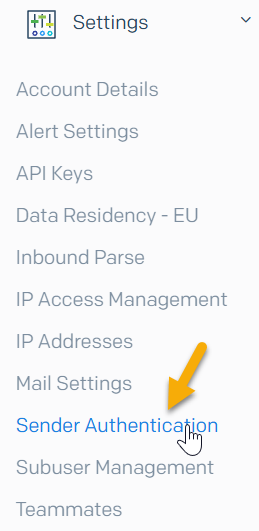
Once you have setup your account and verified your email address, the next step will be to Authenticate your Sending Domain.
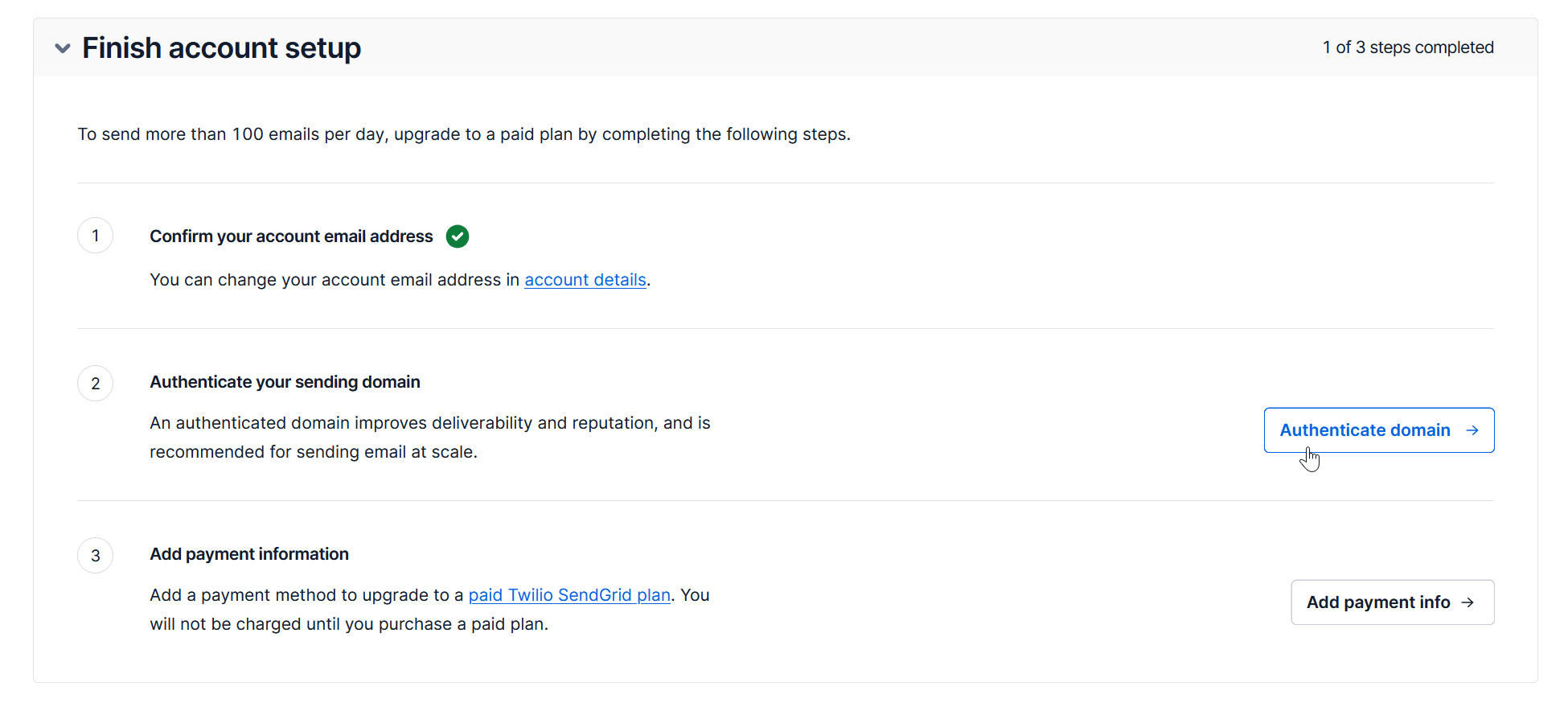
-
You can leave the answer to these first questions blank and choose 'No', then click Next. SendGrid offers an automatic DNS option for GoDaddy sites but, for the purposes of this tutorial, we can use Manual Setup steps.
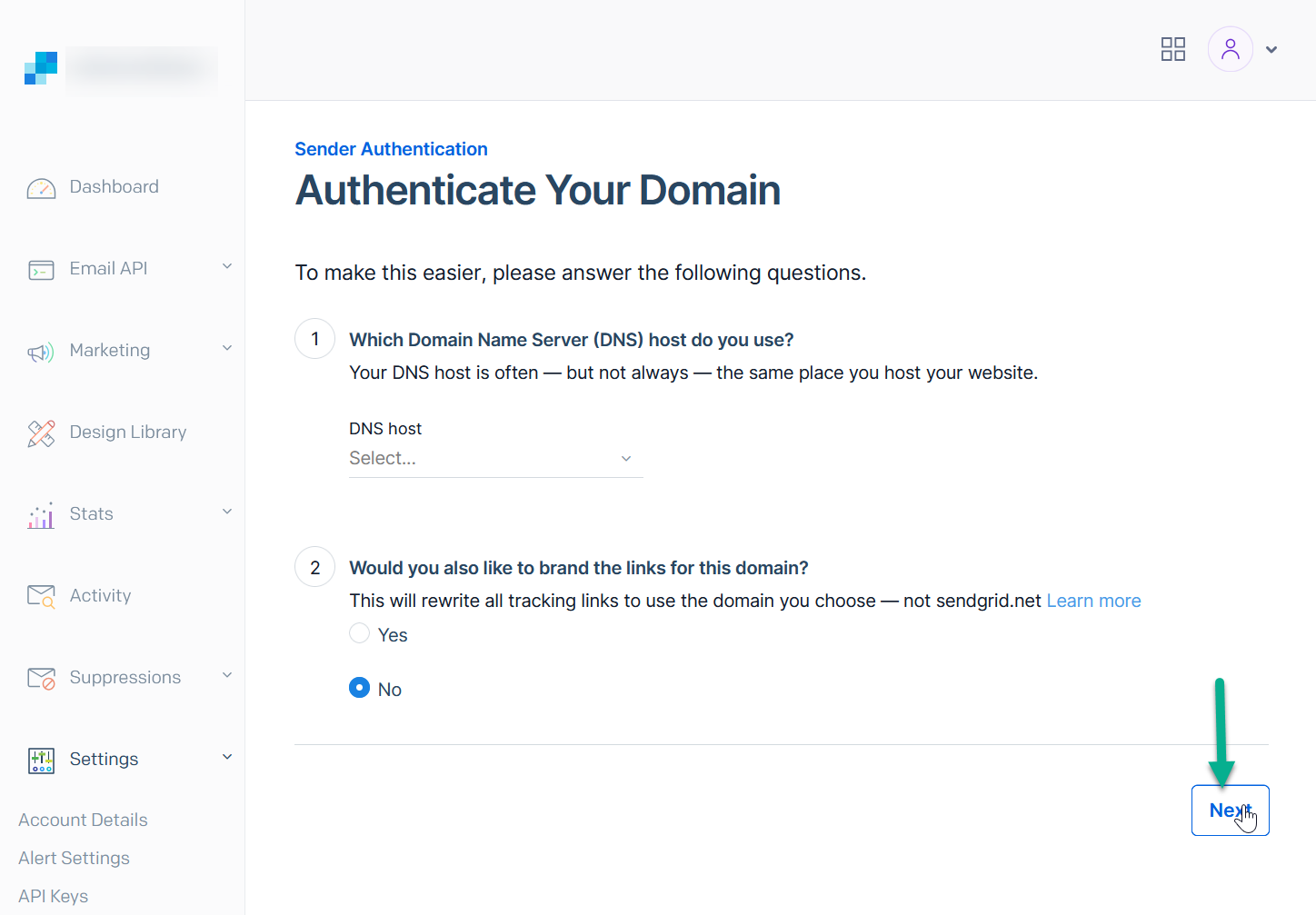
-
If you need help with DNS setting changes, send the instructions to [email protected]. Click the "Send to a Coworker" option, enter our email address and click Send.
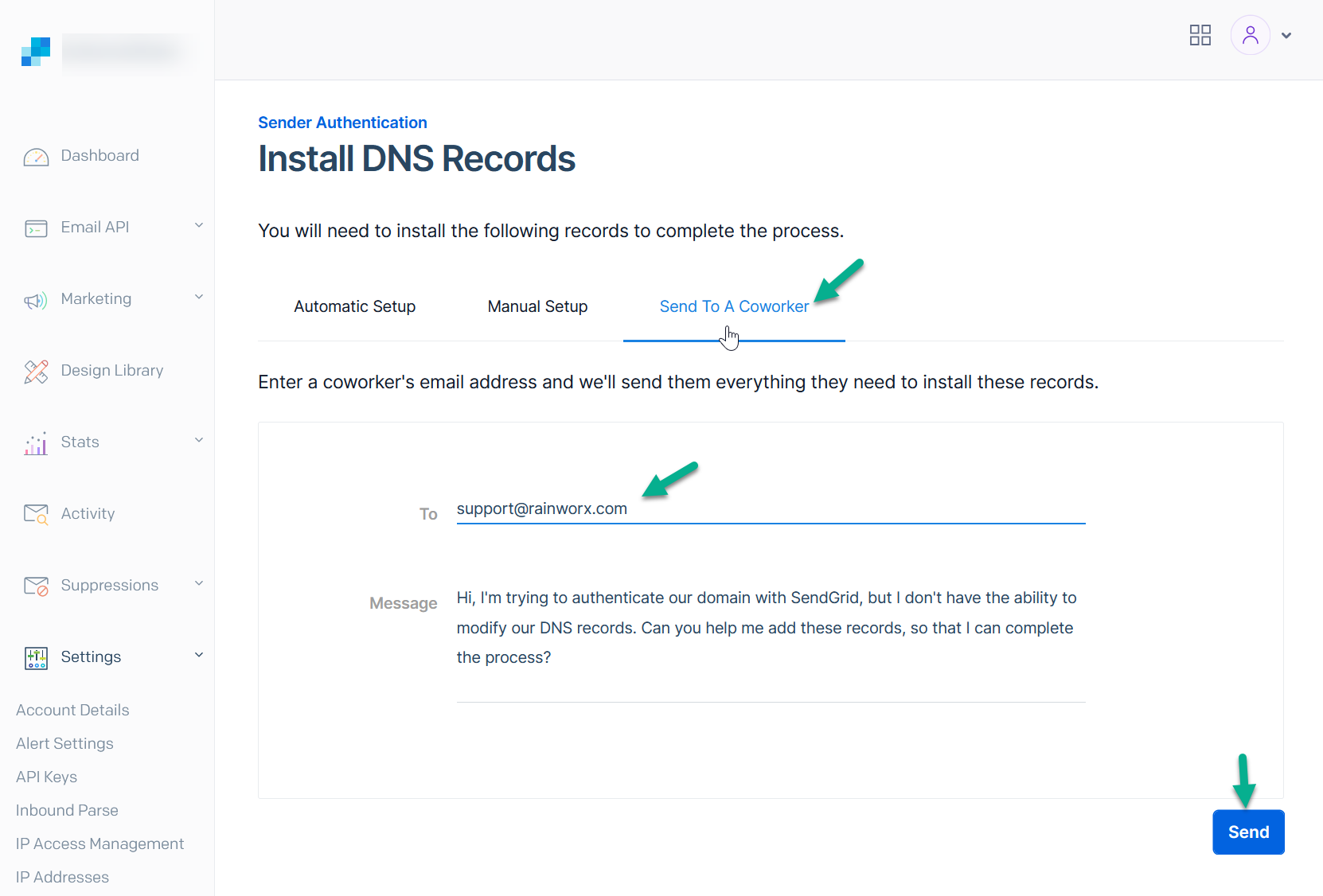
-
Choose the Manual Setup option. Once you have copied the DNS Records into your domain's DNS Settings, confirm this using the Verify Button at the bottom of the form.
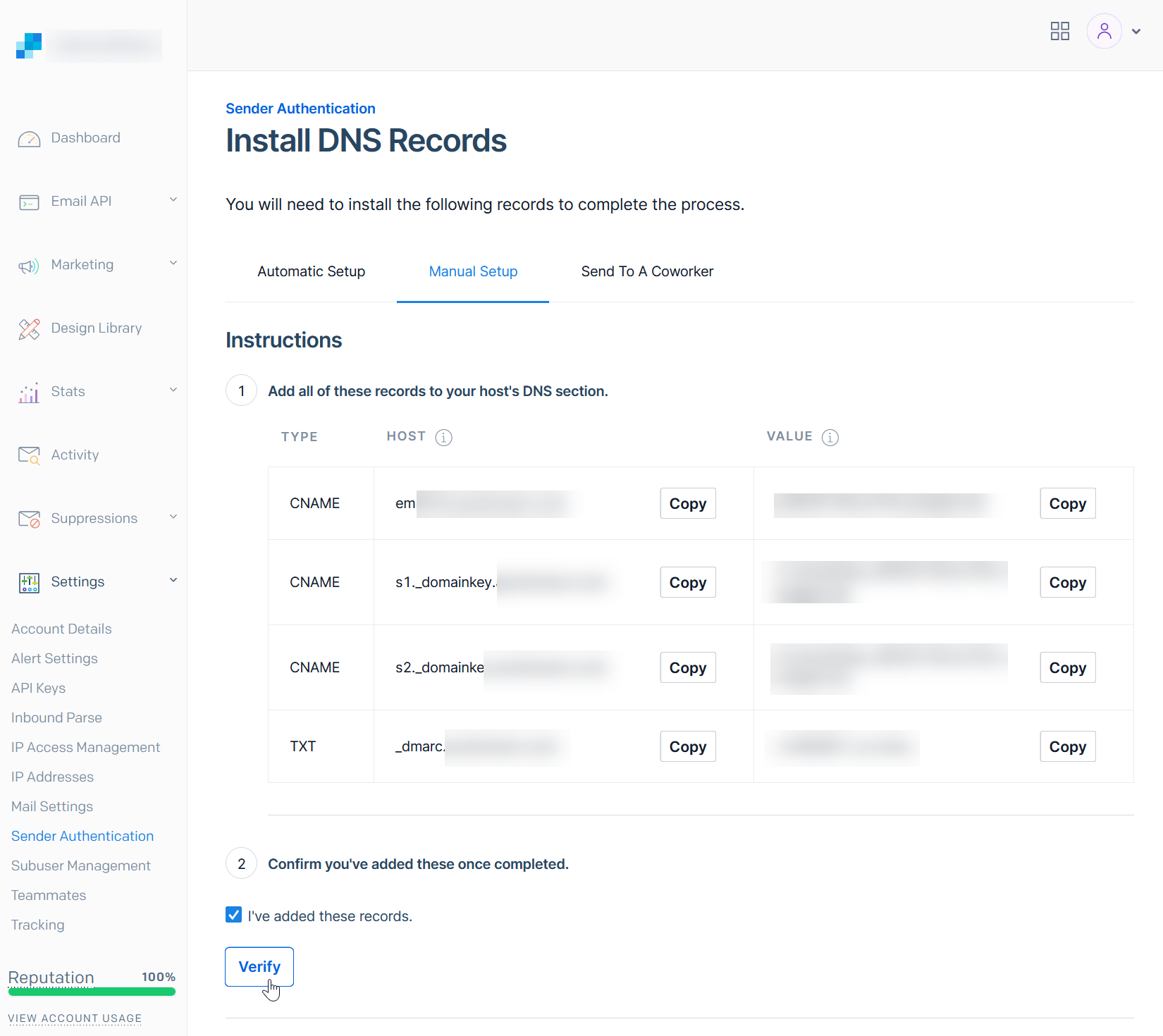
-
Next, you need to verify a Single Sender Address. This will be the From Address that your emails come from. You can use an actual email address or an alias email address that forwards to an email address you have access to.
Warning
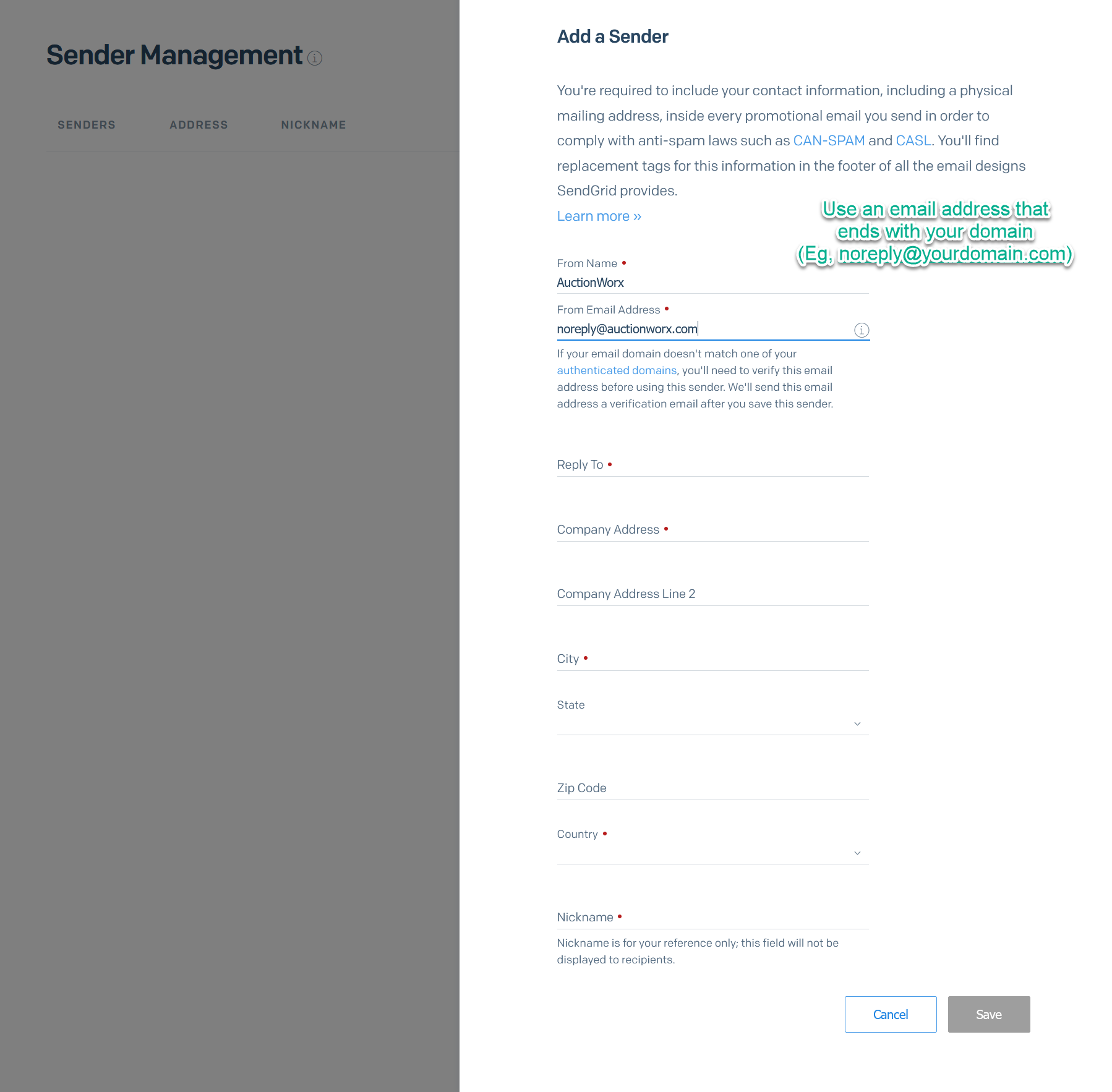
This email address needs to end with the domain you have verified. (Eg, [email protected])
Verify your Sending Email
-
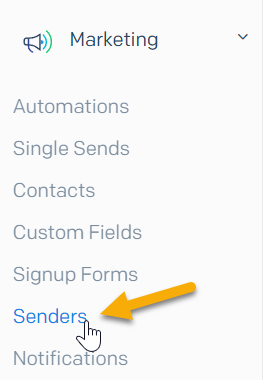
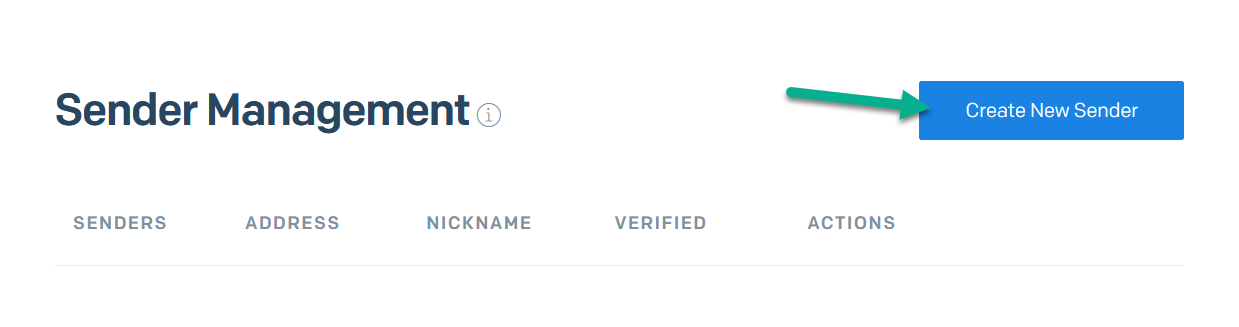
Open the Sender Management page from the navigation by clicking Marketing > Senders. Then click the Create New Sender button.
-
Fill in the form with your business address and use an email address ending with your domain name.
-
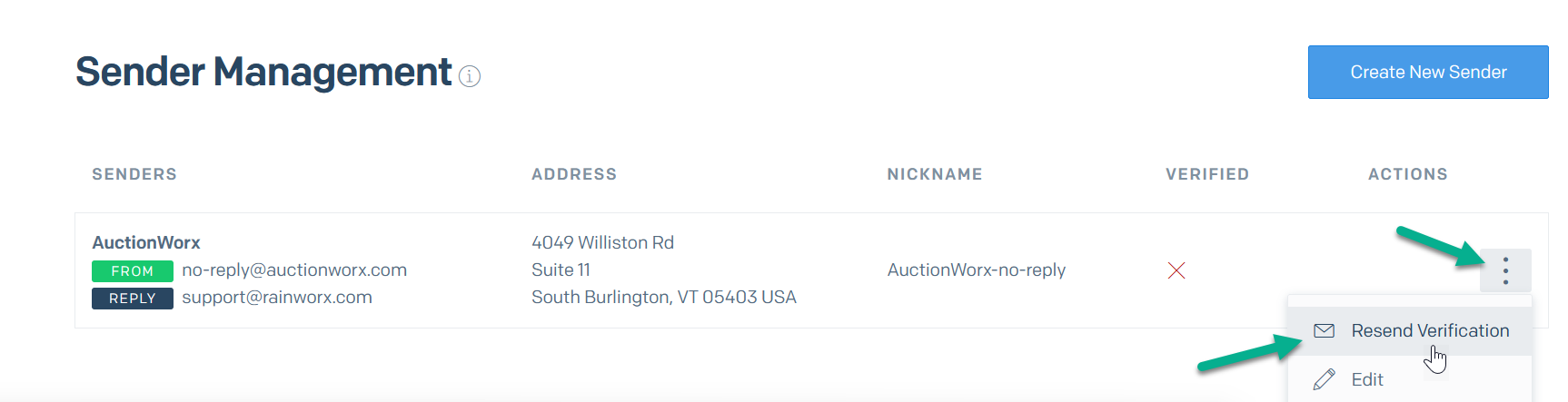
Click the '3 dot menu' next to this sender to Resend Verification.
-
You should receive an email so you can verify you have access to this email address.
Create an API Key and add it to AuctionWorx
-
To create an API Key, click Settings > API Keys.
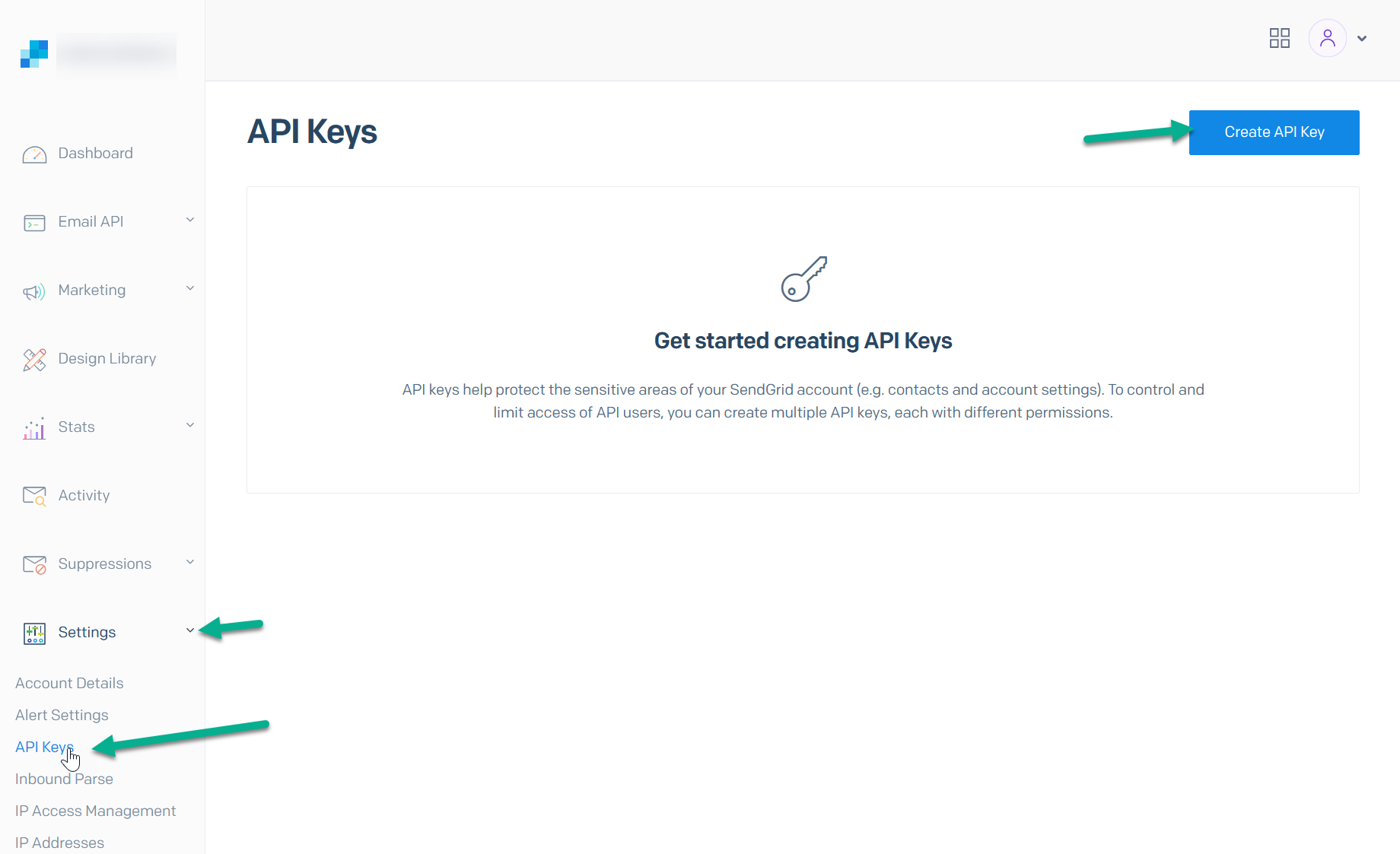
-
Name the API Key and give it Full Access.
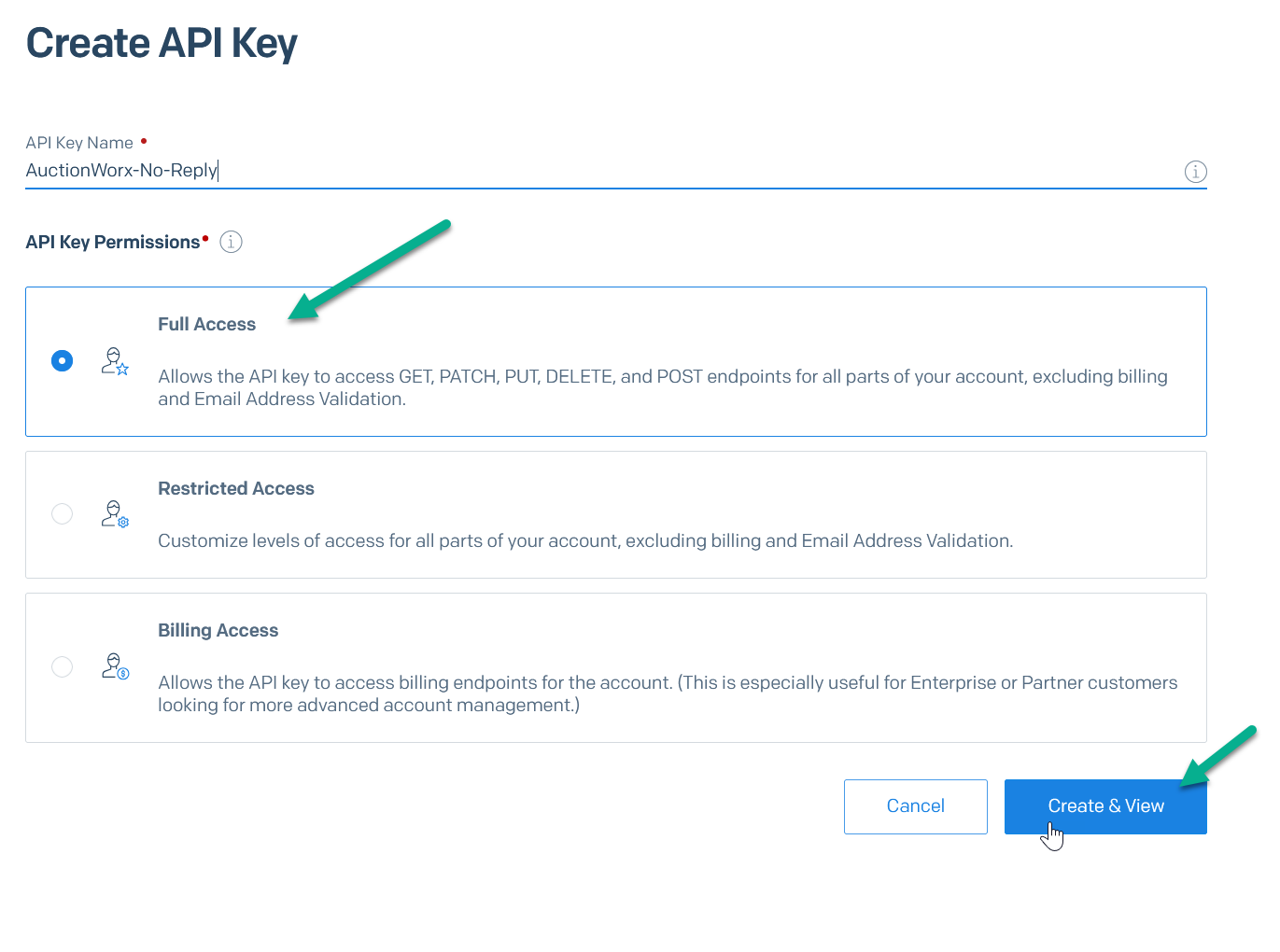
-
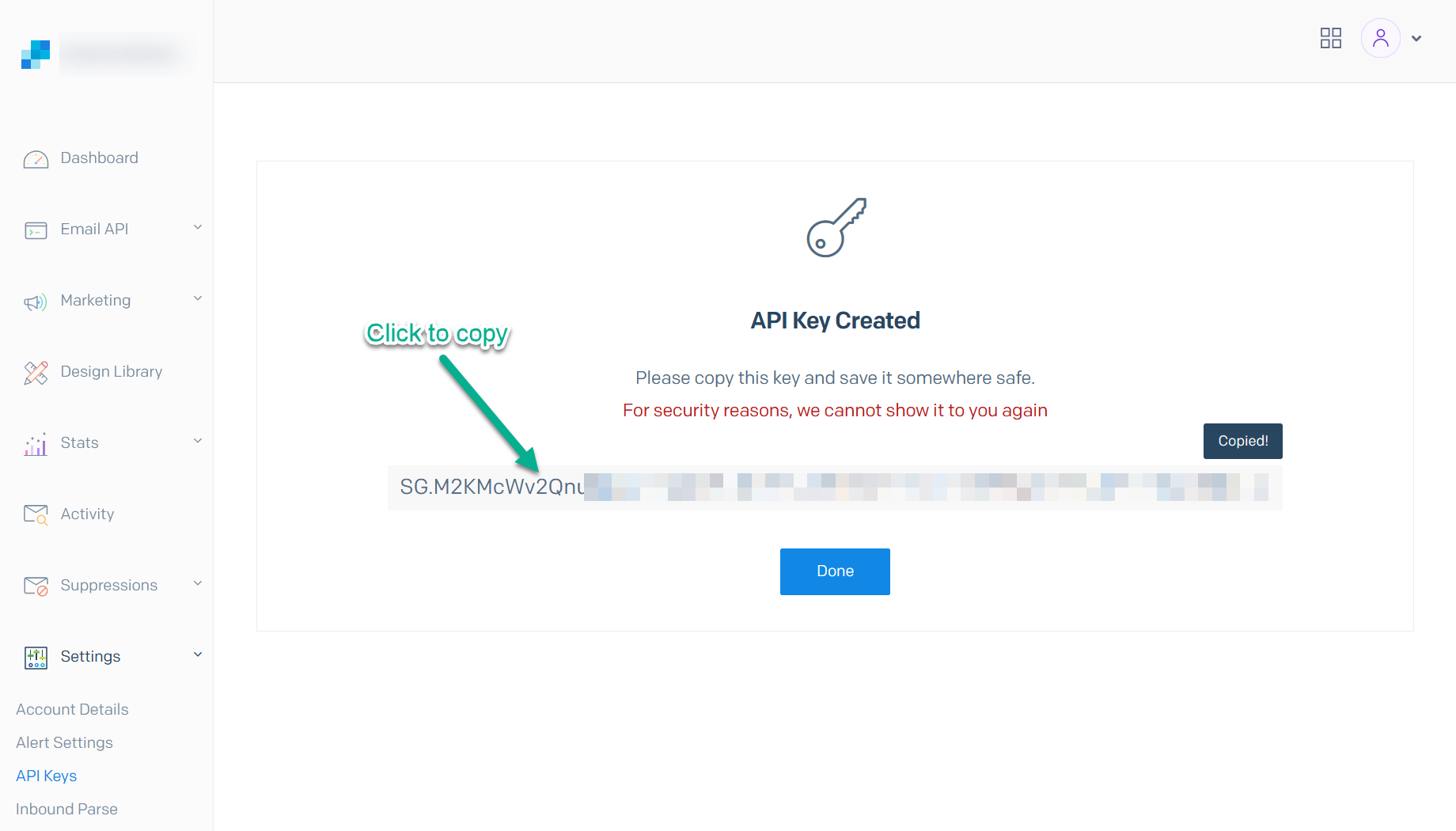
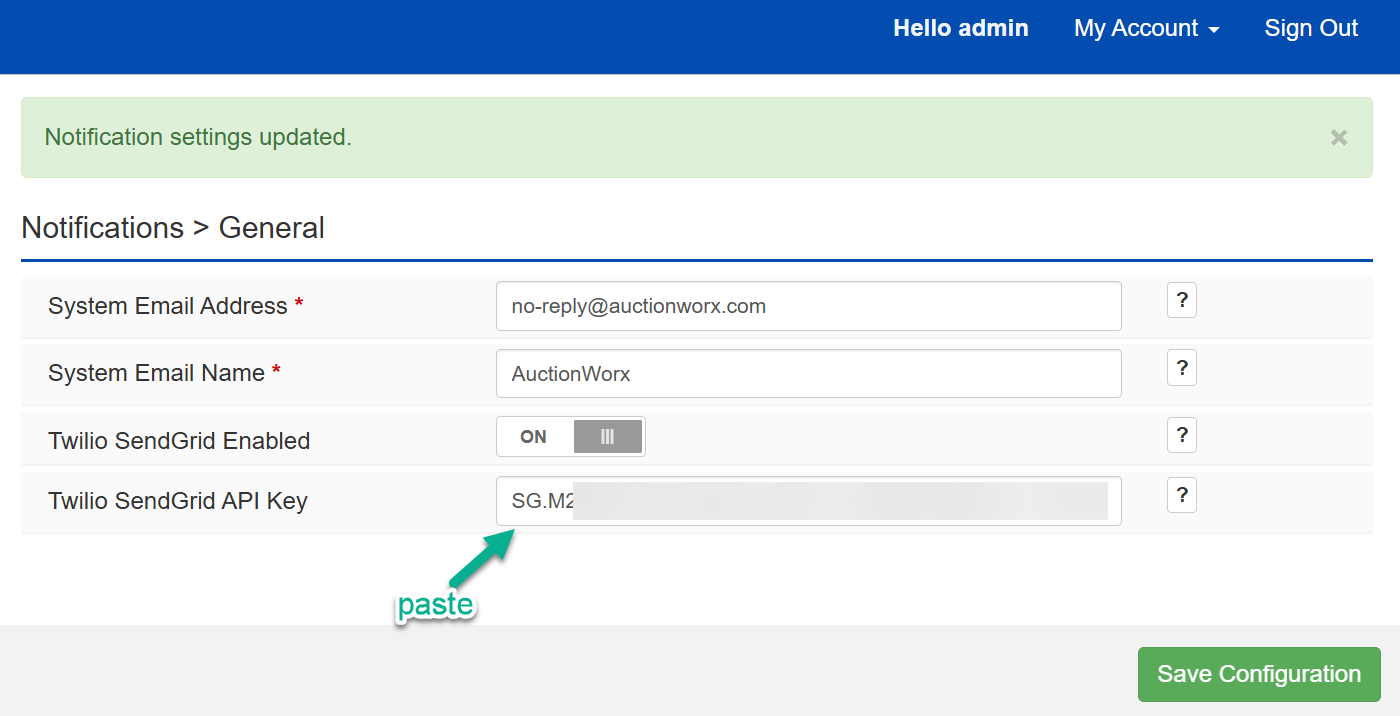
Copy the API Key generated to your AuctionWorx site. Navigate to the Admin Control Panel > Notifications > General page.