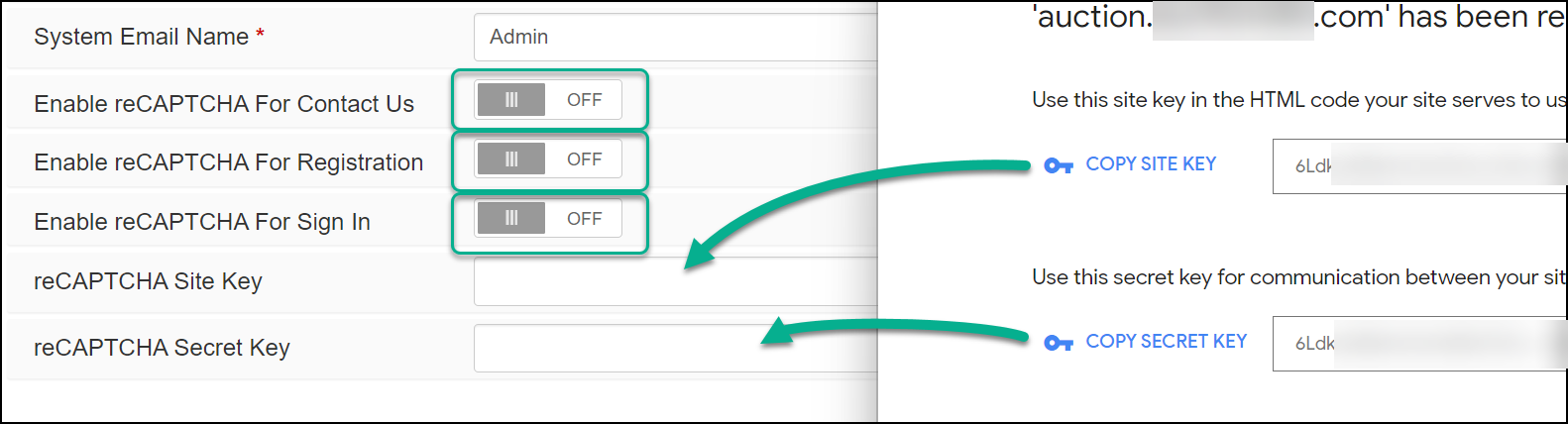
reCAPTCHA v3 Setup
AuctionWorx supports Google reCAPTCHA v3 to reduce bot generated spam. Below are instructions to setup reCAPTCHA on your AuctionWorx site.
-
Click the link to visit the Google reCAPTCHA about page: https://cloud.google.com/security/products/recaptcha
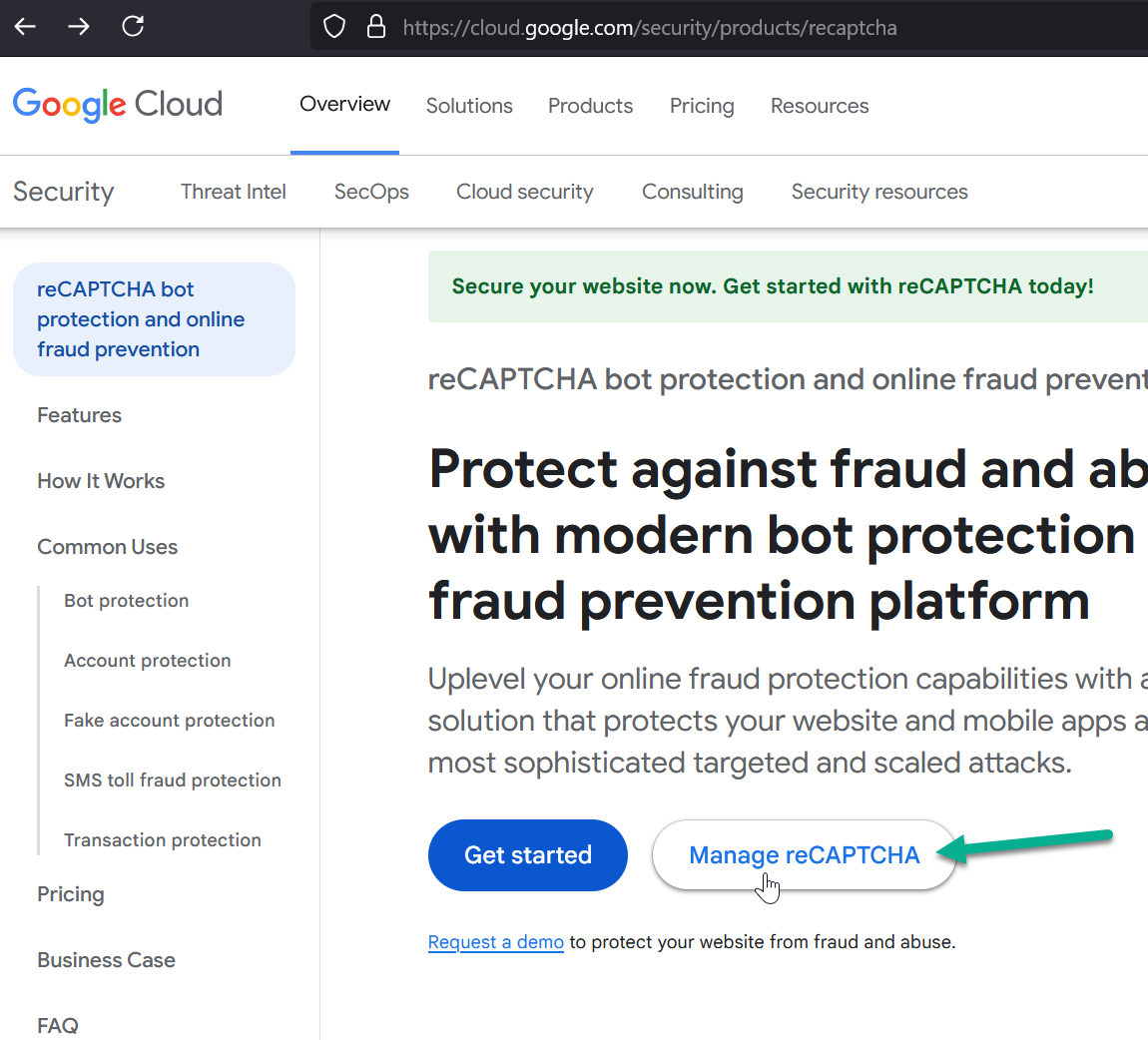
-
Click the "+" (plus) button to add a site.
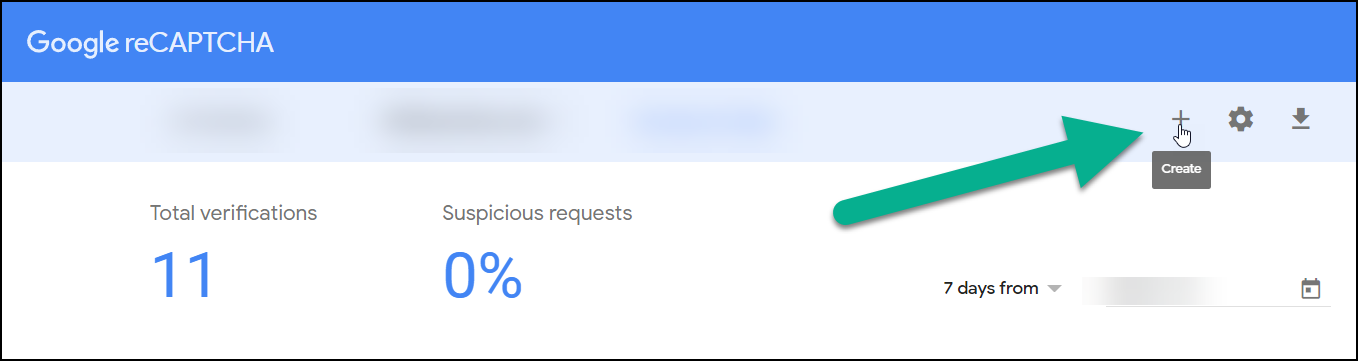
-
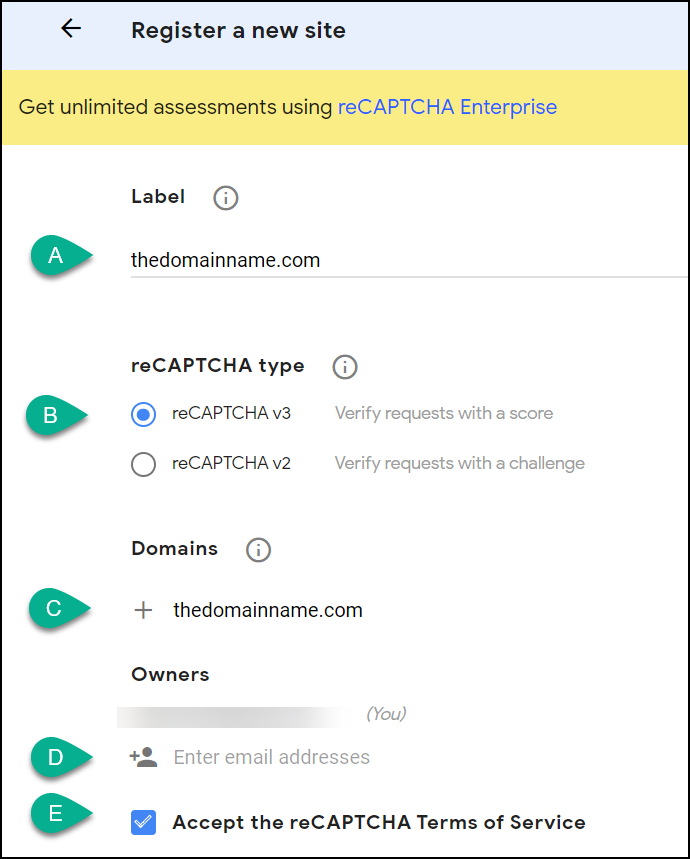
Fill in the form:
- Label: Type the domain name.
- reCAPTCHA Type: Select reCAPTCHA v3.
- Domains: Type the domain name.
- Owners: Enter your email address if it is not already listed.
- Accept Terms: Check the Checkbox.
-
Open your AuctionWorx site in another tab. Navigate to the Admin Control Panel > Site Preferences > Contact page. Copy the keys to your site and save them.