Fee Invoices (New)
This section displays a list of accounts with unpaid site fees.
The list can be narrowed down by specifying the following:
New Fee - This button opens the New Fee page where a custom fee can be added.
Note
If the specified user does not currently have an unpaid site fee invoice then a new one will be created.
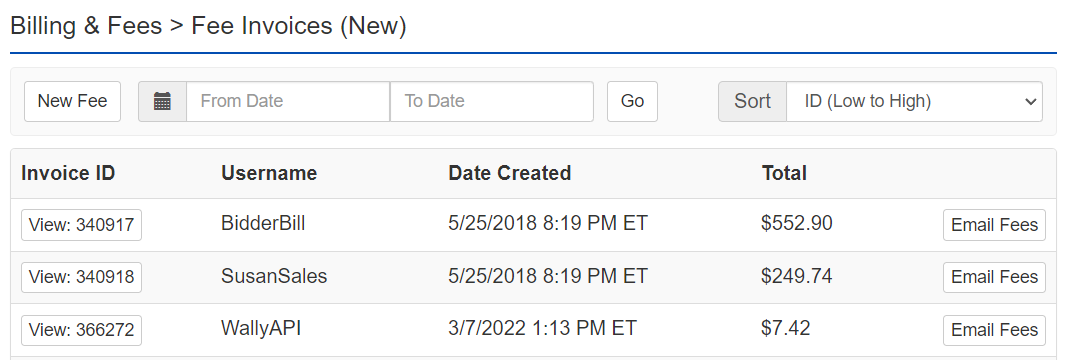
From Date - A date/time to specify the oldest record to include in the list.
To Date - A date/time to specify the most recent record to include in the list.
Sort - Select one of these options to change how the list is sorted:
- ID - High to Low/ Low to High
- Paid date - New to Old/ Old to New
- Payer - A to Z/ Z to A
- Total - High to Low/ Low to High
Email Fees - Click this button to email an invoice to the user in that row.
View button - To edit an invoice click the View button under the Invoice ID column in the desired row. For more information, see Site Fee Invoice.