Without Proxy Bidding Below Reserve Price
This page describes how the bidding will go with Proxy Bidding turned on and Proxy Bidding Below Reserve turned off.
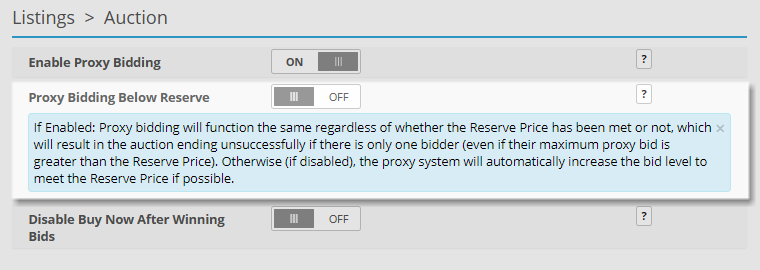
Proxy Bidding Below Reserve Price can be turned on from the Admin Control Panel > Listings > Auction page.
Proxy Bidding Below Reserve Price Turned Off Scenario
The following example scenario illustrates how bidding works on an auction listing when the Proxy Bidding Below Reserve setting is turned Off.
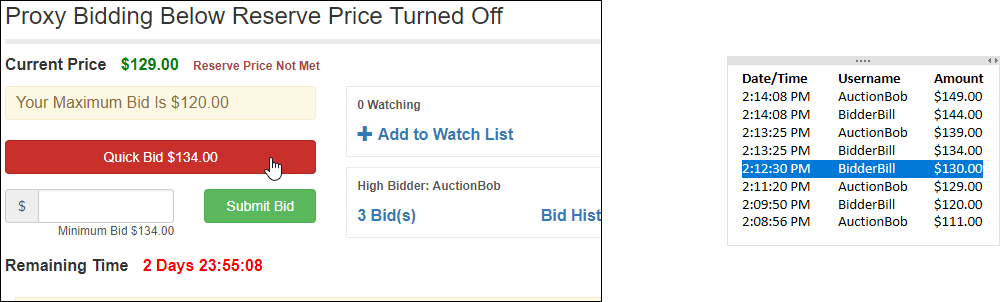
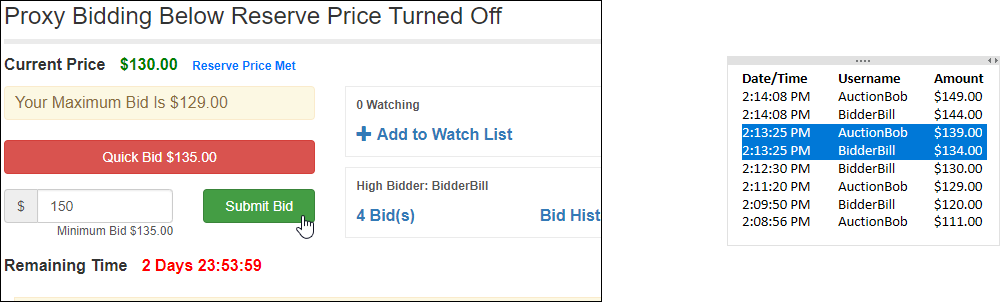
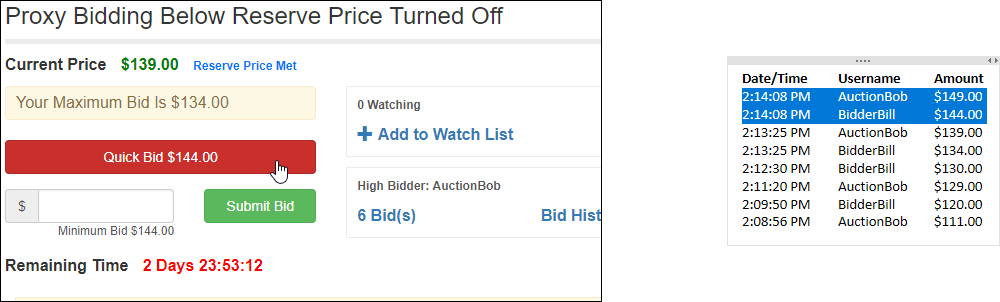
With Proxy Bidding Below Reserve turned off the user’s bid is directly submitted and bids up the auction price when a Reserve Price is set. Once the bidding goes beyond the Reserve Price, the bidding continues with Proxy Bidding functionality.
In this example the proxy bidding does not begin until the Current Price has reached the Reserve Price:
-
Admin creates a listing with a starting price of $100.00 and a reserve price of $130.00.
-
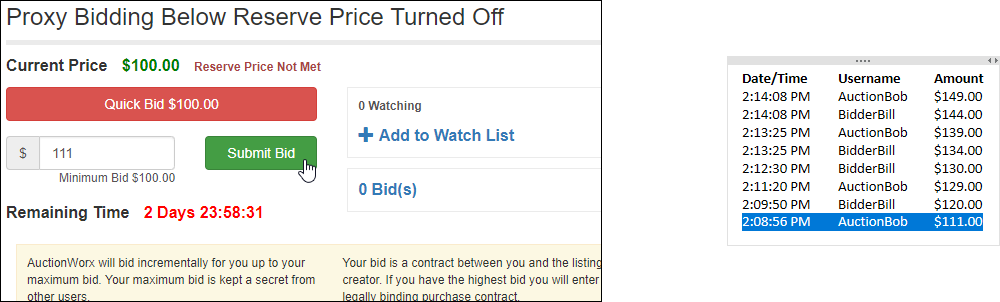
AuctionBob starts the bidding with $111.00.
-
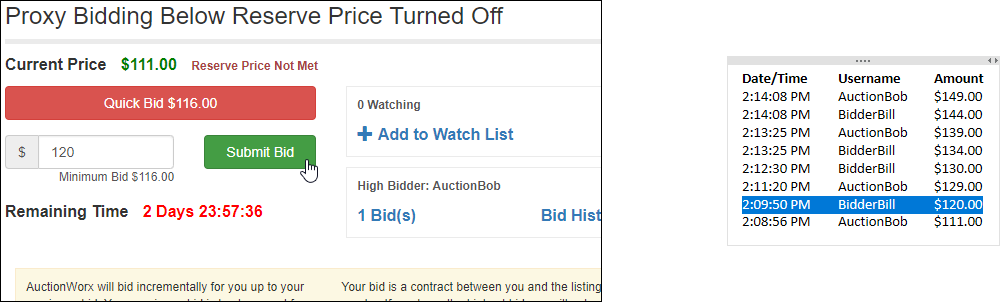
BidderBill bids $120.00.
-
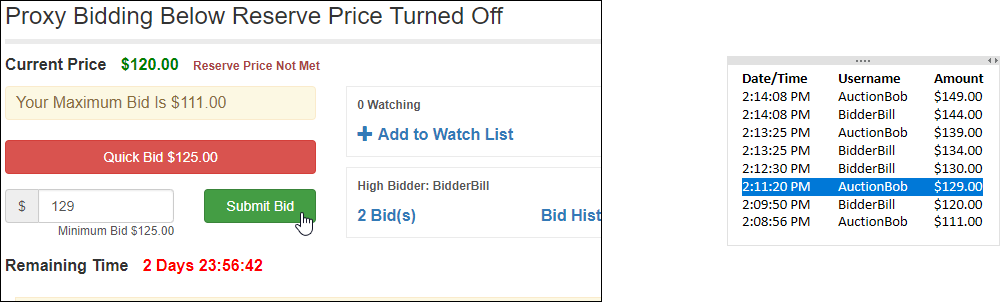
AuctionBob bid $129.00.
-
BidderBill bids $134.00.
-
AuctionBob bids $150.00.
-
BidderBill bids $144.00.
-
AuctionBob is currently winning the listing for $149.00.
Bid History
| Date/Time | Username | Amount |
|---|---|---|
| 2:14:08 PM | AuctionBob | $149.00 |
| 2:14:08 PM | BidderBill | $144.00 |
| 2:13:25 PM | AuctionBob | $139.00 |
| 2:13:25 PM | BidderBill | $134.00 |
| 2:12:30 PM | BidderBill | $130.00 |
| 2:11:20 PM | AuctionBob | $129.00 |
| 2:09:50 PM | BidderBill | $120.00 |
| 2:08:56 PM | AuctionBob | $111.00 |