Delete and Rollback Bids
This section describes scenarios where the delete and rollback functionality are used to address accidental bids on an auction listing.
There are two ways to remove a bid. Deciding which method to use depends on the desired outcome.
Delete - This removes only one specific bid and recalculates all of the other bids in sequence.
Rollback - This removes bids and returns the current auction bid price to an earlier bid value.
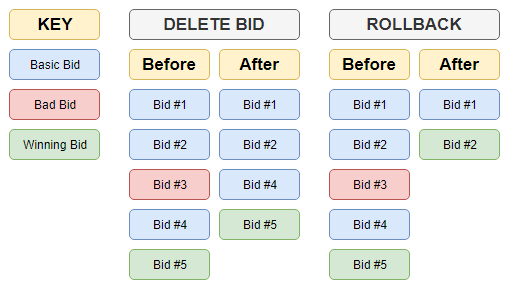
Example: Bid Deletion
In this example a number of bids are placed before and after the mistaken bid. The buyer entered too high of a bid and has reached out to the site owner / customer support to have their bid removed.
Example Listing Details
Starting Price: $50.00
Reserve Price: $200.00.
Proxy bidding occurs after the Reserve Price has been met.
Example Listing Bid History
- SusanSales Creates a listing with a Starting Price of $50.00 and a Reserve Price of $200.00.
- BidderBill places a bid for $75.00
- AuctionBob places a bid for $100.00
- CathyBuyer places a bid for $150.00
- AuctionBob places a bid for $190.00
- BidderBill places a bid for $205.00
- CathyBuyer places a bid for $3,000.00 by mistake.
- AuctionBob places a bid for $225.00
- BidderBill places a bid for $250.00
- AuctionBob places a bid for $300.00
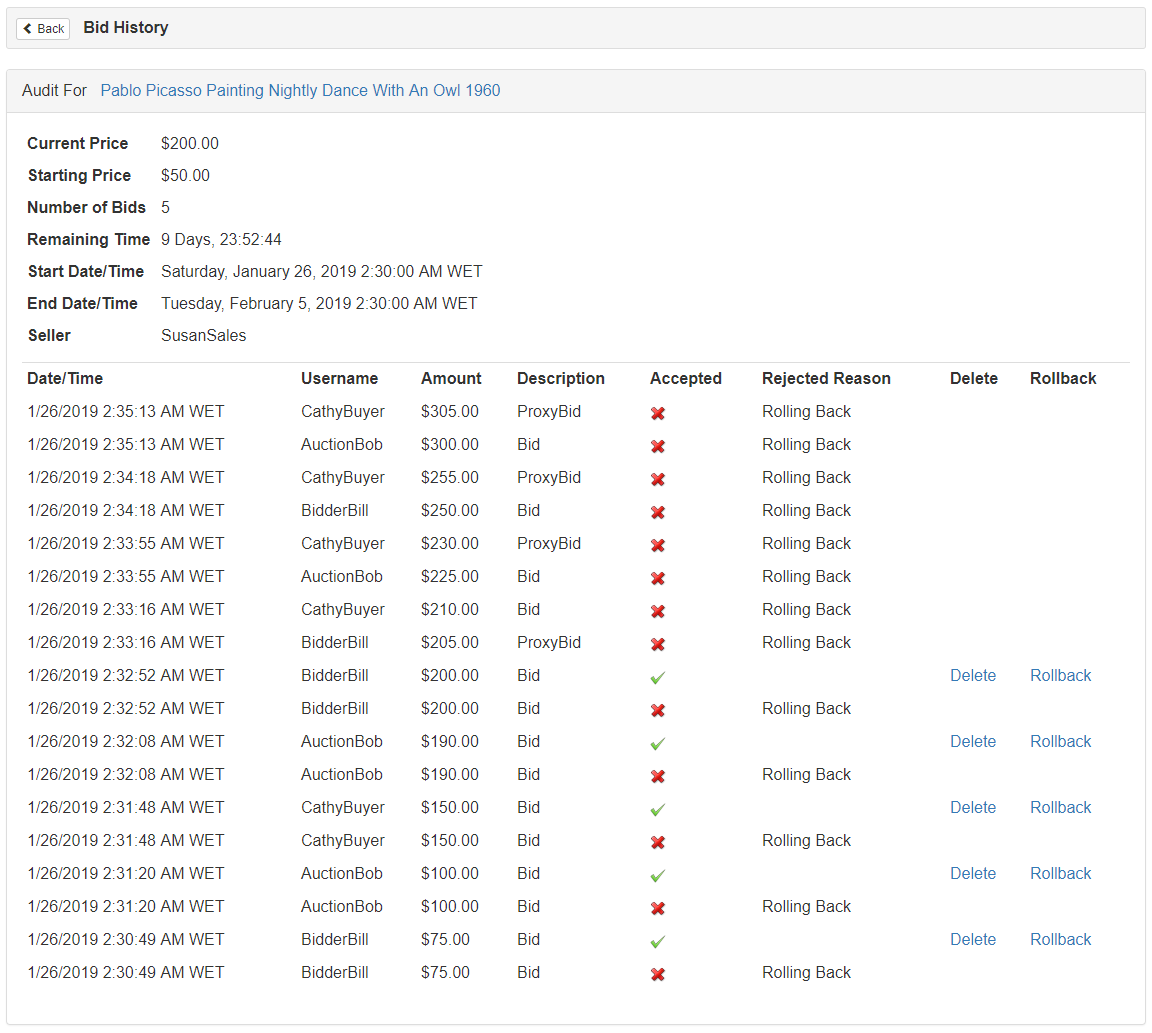
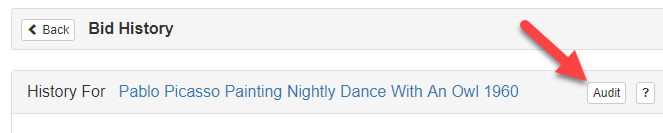
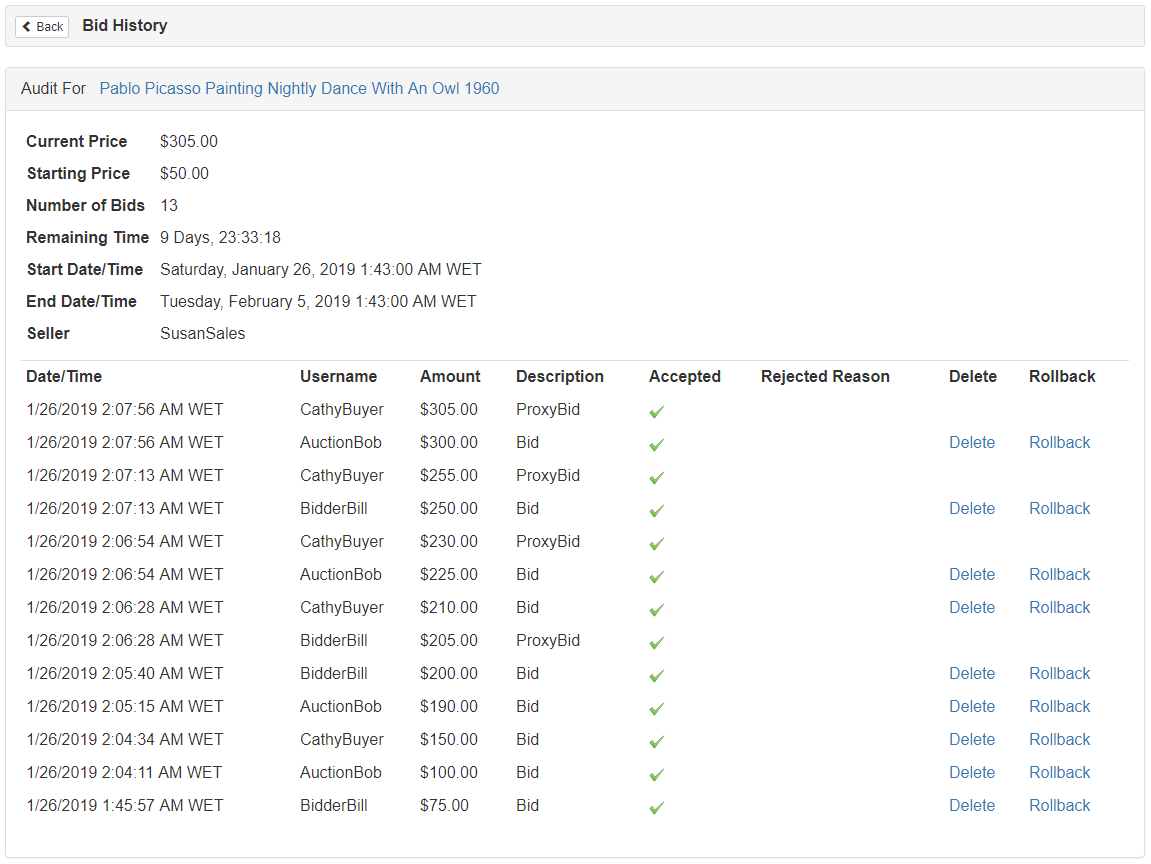
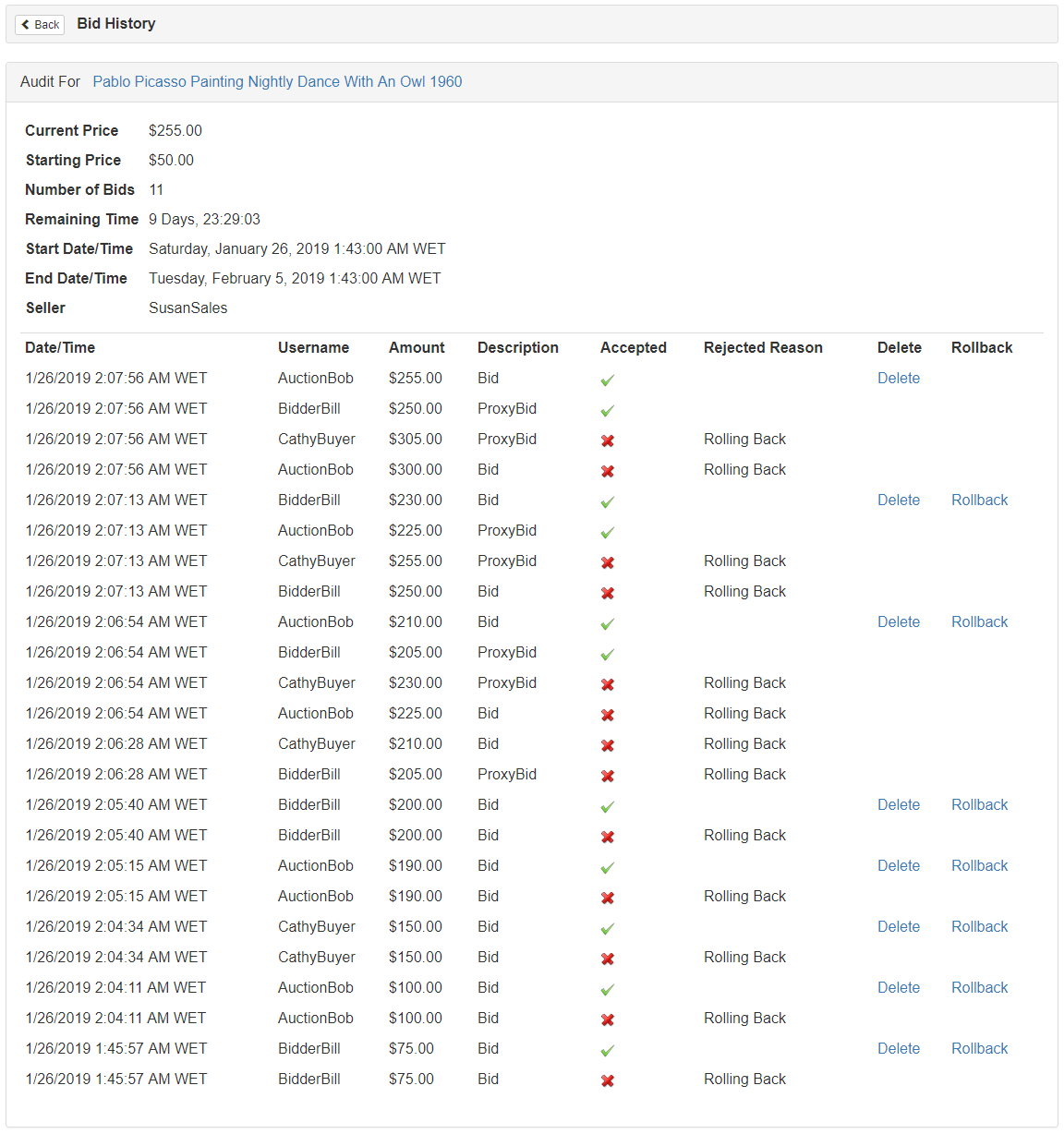
To remove the faulty bid, a site administrator can Audit the listing and choose to Delete CathyBuyer's $3,000.00 bid (appears as the $210.00 bid price). The system will remove the selected bid and then simulate all bidding actions according to the time they were entered, minus the faulty bid.
AuctionBob will be the new High Bidder with a current bid price of $255.00 and a Maximum Proxy bid of $300.00.
The image below shows the last bid placed by user “CathyBuyer”.
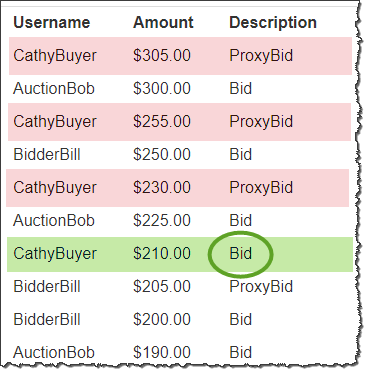
Before
After
Example: Bid Rollback
In this example a number of bids are placed before and after the mistaken bid. It is decided that the bidding should be returned to a previous price, and all bids after the mistake bid be voided.
Example Listing Details
Starting Price: $50.00
Reserve Price: $200.00.
Proxy bidding occurs after the Reserve Price has been met.
Example Listing Bid History
- SusanSales Creates a listing with a Starting Price of $50.00 and a Reserve Price of $200.00.
- BidderBill places a bid for $75.00
- AuctionBob places a bid for $100.00
- CathyBuyer places a bid for $150.00
- AuctionBob places a bid for $190.00
- BidderBill places a bid for $205.00
- CathyBuyer places a bid for $3,000.00 by mistake.
- AuctionBob places a bid for $225.00
- BidderBill places a bid for $250.00
- AuctionBob places a bid for $300.00
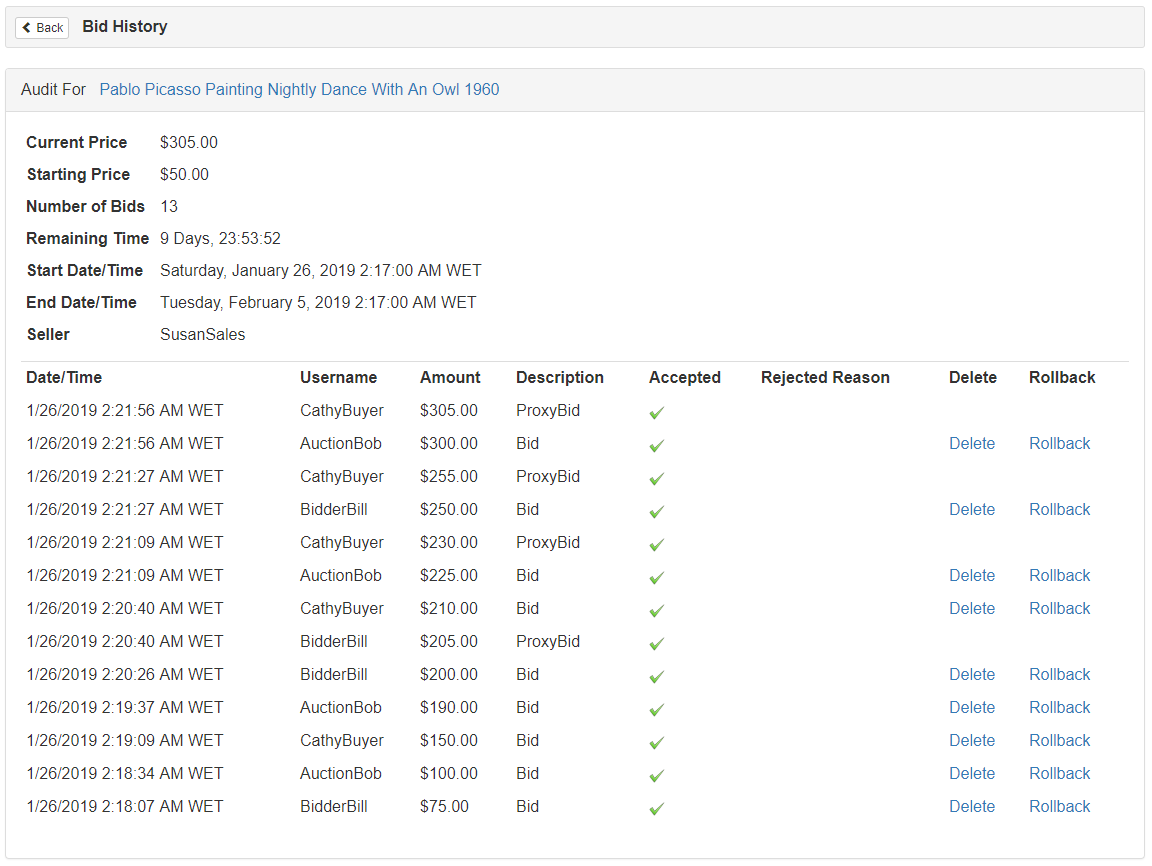
To remove the faulty bid, a site administrator can Audit the listing and choose to Rollback to the bid previous to CathyBuyer's bid. The system will remove CathyBuyer's bid and every bid afterwards. The site administrator should select the Rollback link for the target current bid. (BidderBill's bid for $200.00)
BidderBill will be the new High Bidder with a bid of $200.00.
Before
After