Export CSV
This page is used for exporting the user data.
Note
The User Management page can be filtered and sorted before clicking the Export CSV button and those filters and sort parameters will be carried over to this page then exported to the CSV file. (Eg, Role=Seller; Only Sellers will be exported)
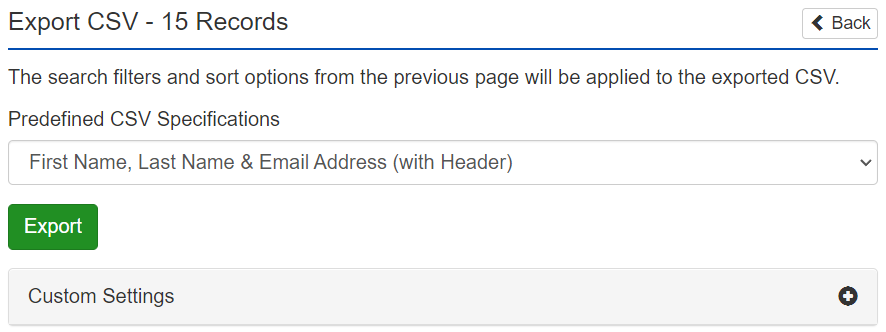
Predefined CSV Specifications – These are the predefined data formats, available either with or without a header row describing each column of information.
Export – This will submit the request to the server for the CSV file to be generated. An email with a link to the CSV file download page will be sent to the requesting administrator's email address.
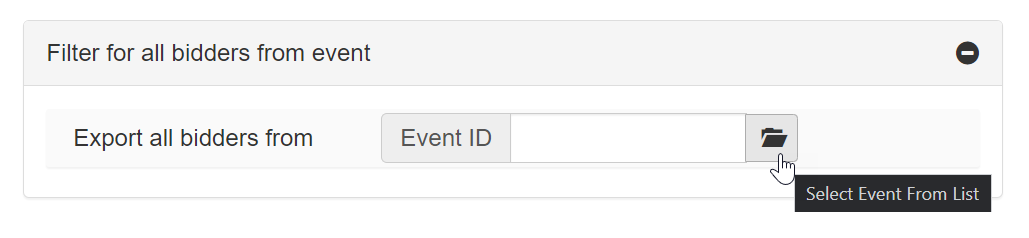
Filter for all bidders from event
This dropdown allows for the user list to be filtered to only show users that have placed bids in a particular Event. An Event can be selected by entering the Event ID or can be chosen by clicking the folder icon.
Custom Settings
Expand and view the Custom Settings by clicking on the text "Custom Settings".
Include Header – This will toggle whether or not a header row will be included in the custom CSV file. When including column headers, Column Specification formatting will need to include the column names.
Column Specification – This is where you may edit the displayed field names to be used in the CSV file header row.
Note
When arranging the format for Column Specification, it is important to adhere to the syntax displayed in the "Column Specifications" text box, after selecting the appropriate option from the "Predefined CSV Specifications" dropdown menu.
Example
Without Headers:
[user_property],[user_property],[user_property],...
With Headers:
[user_property]=[name of the column],[user_property]=[name of the column],...
Without Headers:
FirstName,LastName,Email,...
With Headers:
FirstName=First Names,LastName=Last Names,Email=Email Addresses,...
User Data Property IDs
User Data Property IDs are the names for the different user fields that can be added to the CSV Export file.
| Property | Description |
|---|---|
| ID | The integer ID of the user |
| UserName | The user's login name |
| Culture | The user's culture format (e.g. ja-JP for Japanese, en-US for English) |
| The user's email address | |
| Comment | Any stored comments for the user (as entered from Admin Control Panel > Users > Management > Account Info tab) |
| IsApproved | Boolean value indicating whether the user is approved by an administrator to use the site |
| IsLockedOut | (AKA Restricted) Boolean value indicating whether the user is locked out from the site by an administrator |
| CreationDate | The date/time the user account was created |
| LastLoginDate | The date/time the user last logged in |
| LastPasswordChangeDate | The date/time the user last changed their password |
| LastLockoutDate | The date/time the user was last locked out of the site |
| LastActivityDate | The date/time the user last performed an activity on the site |
| Newsletter | Boolean value indicating if the user has opted-in to newsletter communications |
| LastIP | The user's IP address the last time they logged in |
| IsVerified | Boolean value indicating if the user's email address is verified |
| VerificationToken | A random string, unique each time a user verification email is sent |
| PasswordResetToken | A random string, unique each time a user clicks the Forgot Password link |
| ServiceAuthorizationToken | A random string unique to the user, for use during web services authentication |
| IsActive | Boolean value indicating whether the user is active or has been deactivated |
| Street1 | The first line of the street portion of the user's primary address |
| Street2 | The second line of the street portion of the user's primary address |
| City | The city of the user's primary address |
| StateRegion | The state or region of the user's primary address |
| ZipPostal | The zip or postal code of the user's primary address |
| Country.Name | The full country name of the user's address |
| Country.Code | The country code of the user's address |
| WebAPIEnabled | On/Off value for the Web API |
| FirstName | The user's first name |
| LastName | The user's last name |
| <user custom field> | A user property an administrator has created from the Admin Control Panel |
Note
When entering a custom field, use the exact spelling (including spaces and capitalization) in the Column Specification.