Configuring Stripe for Third Party Sellers
This configuration means that the owner of the site is allowing Third Party Sellers to collect funds using their own Stripe account from the buyer's credit card.
Note
This can be setup in addition to the Single Seller scenario where the site owner is listing their own items using the Site Stripe Credentials.
Note
You must setup your Stripe account with a Stripe Connect account to allow third party sellers to connect their own Stripe to your site.
Connecting Stripe to a Third Party Seller User
-
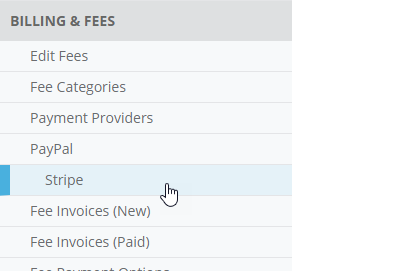
Navigate to the Admin Control Panel > Billing & Fees > Stripe page.
-
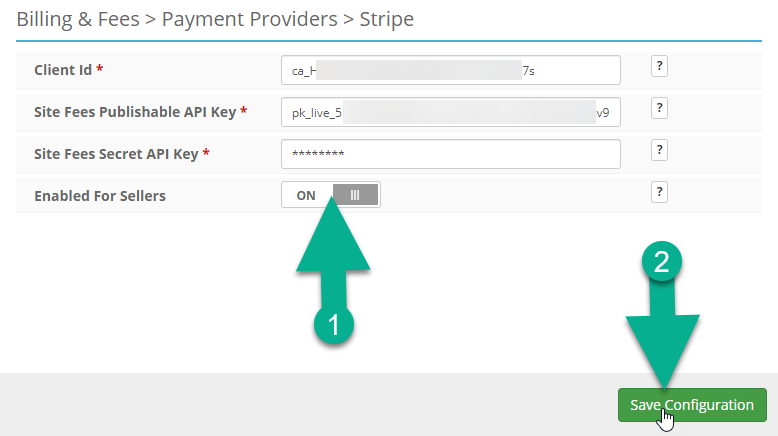
After the Site Stripe Credentials are entered, turn on the Enabled For Sellers setting and then click Save Configuration.
Note
Now that the Enabled For Sellers setting has been turned on. The last step will be completed by the third party seller themselves.
-
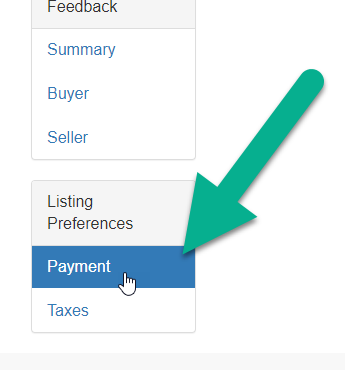
Logged in as the Third Party Seller, navigate to the My Account > Listing Preferences > Payment page.
-
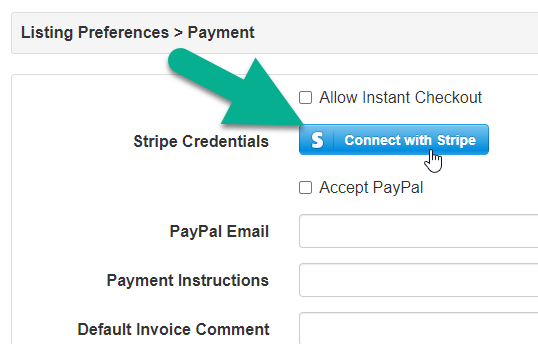
Click on the Connect with Stripe button.
-
Sign into your Stripe account or start the process of creating your Stripe account.
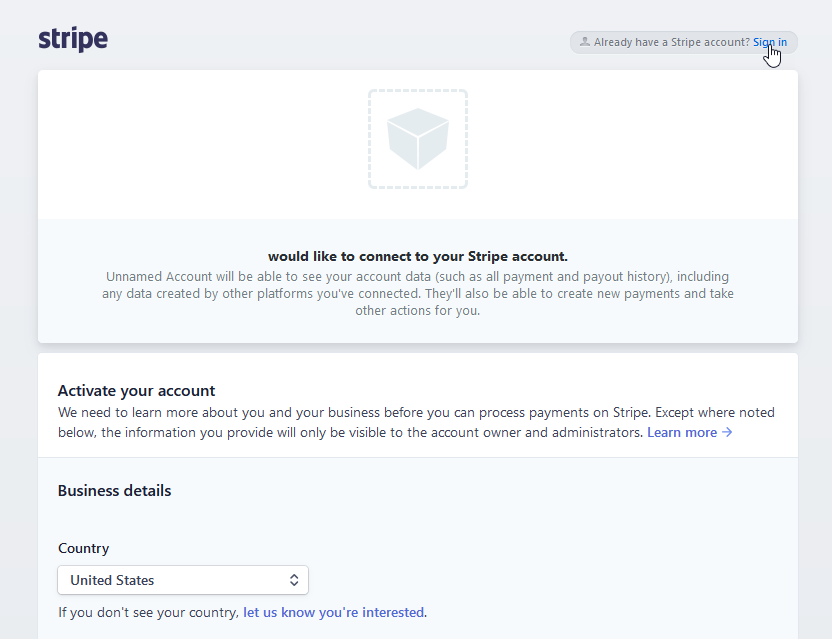
Now this seller user and their third party Stripe account will be able to collect funds from their buyers on the Sales Invoice via credit cards.
Additional Credit Card Settings that can be used
-
Admin Control Panel > Billing & Fees > Payment Providers: Require Credit Card for Sellers
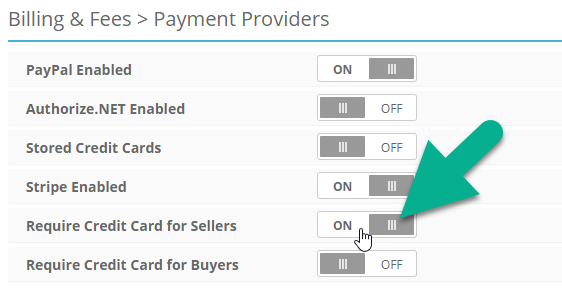
Turning on this setting will check that the Seller has a card on file (with the site's Stripe account) before allowing them to publish a Listing.
-
Admin Control Panel > Billing & Fees > Payment Providers: Require Credit Card for Buyers
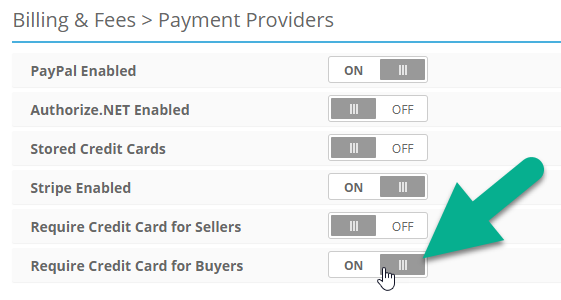
Turning on this setting on will require that Buyers have a credit card on file with the Seller that has posted the Listing.
-
Admin Control Panel > Billing & Fees > Sales Payment Options: Auto Charge Credit Cards
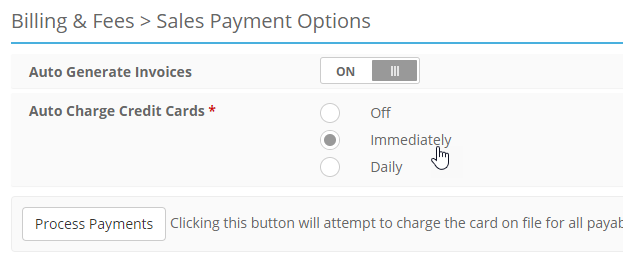
Selecting Immediately will attempt a charge an automatically generated invoice at the close of an Auction Listing or as soon as a Fixed Price listing has been purchased. Selecting Daily will attempt to process any unpaid Sales Invoices at a specific time of day. Using this setting requires that Auto Generate Invoices is turned on.