User Summary
The Summary tab is a display of the basic information about the selected user.
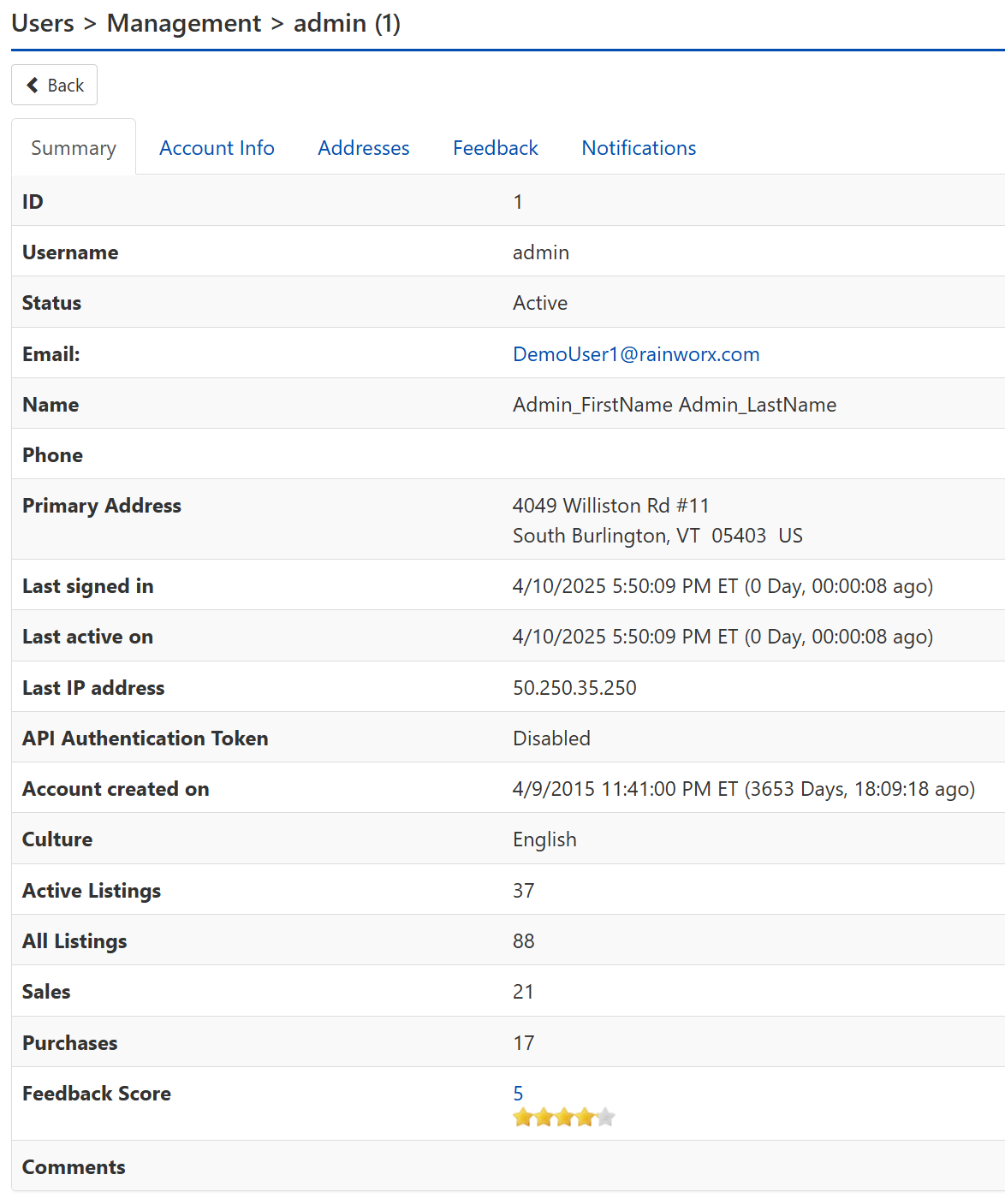
ID – This is the user's ID number.
Username – This is the unique identifier selected by the user during registration.
Status
- Active – The user is both verified and approved to use the site according to their role, and their account is not restricted from signing in.
- Unverified – The user has not completed the email verification process.
- Unapproved – The user is not approved by an administrator to use the site and cannot sign-in until they are approved.
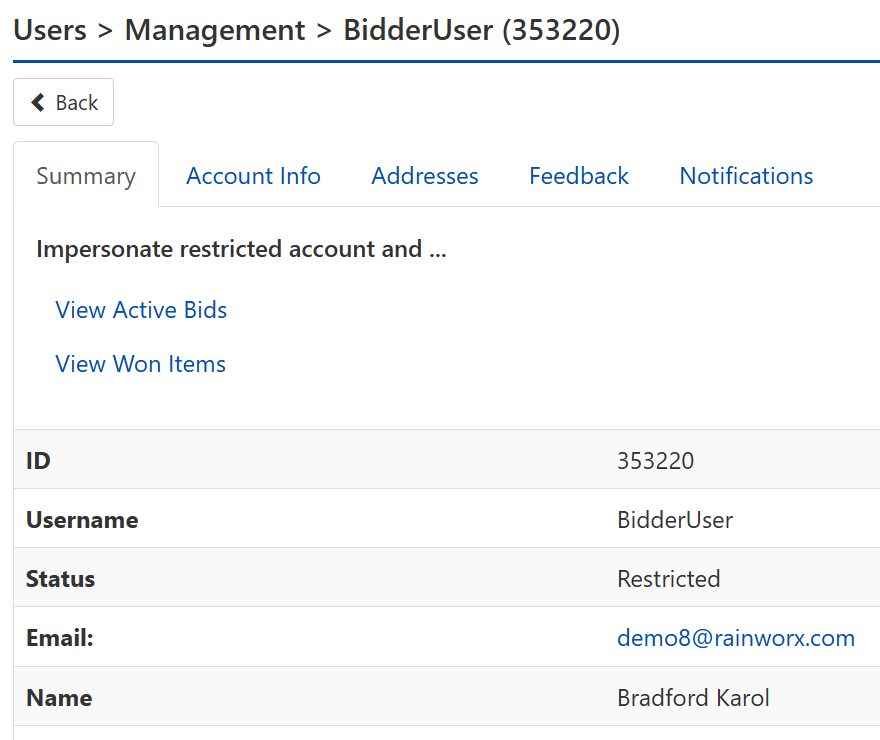
- Restricted – The user is prevented from signing in; an administrator has manually selected Restricted status for this user.
- Deactivated – The user account is no longer in use. Deactivated user accounts will not show up in the default list of users. Deactivated user accounts cannot sign in.
Email – This is the email address assigned to the account.
Name – This is the first and last name.
Phone - This is the user's phone number.
Primary Address – This is the user's main address for billing and shipping.
Last signed in – This is the date and time the user last signed in.
Last active on – This is the date and time the user actively used the site.
Last IP address – This is the IP address the user most recently viewed the site from.
API Authentication Token – This token is a sort of password that the system uses to verify the user’s permission to interact with the site, if the user or another service is leveraging the provided API.
Note
The Web API can be disabled for the user from Users > Management: User Account Info or for all users from Site Preferences > Setup.
Account created on – This is the date and time the user first signed up for an account.
Culture – This is the language and monetary display standards for that user.
Active Listings – This is the current active listings that have not timed out or closed.
All Listings – This is both current listings and past listings.
Sales – This is the number of listings that closed with a successful high bid or Buy Now.
Purchases – This is the number of listed items the user has purchased.
Feedback Score – This is the number of users that have left feedback for this account and the average feedback rating.
Comments – This is for administrative notes. This can be filled out from Users > Management: User Account Info.
Note
When a users is Restricted, links to that user's Active Bids and that user's Won Items will be displayed on the Summary page for that User. The links will Impersonate that user and navigate to the appropriate My Account views so that the administrator can manage the Bids and Won Items that the user owns.