With Proxy Bidding Below Reserve Price
This page describes how the bidding will go with Proxy Bidding turned on and Proxy Bidding Below Reserve turned on.
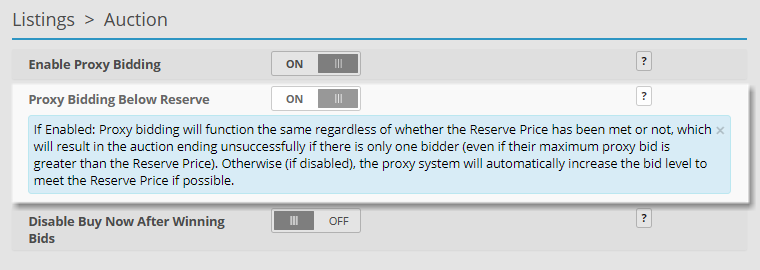
Proxy Bidding Below Reserve Price can be turned on from the Admin Control Panel > Listings > Auction page.
Proxy Bidding Below Reserve Price Scenario
The following example scenario illustrates how bidding works on an auction listing when the Proxy Bidding Below Reserve setting is turned On.
With Proxy Bidding Below Reserve enabled the user enters their maximum bid which the system then only bids up to as other bidders place their own maximum bids, even when the bid is below the Reserve Price.
In this example the proxy bidding is affected by the Reserve Price:
-
Admin creates a listing with a starting price of $100.00 and a reserve price of $130.00.
-
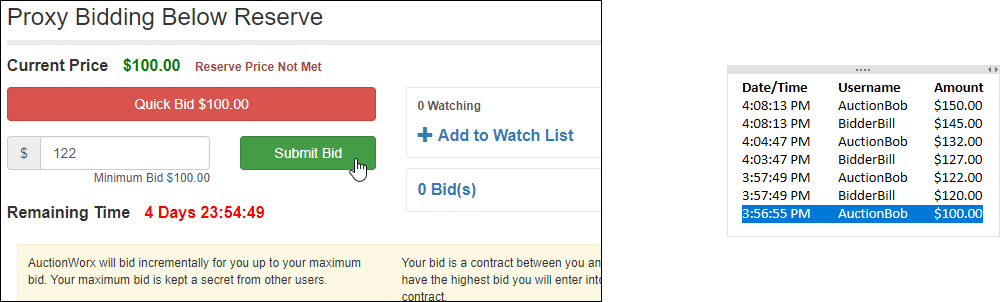
AuctionBob starts the bidding with $122.00.
-
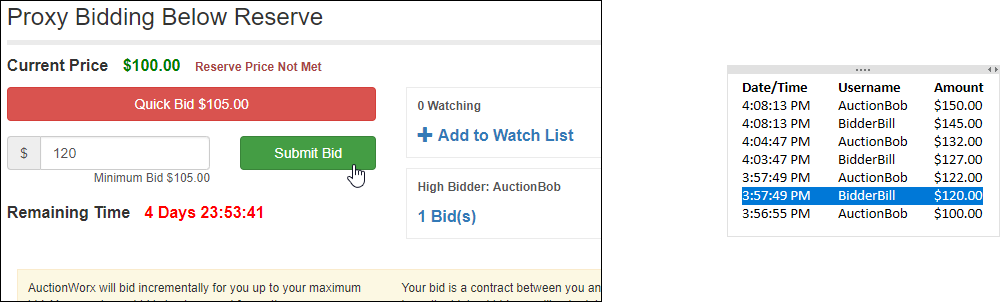
BidderBill bids $120.00.
-
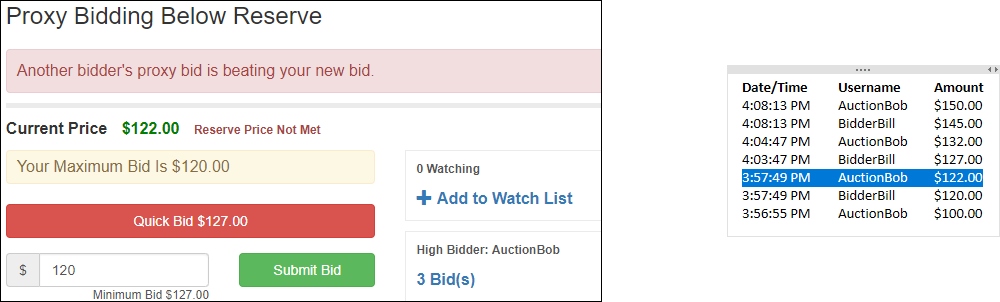
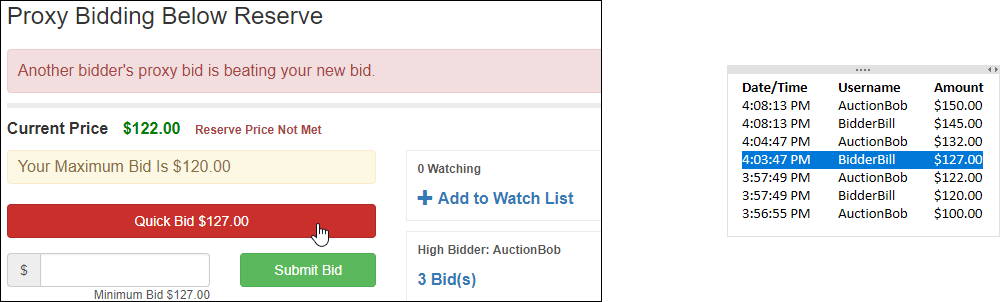
AuctionBob's proxy bid makes him automatically the High Bidder at $122.00.
-
BidderBill uses Quick Bid to bid the minimum, $127.00.
-
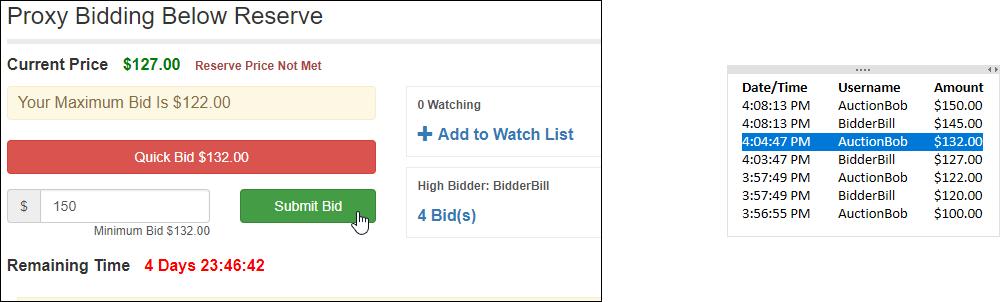
AuctionBob bids again for $150.00.
-
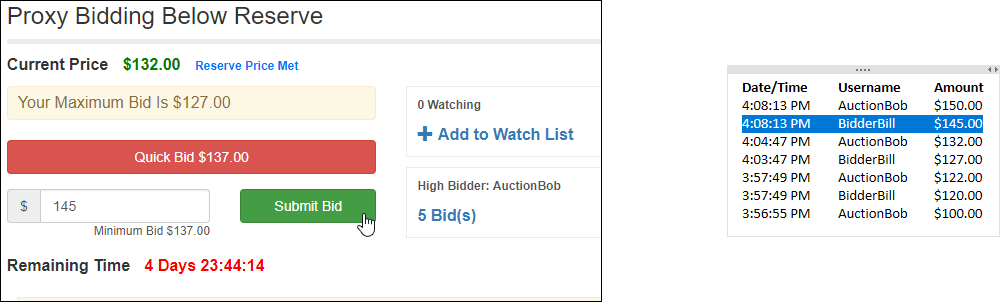
BidderBill raises his bid to $145.00.
-
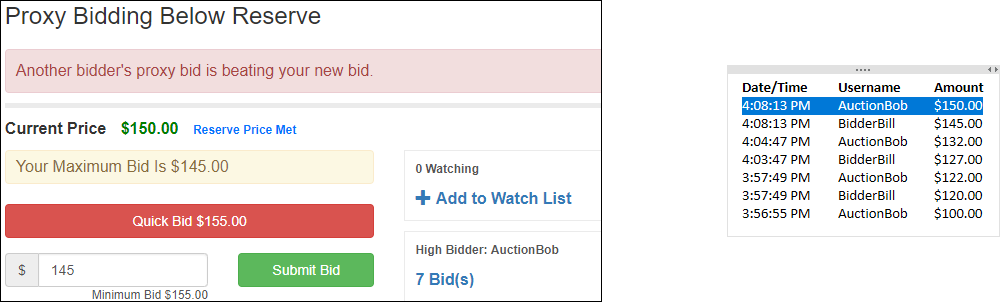
AuctionBob's proxy bid makes him automatically the High Bidder at $150.00.
Bid History
| Date/Time | Username | Amount |
|---|---|---|
| 4:08:13 PM | AuctionBob | $150.00 |
| 4:08:13 PM | BidderBill | $145.00 |
| 4:04:47 PM | AuctionBob | $132.00 |
| 4:03:47 PM | BidderBill | $127.00 |
| 3:57:49 PM | AuctionBob | $122.00 |
| 3:57:49 PM | BidderBill | $120.00 |
| 3:56:55 PM | AuctionBob | $100.00 |